On this page
- CTA vs CTD: what's the difference?
- Minimum stay: on arrival or through?
- What is a stop sell, and how is it different?
- How to set CTA, CTD and minimum stay in Little Hotelier
- How restrictions reach Booking.com, Expedia and Airbnb
- When should a small hotel use them?
- The faster way: restriction policies and stop sell in Hotelier Tools
- Summary
In Little Hotelier, CTA (closed to arrival) means guests can't check in on that date, and CTD (closed to departure) means they can't check out on that date. Minimum stay is the fewest nights a room must be booked for. A stop sell closes a rate for sale on a date while your rooms stay in the inventory. You set all of them per room rate in Front Desk > Inventory, one date at a time or with Bulk Update.
| Term | What it means | Typical use |
|---|---|---|
| CTA (Closed to Arrival) | "Guests cannot check in on this date." Guests who arrived earlier stay through it. | Make guests arrive on Friday for a busy weekend. |
| CTD (Closed to Departure) | "Guests cannot check out on this date." Guests can stay through it but not leave that day. | Keep a weekend together. |
| Min stay (min LOS) | "Minimum or maximum nights a room must be booked for" (Min/Max Stay). | Two nights on event weekends. |
| Max stay | The longest booking accepted. | Rare for small hotels. |
| Stop sell | The rate is closed for sale on that date, on all channels or only some. Called Close Channels in Front Desk and Stop Sell in Channel Manager. | Close a date fast: maintenance, an owner's block, a channel you want to pause. |
The quoted definitions come from Little Hotelier's help centre: manage rates, availability and restrictions in the inventory grid (updated August 2026).
CTA vs CTD: what's the difference?
Both restrictions are about the day of arrival or departure, not the nights in between.
Take a festival weekend: Friday and Saturday nights are in high demand, Sunday is quiet.
- CTA on Saturday: nobody can check in on Saturday. A guest who wants only Saturday night can't book it, but a guest arriving on Friday for two nights can. You sell the whole weekend instead of a lone Saturday that leaves Friday empty.
- CTD on Saturday: nobody can check out on Saturday. A guest arriving on Friday must stay at least until Sunday.
Neither restriction affects guests who already have a booking. They only filter which new bookings are accepted. In Little Hotelier, CTA and CTD apply to all your channels, including your own booking engine (CTA and CTD video guide).
Minimum stay: on arrival or through?
A minimum stay (min LOS, minimum length of stay) sets the fewest nights a booking can have. Channels apply it in one of two ways:
- On arrival: checked against the arrival date. A minimum of 2 on Friday means Friday arrivals must book at least 2 nights; a Saturday arrival can still book one night.
- Through: checked against every night of the stay. A minimum of 2 on Saturday means any booking that includes Saturday night must be at least 2 nights, wherever it starts.
Little Hotelier's grid just has Min Stay and Max Stay. How a channel reads them is a channel setting. Little Hotelier sends minimum and maximum stay to Booking.com as "through" by default (connect to Booking.com). If your Booking.com account uses "Min. stay from arrival", set Use Length of Stay on Arrival to Yes under My Apps > Channel Manager > Channels > Booking.com > Configure (channel mapping errors). If a minimum stay is higher than the maximum stay, the rate is disabled automatically.
What is a stop sell, and how is it different?
A stop sell closes a rate for sale on a date while keeping your room count unchanged. Little Hotelier sits on top of SiteMinder's channel manager, and a night can have a perfectly good rate and still sell nowhere because it is on stop sell.
Little Hotelier gives you two ways to do it, and you can only use one at a time:
- Close Channels in Front Desk > Inventory stops selling "on all connected channels (including your booking engine)" for the selected room rates and dates.
- Stop Sell in Channel Manager closes specific channels. Go to My Apps > Channel Manager > Inventory, press the blue Channels button next to the rate, find the channel rate and choose Stop Sell. For a date range, use Bulk Update and set Stop Sell to On (stop sells for specific channels).
Channel Manager stop sells don't work while Close Channels is ticked in Front Desk for the same dates.
| Stop sell | Room closure (less availability) | CTA | |
|---|---|---|---|
| New bookings including that night | Blocked | Blocked once availability reaches 0 | Allowed if they arrive earlier |
| Your room count | Unchanged | Reduced for that room type | Unchanged |
| Good for | Closing fast, by channel | Rooms really out of service | Shaping stays |
A Room Closure (Front Desk > Calendar) "reduces the availability sent to the channels for the closed room type. It does not apply a stop sell" (room closures).
How to set CTA, CTD and minimum stay in Little Hotelier
One date at a time
- Go to Front Desk > Inventory.
- Choose a view that shows the fields you need.
- Move to the dates and edit the cells for the room rate: Min Stay, Max Stay, CTA, CTD.
- Press Save.
A date range with Bulk Update
- In Front Desk > Inventory, press Bulk Update.
- When?: pick the date range.
- Which days?: pick the weekdays, for example only Saturdays.
- Which room rates?: pick the rates.
- What changes?: set the restriction, for example a minimum stay of 2 or CTA on.
- Press Update.
Good to know:
- Restrictions are set per room rate, not per room type.
- Derived rates are grayed out in the grid. Change the rate they derive from.
- Front Desk accepts updates about 716 days ahead by default.
How restrictions reach Booking.com, Expedia and Airbnb
Little Hotelier sends your restrictions to each connected channel through the channel manager, with some limits (inventory grid, channel update period):
- Not every channel rate supports every restriction. A dash (-) in a channel cell means that channel doesn't support that update type. In Channel Manager, a channel rate's Configure screen shows which update types it accepts.
- Booking windows differ. Channel Manager sends updates 400 days ahead by default (up to 750). Updates beyond a channel's maximum don't sync; for Booking.com that maximum is 545 days.
- Expedia takes stop sells from Little Hotelier at rate level only. Room-level stop sells are managed in Expedia Partner Central (Expedia stop sell issues).
- Airbnb with Enhanced Sync receives rates, availability and restrictions, but a field you change in Airbnb's own extranet is then grayed out in Channel Manager (map to Airbnb).
After setting an important restriction, open the channel's extranet and check one date.
When should a small hotel use them?
- Busy weekends and events. A two-night minimum on the event nights, or CTA on the busiest night, sells full stays instead of single nights that leave gaps.
- Single empty nights. A lone free night between two busy ones can only sell as a one-night stay. If a minimum stay blocks it, lift the minimum on that night as the date gets close.
- Close to the date. Restrictions that made sense a month out may block easy bookings a few days before. Review them weekly.
- Days nobody can do check-ins. CTA on those days, if your house rules allow it.
- Closing fast. Use stop sell rather than a price of 999 when you need a date off sale.
The faster way: restriction policies and stop sell in Hotelier Tools
Hotelier Tools works on top of Little Hotelier with your own login. Instead of setting restrictions date by date, you write the policy once and it is proposed night by night, next to the price. The pricing features are in alpha.
1. Write the policy once
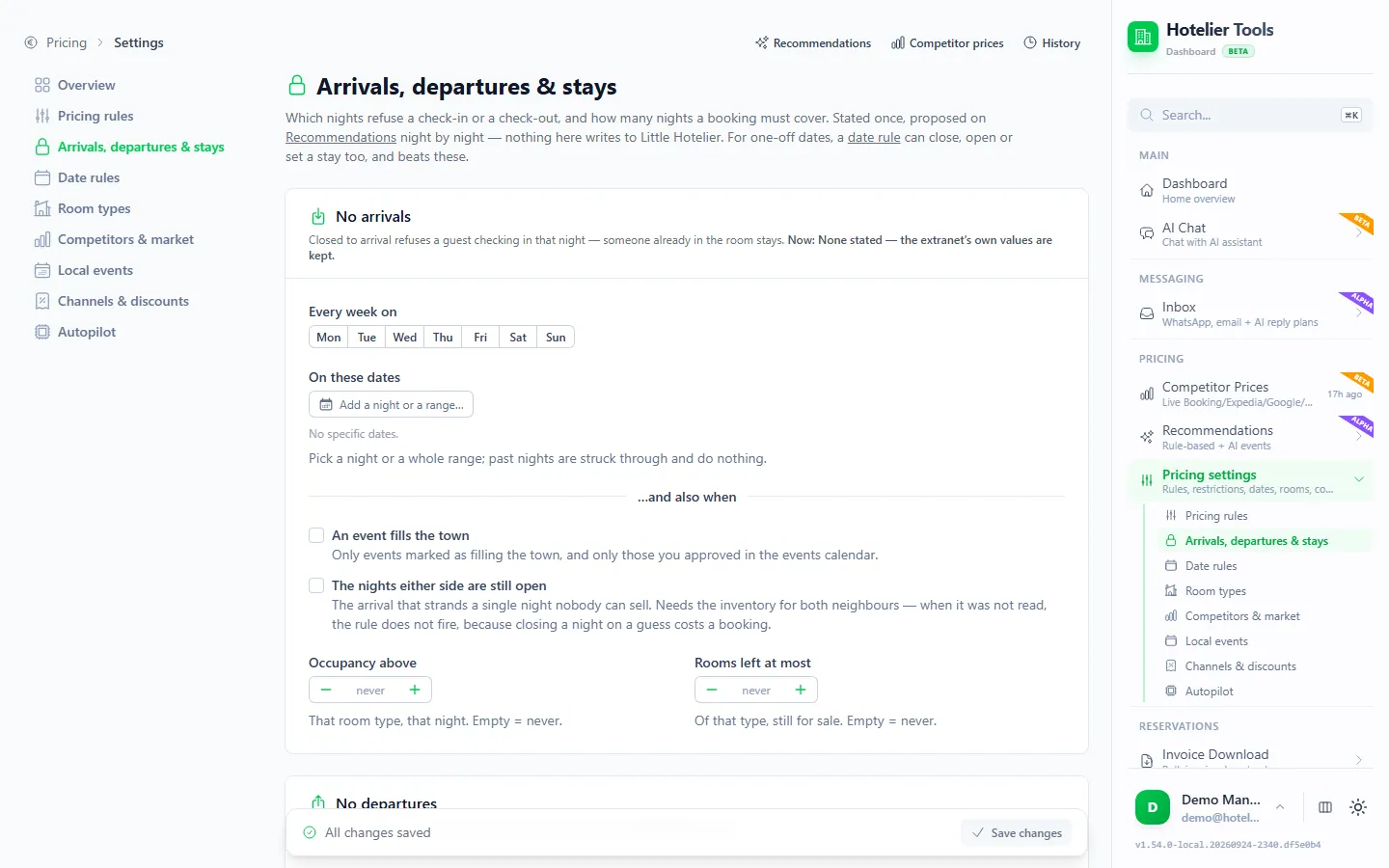
Open Pricing settings → Arrivals, departures & stays (/pricing/settings/restrictions). You can close arrivals or departures:
- on fixed weekdays or specific dates
- by occupancy or rooms left
- only when the nights either side are still open
Hotelier Tools detects the weekday pattern you already use in Little Hotelier and offers to adopt it. Optional weekend packages set a minimum stay; they are off by default, and when switched on the default is Friday and Saturday, 2 nights. A package never lowers a longer minimum stay someone set by hand. Nothing on this page writes to Little Hotelier.
2. Review and apply night by night
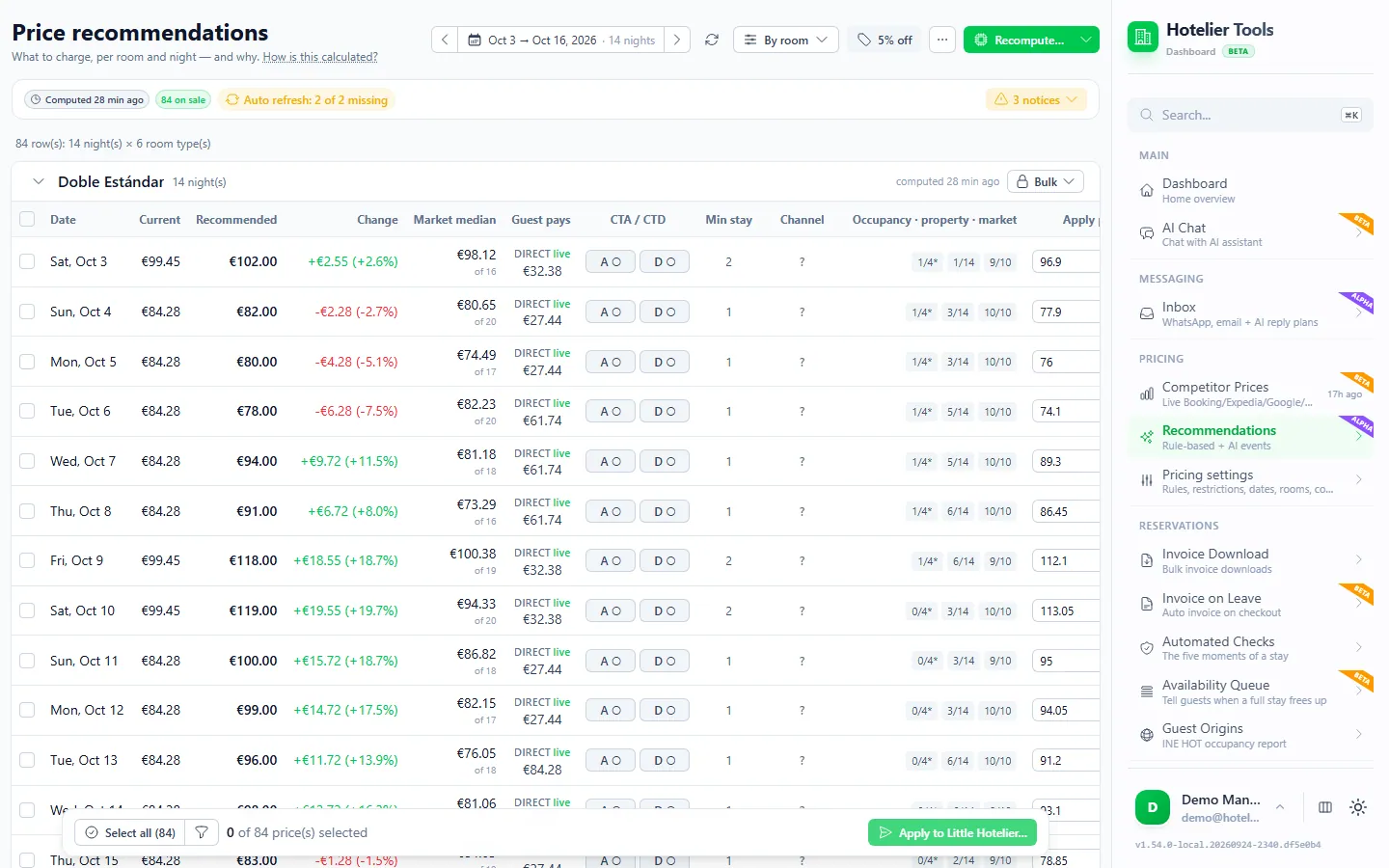
On Recommendations (/price-recommendations), each night shows its arrival (A) and departure (D) state next to the price. Toggle them where you disagree, tick the nights and press Apply to Little Hotelier…. Nothing changes until you confirm.
For one-off dates, Date rules (/pricing/settings/dates) has a "stay" rule that sets only a minimum stay or an arrival rule on those nights.
3. Check and set channel stop sell
Press Check channel manager on the Recommendations page. Hotelier Tools reads SiteMinder's stop-sell state with the same Little Hotelier session, only when you press it, and a channel column shows open, closed or mixed for each night. Choose a target (open all, close all, keep). It is sent after the Little Hotelier price change, and only for nights where that change succeeded.
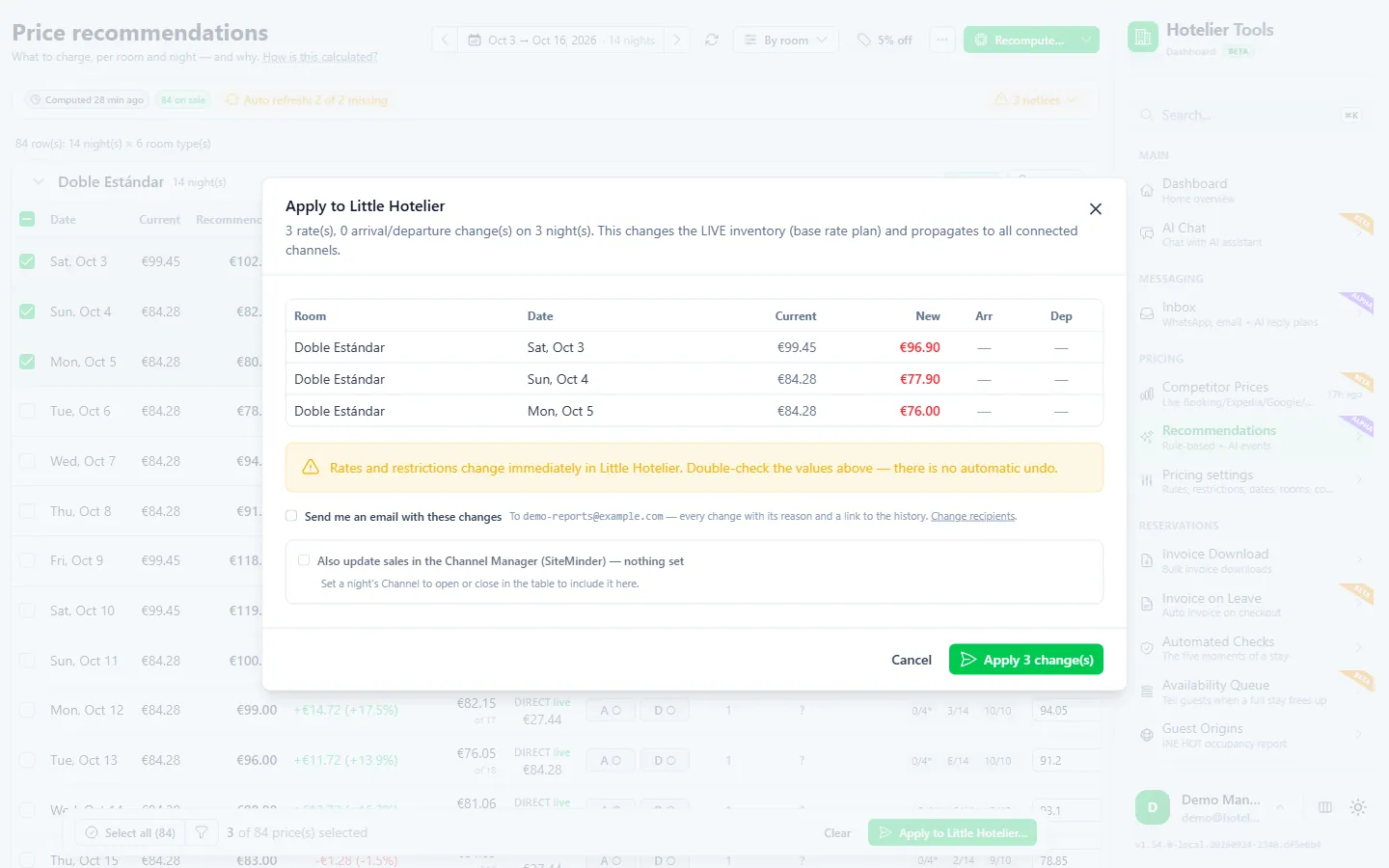
The autopilot never changes stop sell, and it writes minimum stays only if you allow it separately.
Try it in the live demo
Open the same screen in the Hotelier Tools demo, filled with invented data. No sign-up, nothing to install.
Summary
- CTA stops check-ins on a date, CTD stops check-outs, minimum stay sets the shortest booking, and stop sell closes the rate for sale while keeping your room count.
- In Little Hotelier, set them per room rate in Front Desk > Inventory, or with Bulk Update for a date range. Stop sell per channel lives in Channel Manager.
- Check which restrictions each channel accepts, and review them weekly as dates get close.
- With Hotelier Tools dynamic pricing you write the policy once, see it next to the price, and set SiteMinder stop sell from the same page. It is free for every hotel until 10 January 2027.
- Next: dynamic pricing for small hotels on Little Hotelier and Little Hotelier tips and hidden features.
Frequently asked questions
What is the difference between closed to arrival and stop sell?
Closed to arrival only stops new check-ins on that date: a guest who arrives the day before can still stay through it. Stop sell closes the rate for sale on that date, so no new booking can include that night at all.
Is stop sell the same as setting availability to 0?
For the guest the result looks the same: the night can't be booked. On your side it is different. A stop sell keeps your room count, so reopening is one switch. A room closure in Little Hotelier lowers the availability sent to channels and does not apply a stop sell.
When should a small hotel use closed to arrival?
Use it to protect longer stays: on the Saturday of a busy weekend, so guests must arrive on Friday, or on event nights when you would rather sell full stays. Review it as the date gets close and lift it if the night is still empty.
Why doesn't my restriction show on Booking.com or Airbnb?
Not every channel rate accepts every restriction. In Little Hotelier's inventory grid a dash in a channel cell means that channel doesn't support that update, and updates beyond a channel's maximum booking window don't sync. Check the channel rate's configuration in Channel Manager to see which update types it supports.
Does Hotelier Tools change restrictions on its own?
No. Restriction policies are proposed night by night on the Recommendations page, and nothing is written until you apply. The autopilot writes minimum stays only if you allow it separately, and it never touches channel stop sell. Hotelier Tools is independent and not affiliated with or endorsed by SiteMinder or Little Hotelier.