On this page
To invoice a company instead of the guest, put the company's name, tax ID and address on the reservation before you generate the invoice. In Little Hotelier that means the Primary contact on the reservation's Details tab, the ID number field and Organisation. If the invoice already exists, edit the details and generate a corrected one. Hotelier Tools adds two shortcuts: a Billing and address editor on each reservation, and a private link where guests type their own company details.
"In another name": to whom, or from whom?
Two different requests hide behind "an invoice in another name":
- Made out TO someone else. A company pays for its employee's stay, or a travel agency pays for its client. The invoice still comes from your property; only the customer block changes. This is the common case, and most of this guide.
- Made out FROM someone else. A different business issues the invoice: another company that runs some of your rooms, or the owner's own name for a block of stays. That changes your own header, not the customer's. It is rare, and covered at the end.
Never mix them up. The guest's company goes in the customer block, never in your header.
What must a company invoice include?
In the EU, a full VAT invoice includes the issue date, a unique sequential number, your name and address and the customer's, the customer's VAT number when the customer is liable for the tax, a description of the service, the price before tax, the VAT rate and the VAT amount (European Commission).
In Spain, the Tax Agency lists what a factura completa must carry (AEAT: contenido de las facturas):
- number and, if you use one, series, with consecutive numbering
- issue date, and the date of the stay if it differs
- full name or company name, NIF and address of you and of the customer
- a description of the service, the unit price before tax and any discount
- the VAT rate and the VAT amount, shown separately
A factura simplificada leaves the customer's details out. For accommodation it is only allowed up to 400 euros including VAT. The 3,000-euro limit applies to restaurant and bar services, not to rooms (AEAT: facturas simplificadas). A business guest who wants to deduct the VAT needs the full invoice in the company's name, so ask for the company name, tax ID and address.
How to put a company's name on a Little Hotelier invoice
Little Hotelier has no separate "bill to a company" switch. Its help centre describes this method, as of November 2026 (Reservations FAQ):
- Open the reservation and go to the Details tab.
- In Primary contact, type the company name. The invoice prints the name without the field labels.
- Type the company's tax number in the ID number field. It prints just below the company name.
- Add extra address details under Organisation if needed.
- Keep the real guests in the Guests tab, as Little Hotelier recommends.
- Go to Invoices, click Generate invoice, then Email > Invoice (help centre).
Your own details at the top (title, numbering, logo) are set once in Customise invoices (help centre).
Already issued? Edit the details, and the Invoices tab shows Invoice is outdated: click it to generate a corrected invoice. If you had marked it as final, cancel it and generate it again (help centre). In Spain with VeriFactu, a finalized invoice is changed through Rectify invoice (help centre).
Booking.com guests and travel agencies
Booking.com says the property invoices the guest, in the guest's name or another name agreed with them, and never shows Booking.com as the seller (Booking.com Partner Hub). So a Booking.com guest can ask for their employer's name. A business traveler who presses Request invoice in Booking.com for Business simply sends you a message with the details (Booking.com for Business help).
For a travel agency that pays you directly, the agency is your customer: its name, tax ID and address go on the invoice, and the traveler's name can go in the description.
How can guests send their invoice details themselves?
In Little Hotelier on its own, they can't. The guest writes to you, someone retypes the company details into the reservation, and the request gets lost if nobody follows it up before checkout. Little Hotelier's automatic guest emails don't ask for invoice details (help centre).
The faster way: billing details, guest links and resending in Hotelier Tools
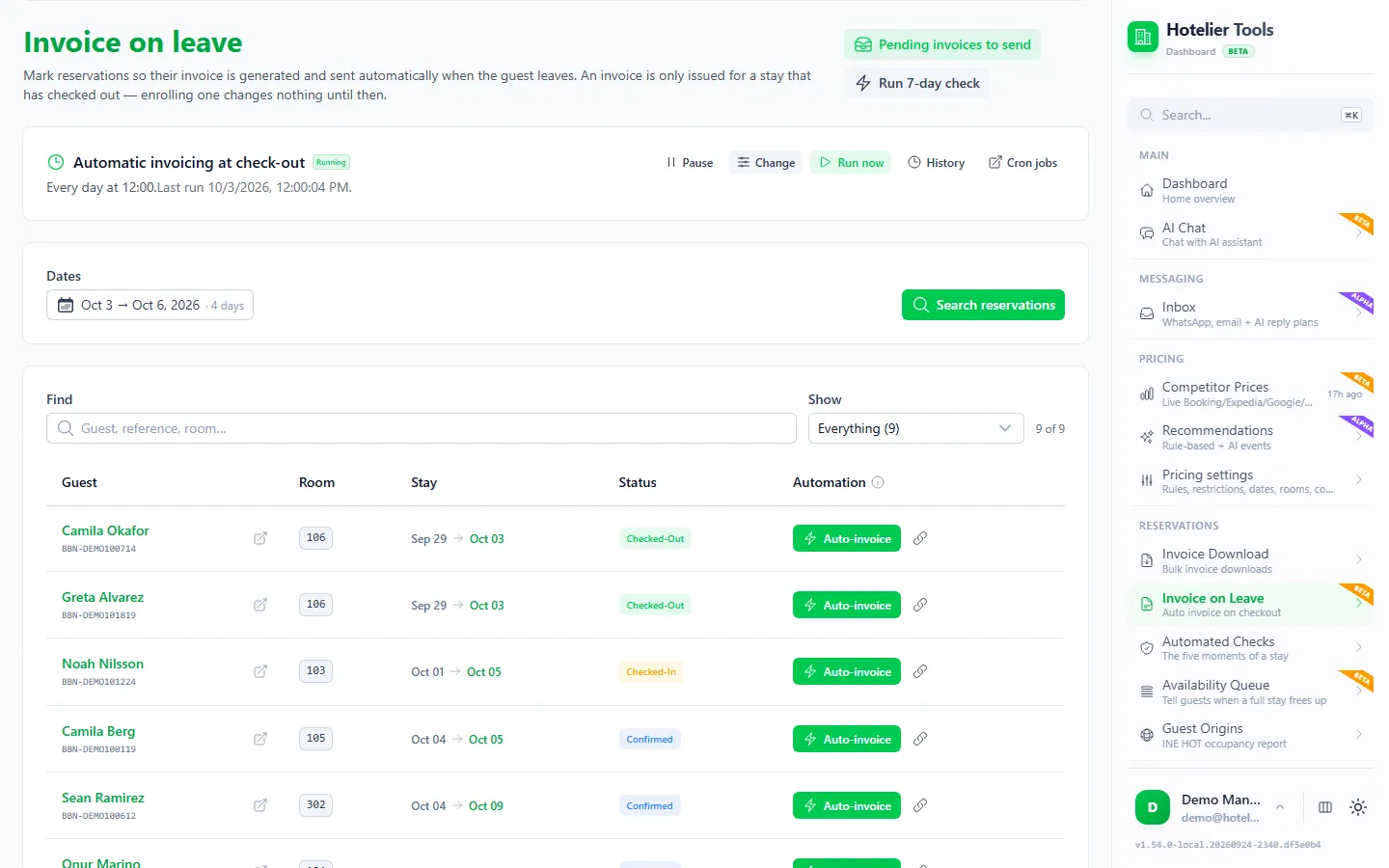
Hotelier Tools works on top of your Little Hotelier account. These features are part of Invoice on Leave, which is in beta.
| Situation | Where in Hotelier Tools |
|---|---|
| You have the company details and want to type them | The reservation's Guests > Billing and address |
| The guest should send the details themselves | Guest links (/invoice-on-leave/links) |
| Every departing guest should be asked | Guest link settings > Invite every guest |
| The guest never got the invoice | Send again on the reservation, or Send my invoice again on the guest's link |
| The invoice must come from another business | Invoices in another name (/invoices/issuers) |
Edit the billing details on the reservation
- Open Reservations (
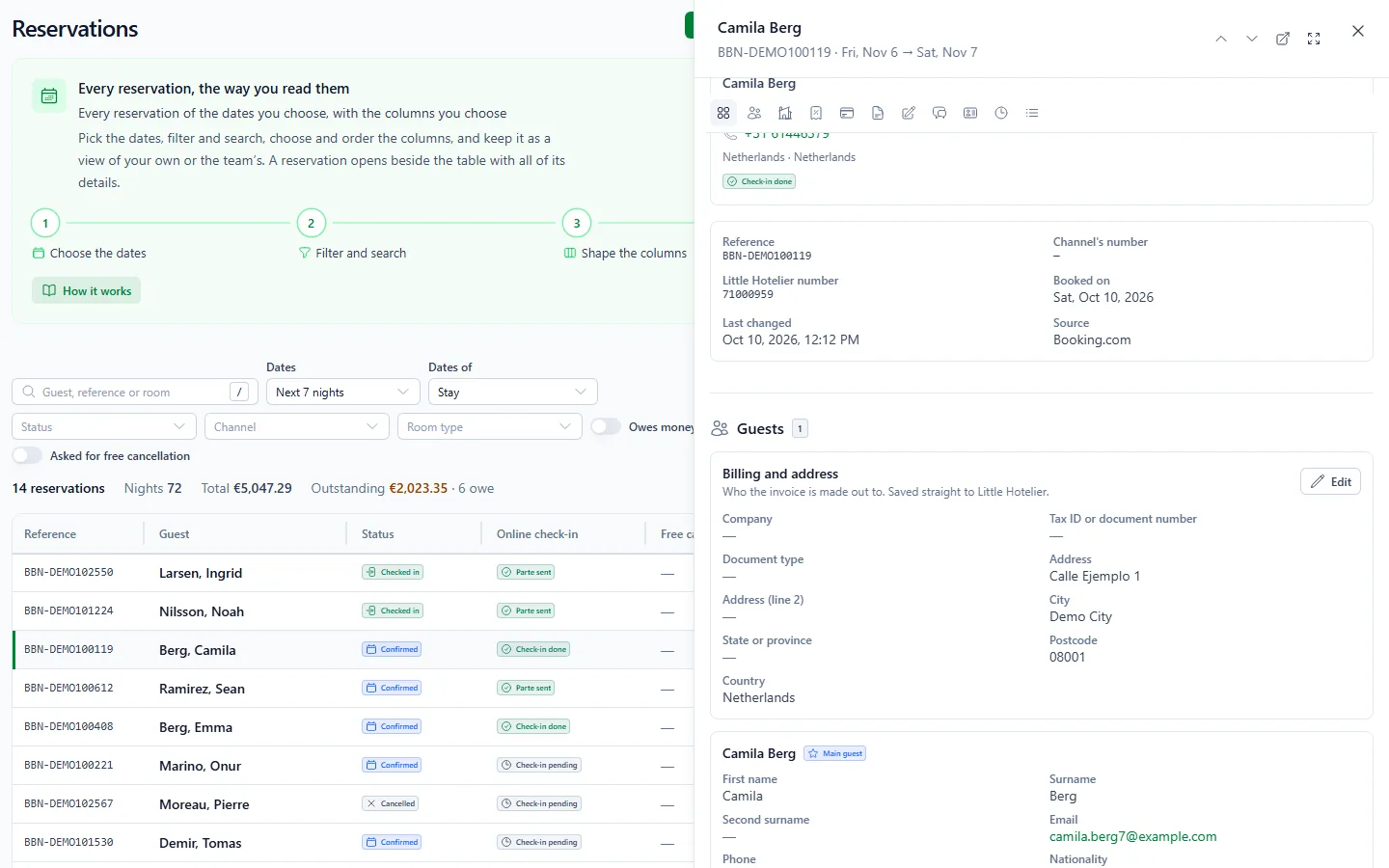
/reservations) and click the stay. - In Guests, find Billing and address ("Who the invoice is made out to. Saved straight to Little Hotelier.") and click Edit.
- Fill in Company, Tax ID or document number, Address, City, State or province, Postcode and Country, then Save.
The change is written to Little Hotelier's main guest record. If someone changed the reservation after you opened it, nothing is overwritten and you see what Little Hotelier holds now. A tax ID that doesn't look like one (8 to 16 letters and digits, with at least one digit) is refused. Once an invoice was issued, the company and tax ID can't be changed here: correct them in Little Hotelier and issue the invoice again.
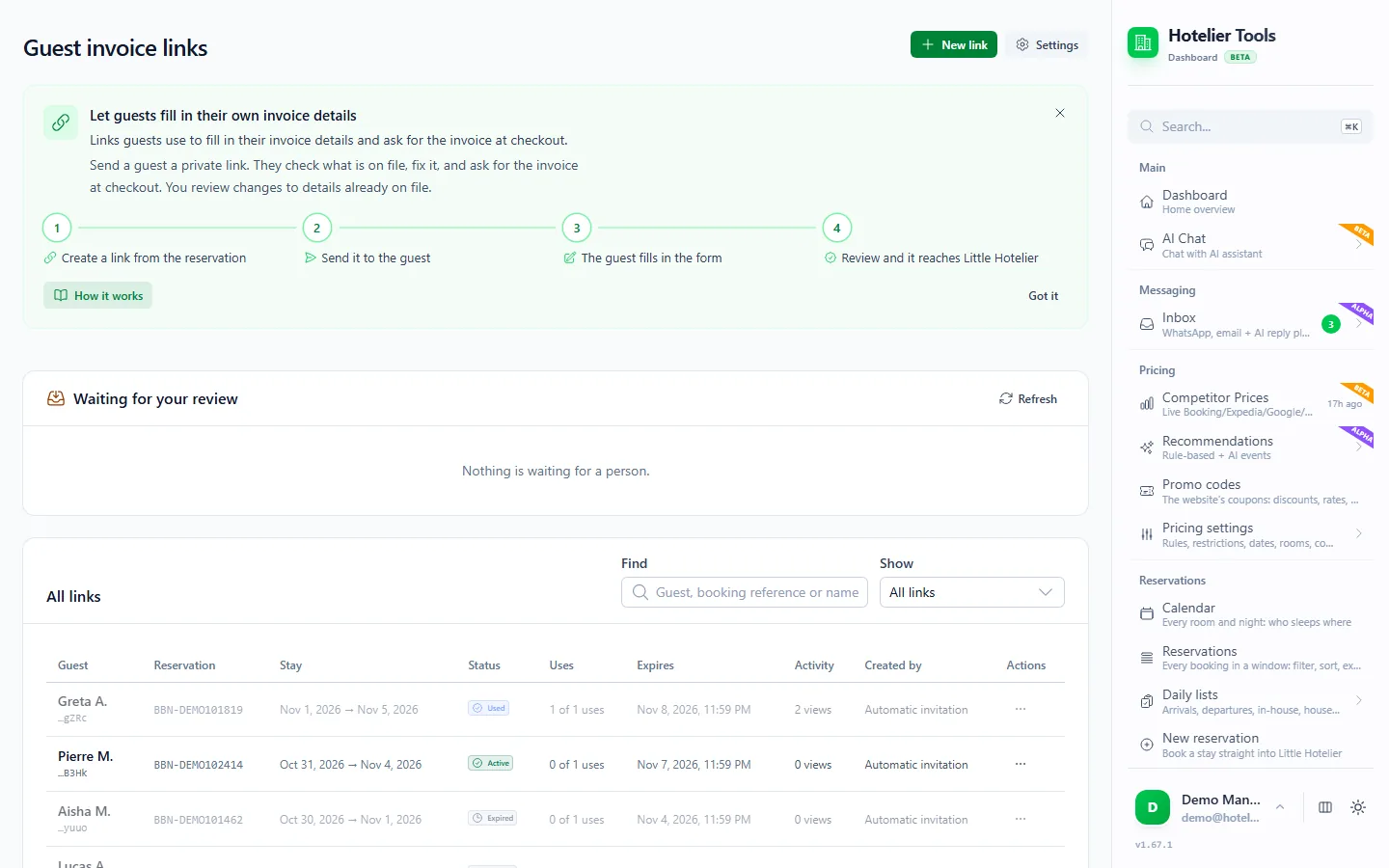
Send the guest a private link
A guest invoice link is a private page for one reservation. The guest sees what is on file (partly hidden), adds or corrects the company, tax ID and address, and can tick Email me the invoice when I check out.
- Open Guest link settings (
/invoice-on-leave/links/settings) and turn Guest links on. - Under What guests may change, set each field to not asked, optional or required. Email and phone are never editable: they decide who receives the invoice.
- Under Message for guests, write the text at the top of the form, once as the default and, if you like, once per language.
- Choose How changes are applied: Fill blanks automatically (new details go straight to Little Hotelier, changes to details on file wait for review) or Review everything.
- On Guest links (
/invoice-on-leave/links), press New link, find the booking, and choose Create and copy link or Create and email to the guest. The email goes to the address on the booking.
What the guest sends that changes something on file shows up under Waiting for your review, with Approve and apply or Reject. Before writing, Hotelier Tools reads the booking again, and a detail your staff changed after the link was sent always waits for a person. A guest who ticks the checkout box is enrolled in Invoice on Leave, so the invoice is generated and emailed after they leave.
A few safety rules are built in. A link shown once can't be shown again: lose it and you press Get a new link, which stops the old one. Links with more than one use always ask for the surname or booking reference first, and five wrong answers lock the link. A link works for at least 48 hours and at most 90 days.
Invite every guest at checkout
Instead of sending links one by one, switch on Invite every guest in Guest link settings. Each day, at the hour you choose, every guest of the stays you pick gets their own link: On the check-out day (recommended), The day before check-out, On the arrival day or Another day. It goes by Email to the booking's address (Booking.com and Expedia forward it), by WhatsApp when a phone number has its country code, or both. Each stay is invited once.
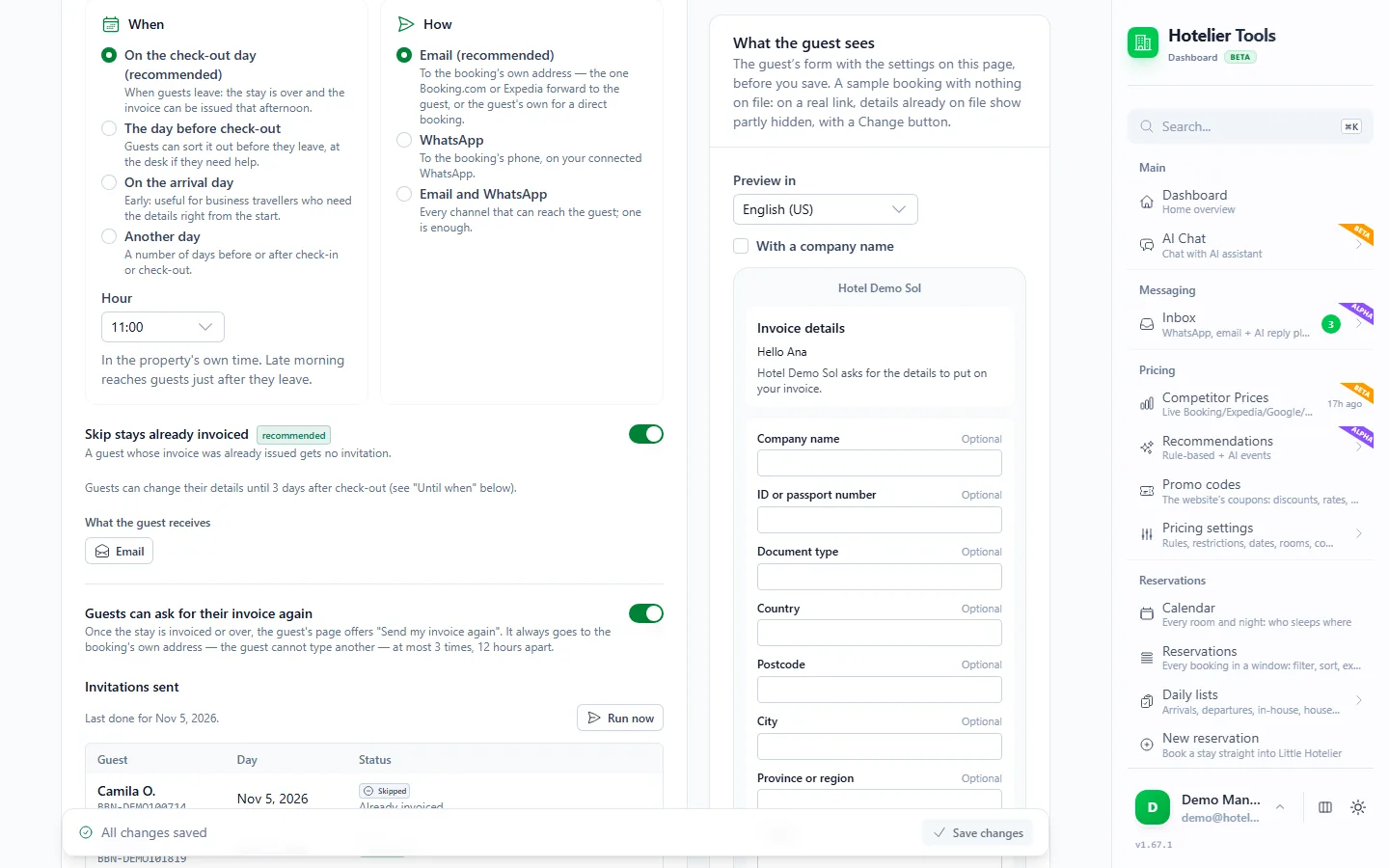
Skip stays already invoiced is on by default. Turn it off and those guests are told their invoice was emailed, with a link to have it sent again. A Reminder can email guests who haven't filled in the form after 1 to 14 days; it sends a new link and the earlier one stops working.
Send an issued invoice again
When a guest says the invoice never arrived, open the reservation's Invoices section and press Send again. Little Hotelier emails the same invoice to the address on the reservation. Nothing new is issued.
Guests can do it themselves too. With Guests can ask for their invoice again on (the default), the guest's page offers Send my invoice again once the stay is invoiced or over. It always goes to the booking's own address, at most 3 times, 12 hours apart, and the page never says whether an invoice exists.
Booking.com invoice requests in the inbox
When a guest presses Booking.com's own invoice request, Booking.com sends a fixed message with the company name, tax number and "additional information". The Hotelier Tools inbox (alpha) recognizes those two templates without using AI. Its analysis proposes the company details and the invoice at checkout on one card, with a reply in the guest's language. Nothing changes until you approve the card. See Booking.com guest messages.
When the invoice must come from another business
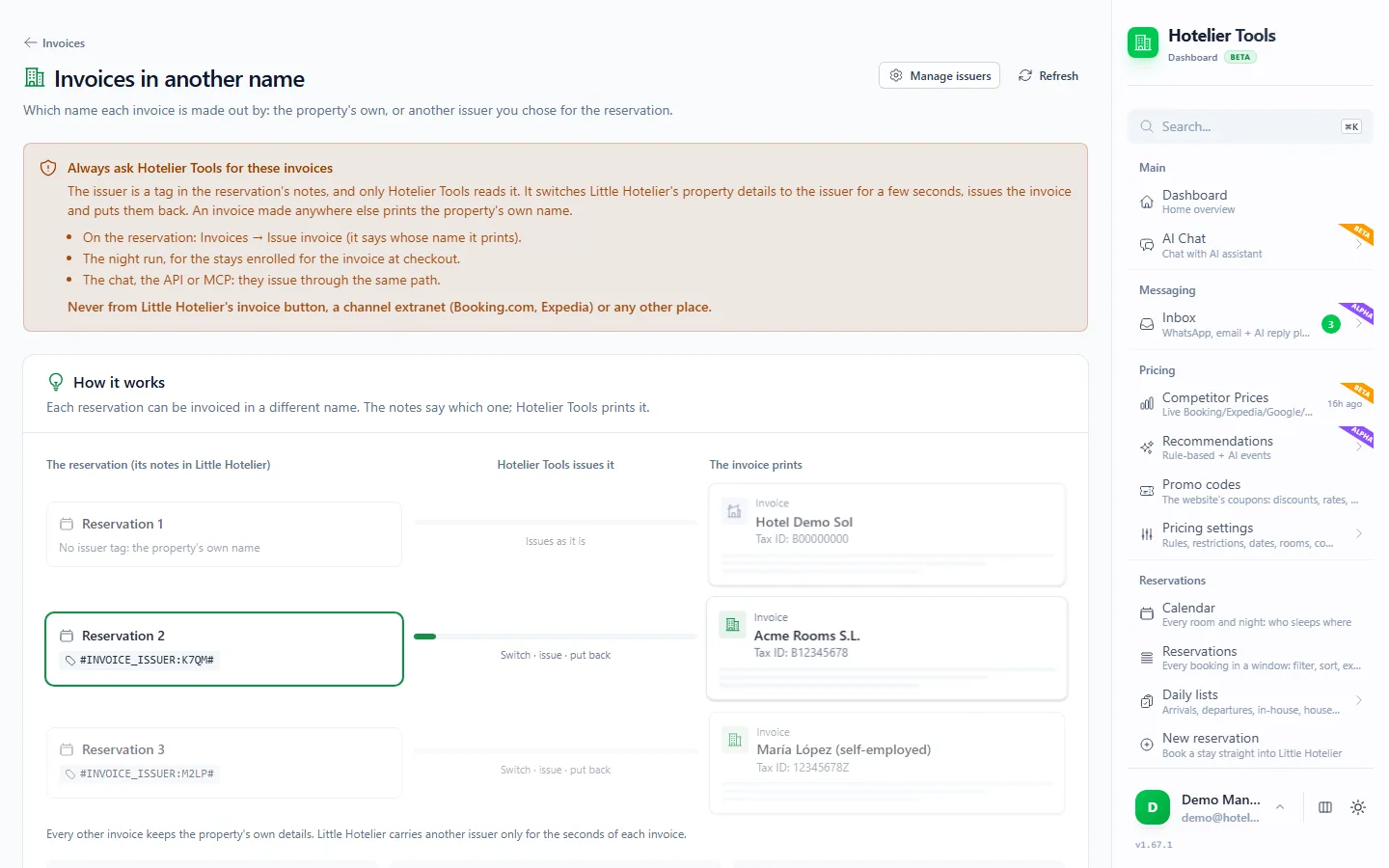
If some stays must be invoiced by another company or the owner, use Invoices in another name (/invoices/issuers). It is off until you switch on Invoice issuer per reservation in Settings > Invoices. Then:
- Create an issuer with New issuer: name, tax ID, address, phones, email, and optionally invoice title and logo.
- On the reservation, under Invoices, choose Invoice in another name… and pick the issuer, or Save and issue invoice.
- Hotelier Tools writes a tag in the reservation's notes, switches Little Hotelier's property details to that issuer for a few seconds, generates and emails the invoice, then puts your own details back.
Know the limits before you use it:
- Issue these invoices from Hotelier Tools only. Little Hotelier doesn't read the tag, so its own invoice button prints your property's details.
- Every issuer shares your invoice numbering in Little Hotelier. In Spain each issuer normally needs its own series. Check with your accountant first.
- For a few seconds, Little Hotelier carries the other issuer. An optional night run (recommended at 02:30) issues these invoices when nobody else is invoicing.
- An invoice already issued keeps its issuer. A correction is a credit note in Little Hotelier.
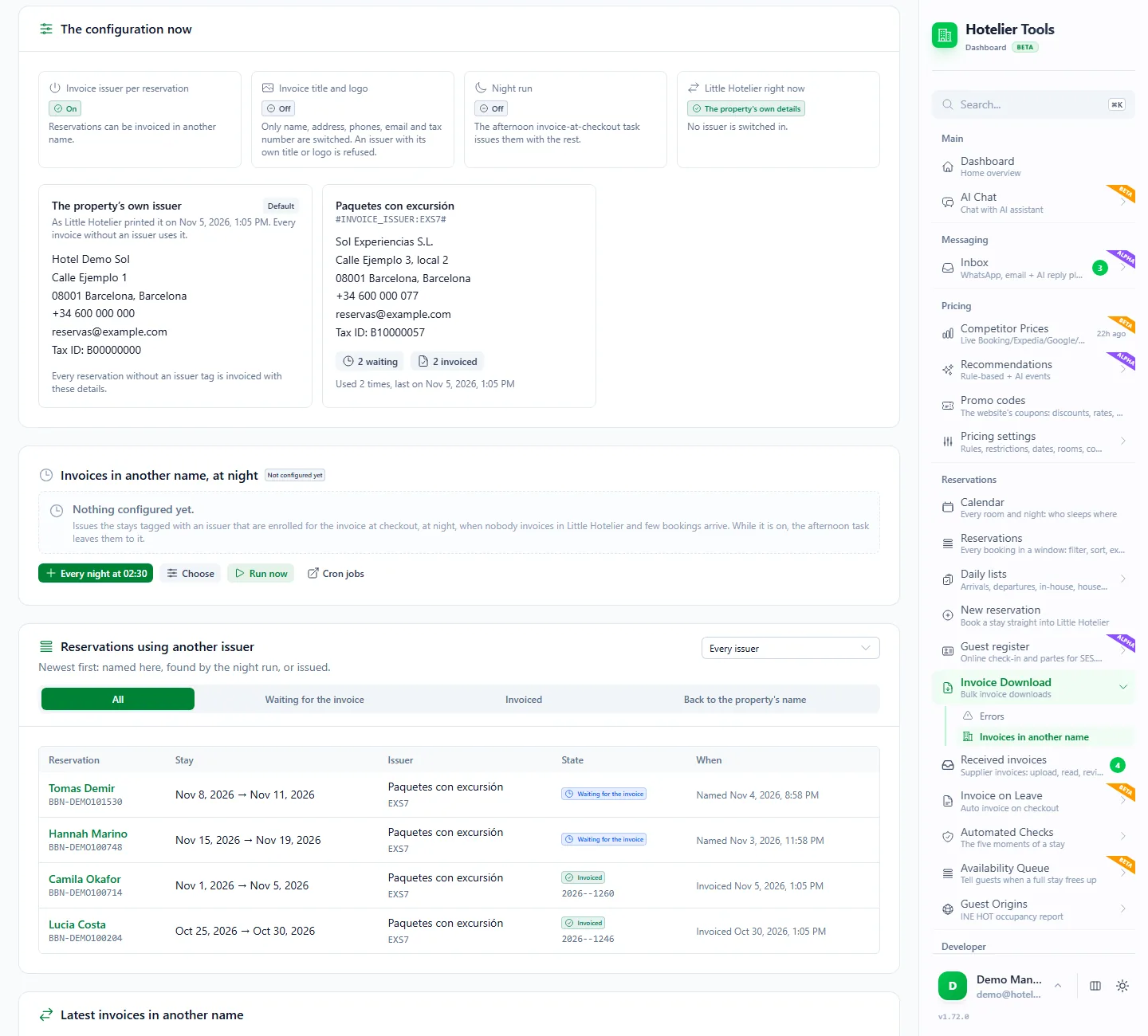
The demo has a second issuer already set up: Sol Experiencias S.L., the hotel's invented tour company, invoices the package stays. Its card counts two stays invoiced in its name and two waiting for their invoice.
Try it in the live demo
Open the same screen in the Hotelier Tools demo, filled with invented data. No sign-up, nothing to install.
The dashboard is free for every hotel until billing starts on 10 January 2027. Everything the invoicing feature does is on the Invoicing page.
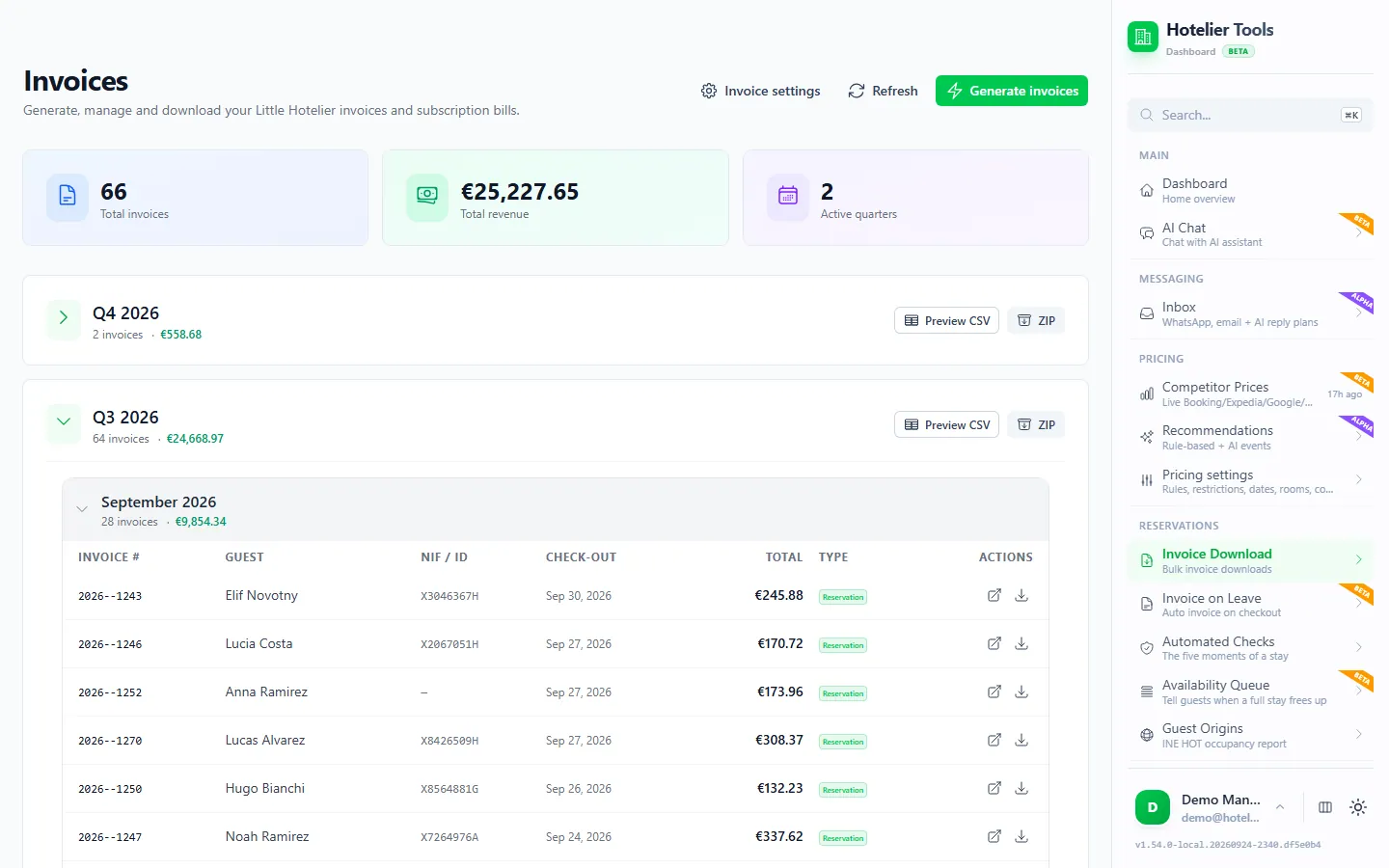
See also: send the invoice automatically at checkout, download all your Little Hotelier invoices, Booking.com guest messages.
Summary
- An invoice for a company keeps you as the seller and puts the company's name, tax ID and address in the customer block.
- In Little Hotelier: company name in Primary contact, tax number in ID number, then Generate invoice. Already issued? Generate a corrected one.
- In Spain, a business guest needs a factura completa; a simplified invoice for a room is only allowed up to 400 euros including VAT.
- Hotelier Tools lets you edit Billing and address on the reservation, send guests a private link to fill in their own details, invite every guest at checkout, and resend an issued invoice.
- Invoices issued by another business are a separate, opt-in feature with real limits: shared numbering, and Hotelier Tools only.
Frequently asked questions
How do I put a company's name on a Little Hotelier invoice?
Add the company's details to the reservation before you generate the invoice. Little Hotelier's help centre says to type the company name in the Primary contact section of the Details tab, its tax number in the ID number field, and extra address lines under Organisation. Then generate the invoice.
Can I change the name on an invoice that was already issued?
Edit the details on the reservation, then generate a corrected invoice: Little Hotelier marks the old one as outdated. If the invoice was marked as final, cancel it first, or in Spain with VeriFactu use Rectify invoice. Check with your accountant how your country handles corrections.
What must a company invoice include in Spain?
A full invoice (factura completa) needs a number and series, the issue date, the full name, tax ID (NIF) and address of both you and the company, a description of the stay, the VAT rate and the VAT amount shown separately. A simplified invoice for accommodation is only allowed up to 400 euros including VAT.
Can guests fill in their own company details for the invoice?
Not in Little Hotelier on its own. Hotelier Tools' guest invoice links give each guest a private page where they check what is on file, add the company, tax ID and address, and can ask for the invoice to be emailed at checkout. You choose which fields are required.
Can a guest ask for the invoice again after leaving?
Yes, with Hotelier Tools. Once the stay is invoiced or over, the guest's link offers Send my invoice again. Little Hotelier emails the same invoice to the booking's own address, at most 3 times, 12 hours apart. Nothing new is issued.
Is Hotelier Tools part of Little Hotelier or Booking.com?
No. Hotelier Tools is independent and not affiliated with or endorsed by SiteMinder, Little Hotelier or Booking.com. It connects with your hotel's own Little Hotelier login, and the invoice is Little Hotelier's own document.