On this page
When a Booking.com or Expedia booking is missing from Little Hotelier, it almost always stopped at one of three points: the room or rate isn't mapped (or is disabled) in the Channel Manager, the booking went to another property code, or delivery failed. Check its status under My apps > Channel Manager > Reservations and resend it if it failed. Whatever the cause, create the booking by hand first, so the room can't be sold twice.
Little Hotelier, Booking.com and Expedia screens below were checked as of November 2026.
Why didn't the booking reach Little Hotelier?
A booking travels from the OTA to SiteMinder's channel manager, and from there into Little Hotelier's Front Desk. It can stop at any step. The usual causes, from Little Hotelier's missing reservations guide and Booking.com's syncing guide:
| Cause | What it looks like |
|---|---|
| Rate plan or room not mapped | The guest booked a rate that isn't connected in the Channel Manager. The booking has no delivery status at all. |
| Rate or channel disabled | Disabled items send no updates, but the OTA keeps selling on old availability. |
| Booked before the rate was mapped | Bookings made before you enabled or mapped a channel rate don't sync on their own. |
| Wrong property code | A second extranet account under another code. Its bookings never reach Little Hotelier. |
| Delivery failed | The channel manager got the booking but Little Hotelier rejected it or couldn't confirm it. |
| Incident on the OTA's side | The OTA's own reservations API is down. New bookings, changes and cancellations stop arriving for a while. |
Don't forget modifications and cancellations. They travel the same road. A lost cancellation keeps a room blocked that you could sell. A lost date change puts the guest in the wrong nights. Both are fixed the same way: compare the booking in the extranet with Little Hotelier.
A booking accepted at zero availability is a different problem. Little Hotelier's advice is to ask the OTA why it accepted it, and to ask support for the log of inventory updates sent to that channel as evidence.
How to check delivery status in Little Hotelier
- Go to My apps > Channel Manager > Reservations. Use the All PMS status filter to see each booking's delivery status.
- Read the status (help centre):
- DELIVERED: Little Hotelier accepted it. If you still can't find it, search Front Desk by guest name and the right year, then contact support.
- PENDING: not received yet. It usually clears in a few minutes.
- FAILED: rejected or unconfirmed. The error is also emailed to you.
- No status: the rate isn't mapped. It can't be resent, so enter it by hand.
- To resend a failed booking, click its ID. In the Booking summary window, open the Little Hotelier tab and click Resend PMS message.
Failures also show under the bell, in Reservation delivery failures. Then fix the cause in My apps > Channel Manager > Channels > Configure: map unmapped rates, re-enable disabled ones, and check that Rates Mapped shows the same two numbers (for example 44/44). A rate that keeps failing with "Unable to locate" was deleted or changed on the OTA's side and has to be remapped (mapping errors).
How to check on Booking.com and Expedia
Booking.com. Every booking is in the Extranet's Reservations list, whatever happened downstream. Booking.com says a booking can be missing from your provider when the room or rate isn't connected there yet, or after a technical issue. It also emails you whenever it couldn't add a booking to your provider's system, so keep your Extranet contact details up to date (Booking.com Partner Help). When several bookings are missing at once, look at Booking.com's public connectivity status page for an incident on reservations.
Expedia. Open Partner Central's reservations page, search by confirmation number or dates, and note the room and rate the guest booked. If it is in Partner Central but not in Little Hotelier, the gap is between Expedia and SiteMinder: check that SiteMinder is still your connectivity provider for both rates and reservations, and that the rate is mapped.
In both cases Little Hotelier can't contact the OTA for you. If the mapping is right and the OTA says it sent the booking, ask the OTA for the reservation's XML delivery log and send it to Little Hotelier support.
How to avoid an overbooking while you investigate
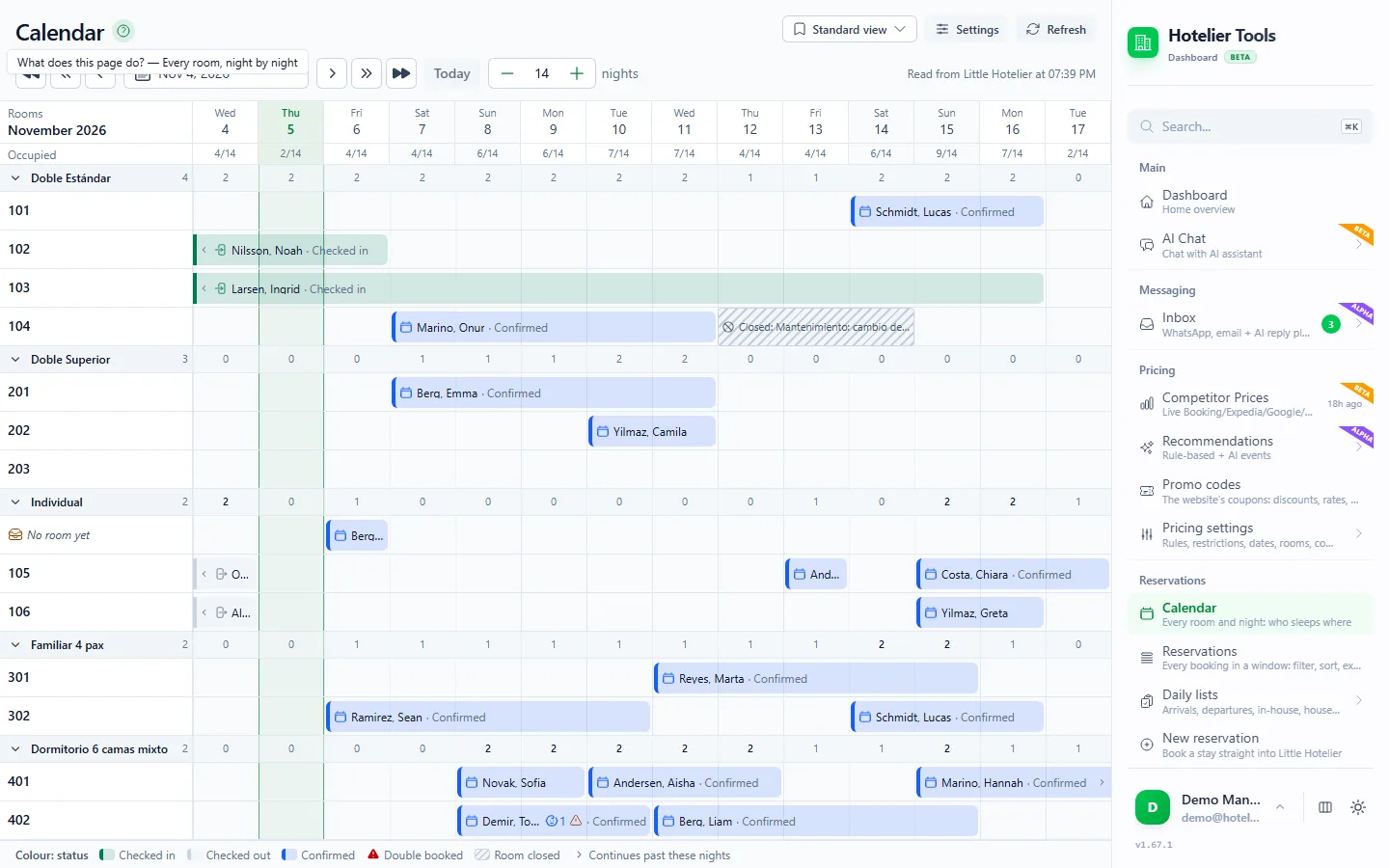
- Create the booking by hand. In Front Desk > Calendar, click the check-in date, choose Add Reservation and copy the details from the extranet. Creating it lowers your availability on every channel.
- Remember it is manual. Later changes or cancellations to that booking must also be made by hand in Front Desk. If the original arrives later, check you don't keep both.
- Full already? Ask the OTA to relocate the guest.
- Keep the cause from coming back. Map every rate you sell, watch for disabled channels, and consider a stop sell on weaker channels when only one room is left.
The faster way: get alerted when an OTA booking is missing
Checking by hand works once you know a booking is missing. The hard part is knowing. Hotelier Tools compares Expedia's own reservation list with Little Hotelier every 15 minutes and emails you about a booking that doesn't arrive. For Booking.com it alerts reservation incidents today; its booking-by-booking check is not finished yet (more below).
- Connect the extranet on Credentials: Expedia Partner Central (
/credentials/expedia-extranet) or Booking.com extranet (/credentials/booking-extranet). - Keep the session alive with Keep Expedia signed in (or Keep the session signed in for Booking.com) on the same page. The check can't read a session that has expired.
- Schedule Check Expedia reservations are in Little Hotelier (or the Booking.com one) from its card, with the recommended setting: Every 15 minutes. Once the extranet is connected and kept signed in, Hotelier Tools creates this task for you.
- Make sure the right people get the email: Settings > Notifications (
/settings/notifications). Without addresses there, it goes to the owner's contact email. - When the email arrives, find the booking in the extranet, create it in Little Hotelier or close the room on those nights, then fix the cause as above.
Each run reads bookings made today and arrivals in the next 14 days, and Little Hotelier's reservations. Expedia bookings are matched by their confirmation code (EXP- plus the number), the same code Little Hotelier stores.
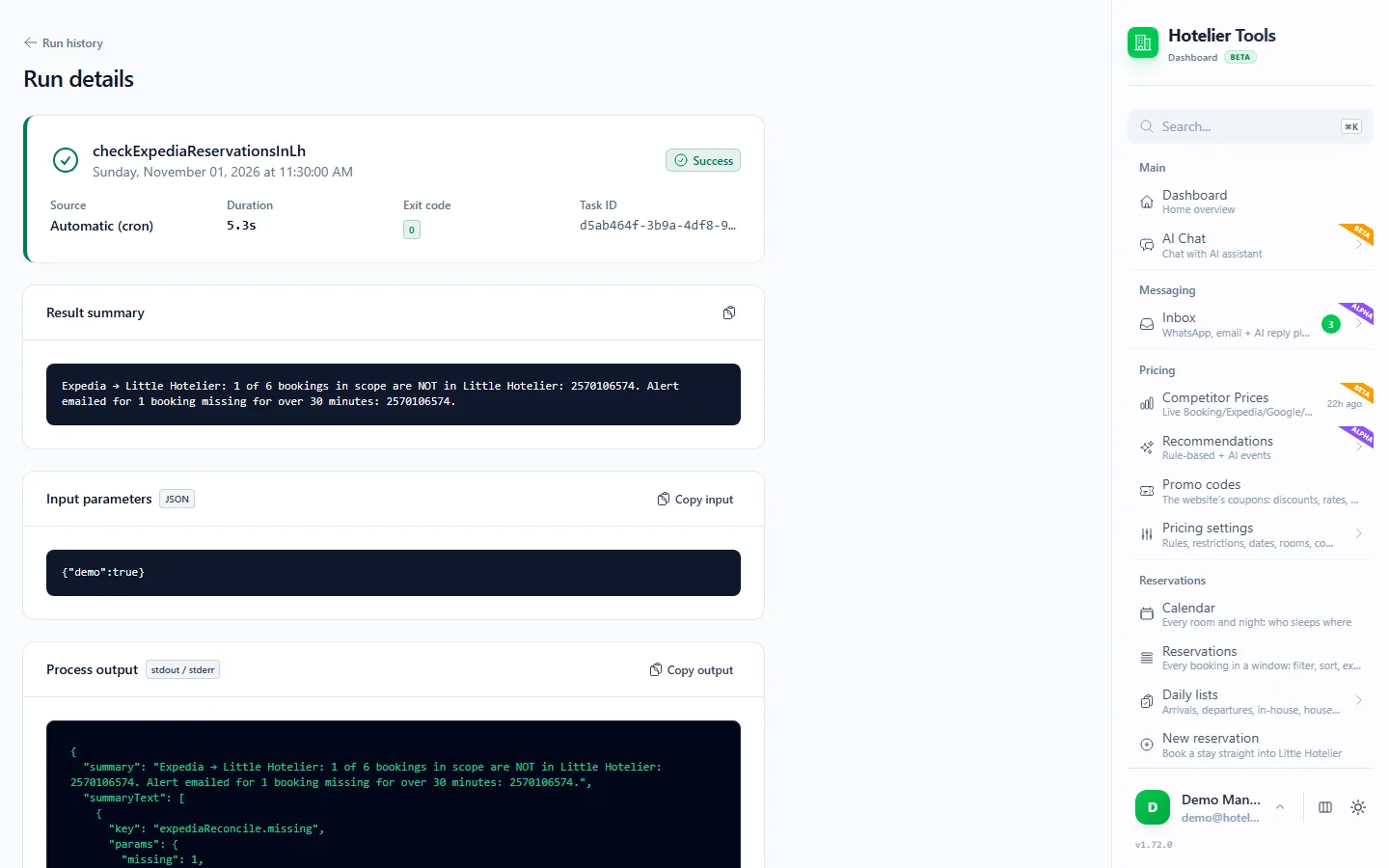
One alert per booking, not one every 15 minutes
Delivery routinely takes a few minutes, so one read is never enough. Every missing booking goes into a ledger:
- Alerted after 30 minutes, seen missing in at least two reads. That is about 30 to 45 minutes after the booking was made.
- Told once. The email is claimed before it is sent, so two runs can't both send it. If the email reached nobody, the claim is released and the next run tries again.
- Told again when it's fixed. When the booking turns up in Little Hotelier, or the OTA cancels it, or the stay is over, you get one "no longer missing" email.
- No false all-clear. If a list couldn't be fully read, the run fails and says so. Nothing is counted as checked.
The demo shows a whole episode in the Expedia check's run history: a booking first seen missing, the alert 30 minutes later and, once the booking reached Little Hotelier, the "no longer missing" note.
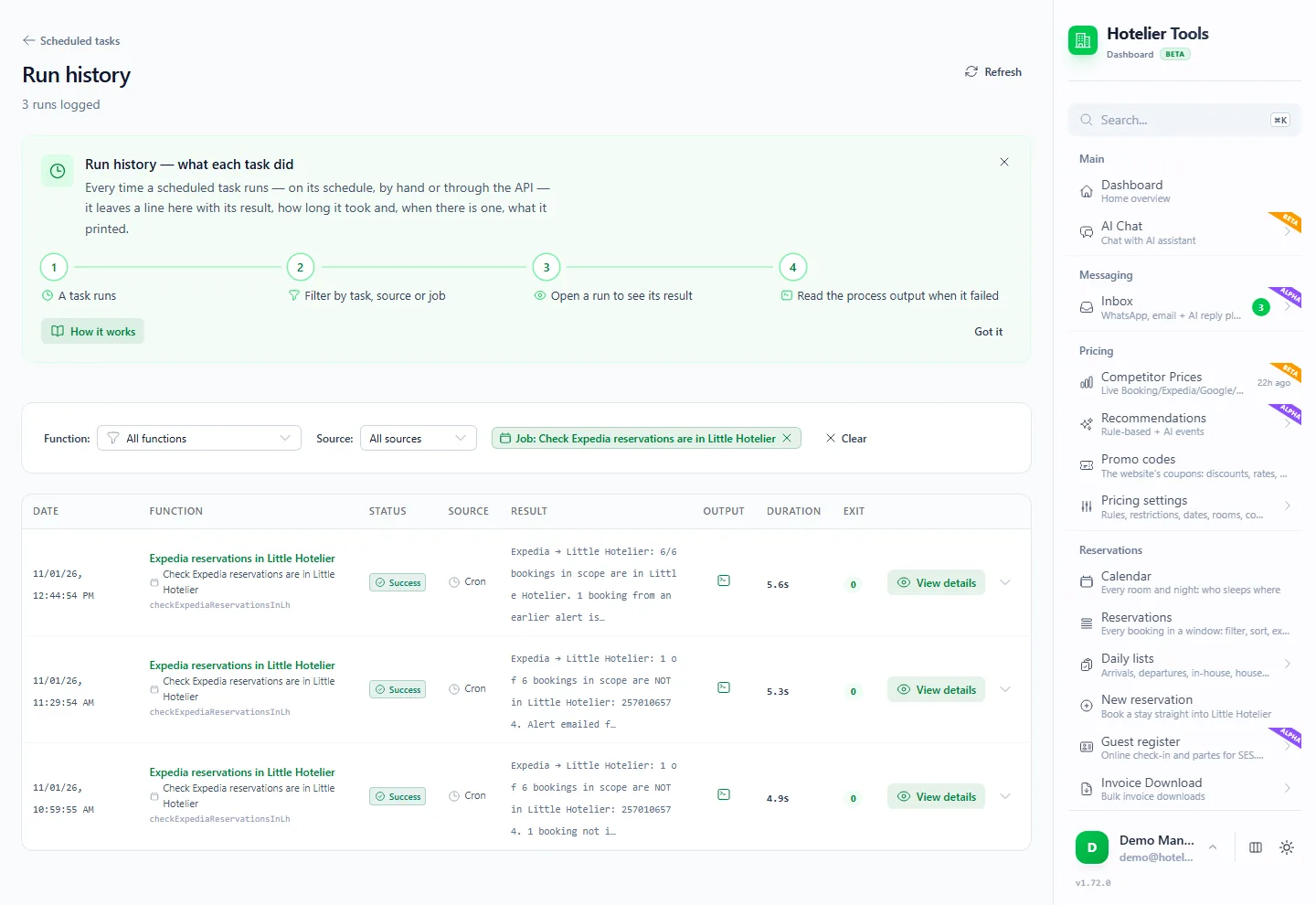
The Expedia check also notes status and date mismatches (cancelled on Expedia but active in Little Hotelier, for example) and bookings without a room. These appear in the run's summary under Run History (/cron-logs).
Booking.com: incident alerts work, the booking-by-booking check is not finished
Before reading the extranet, the Booking.com check reads Booking.com's public status page. An incident on its reservations API is emailed once when it opens and once when it's resolved, even if your extranet session is down. That is exactly when nobody else would notice.
The booking-by-booking comparison for Booking.com is not working yet. The Extranet draws its reservation list with a script, so the page Hotelier Tools receives has the table without rows. Rather than report "all clear" about bookings nobody saw, the check fails loudly on every run until that list can be read. For now, the per-booking alert works for Expedia, and Booking.com gives you the incident alerts.
What it never does
- It's read-only on every side. It never creates, changes or closes a reservation, and never closes a room for you.
- Two OTAs only. Airbnb, Hostelworld and others aren't checked.
- It's no substitute for the mapping. If a rate isn't mapped, you still fix it in Little Hotelier.
Fewer, better emails from your other checks
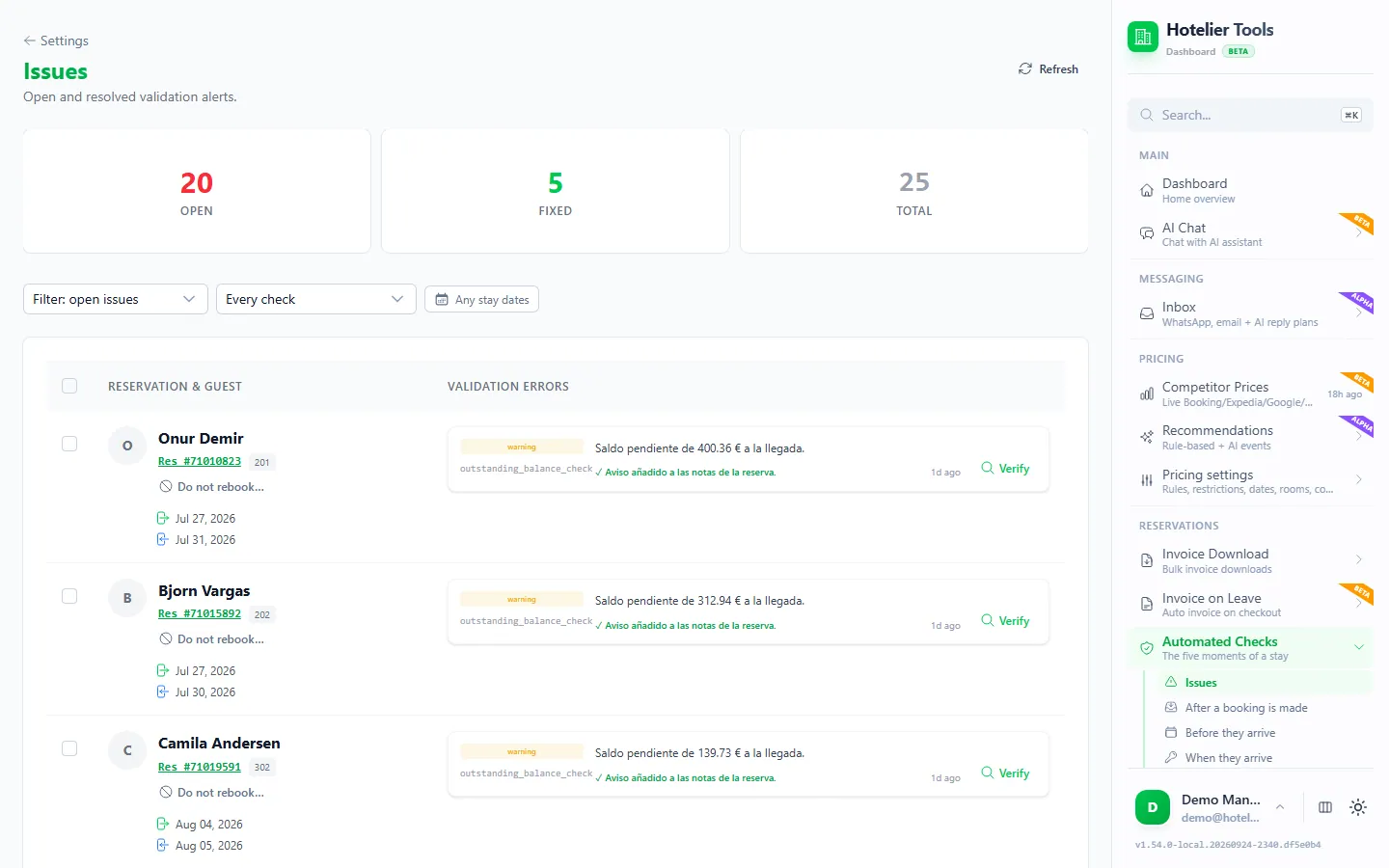
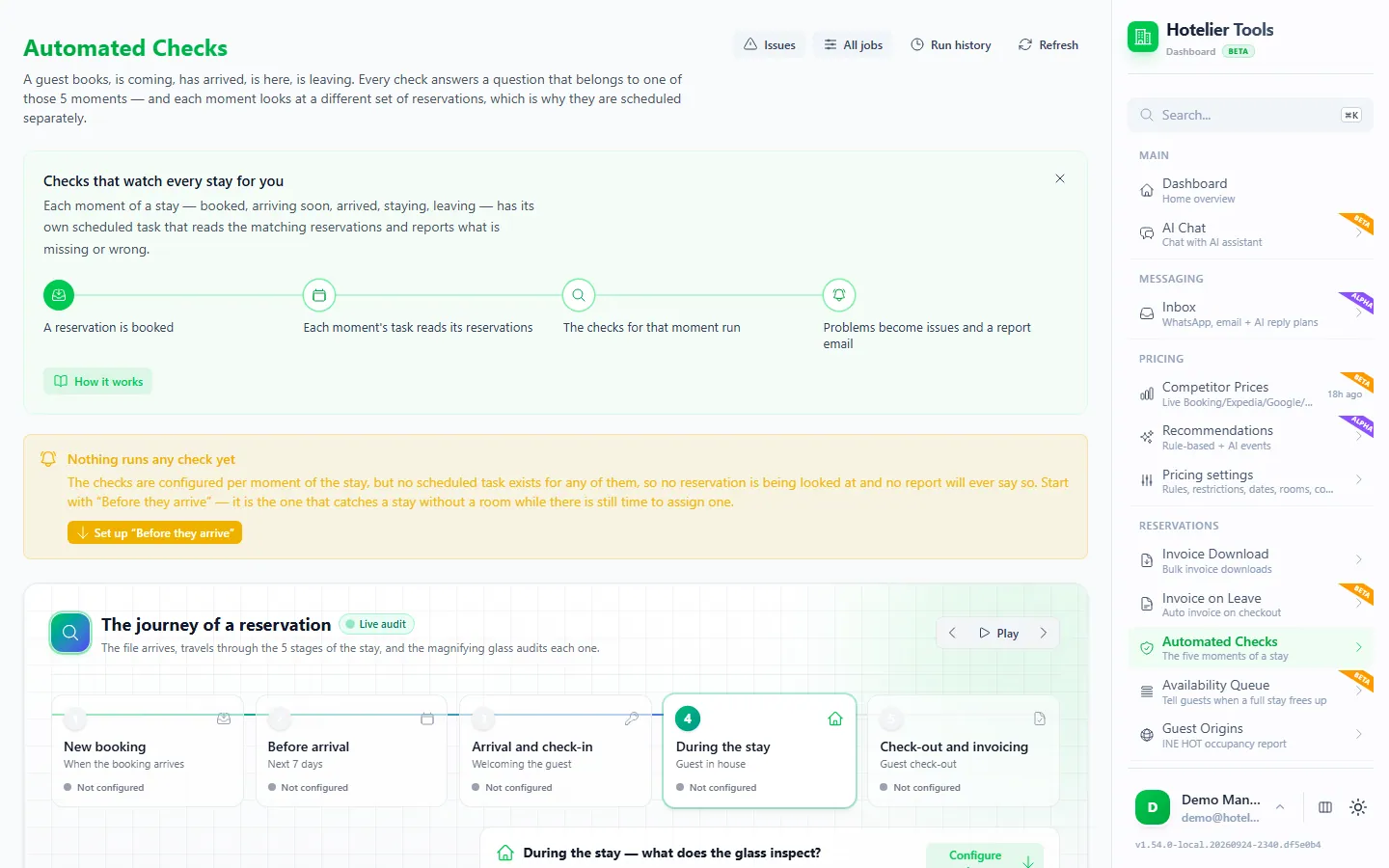
The same rule runs through Hotelier Tools' other alerts. On Automated Checks (/automated-checks), set a job's Send email on to Only with new or changed issues: the report then carries only problems no earlier report mentioned, or that changed. And when a person marks an issue resolved on Issues (/automated-checks/issues), it stays resolved while the check keeps finding the same thing. A different problem opens a new issue.
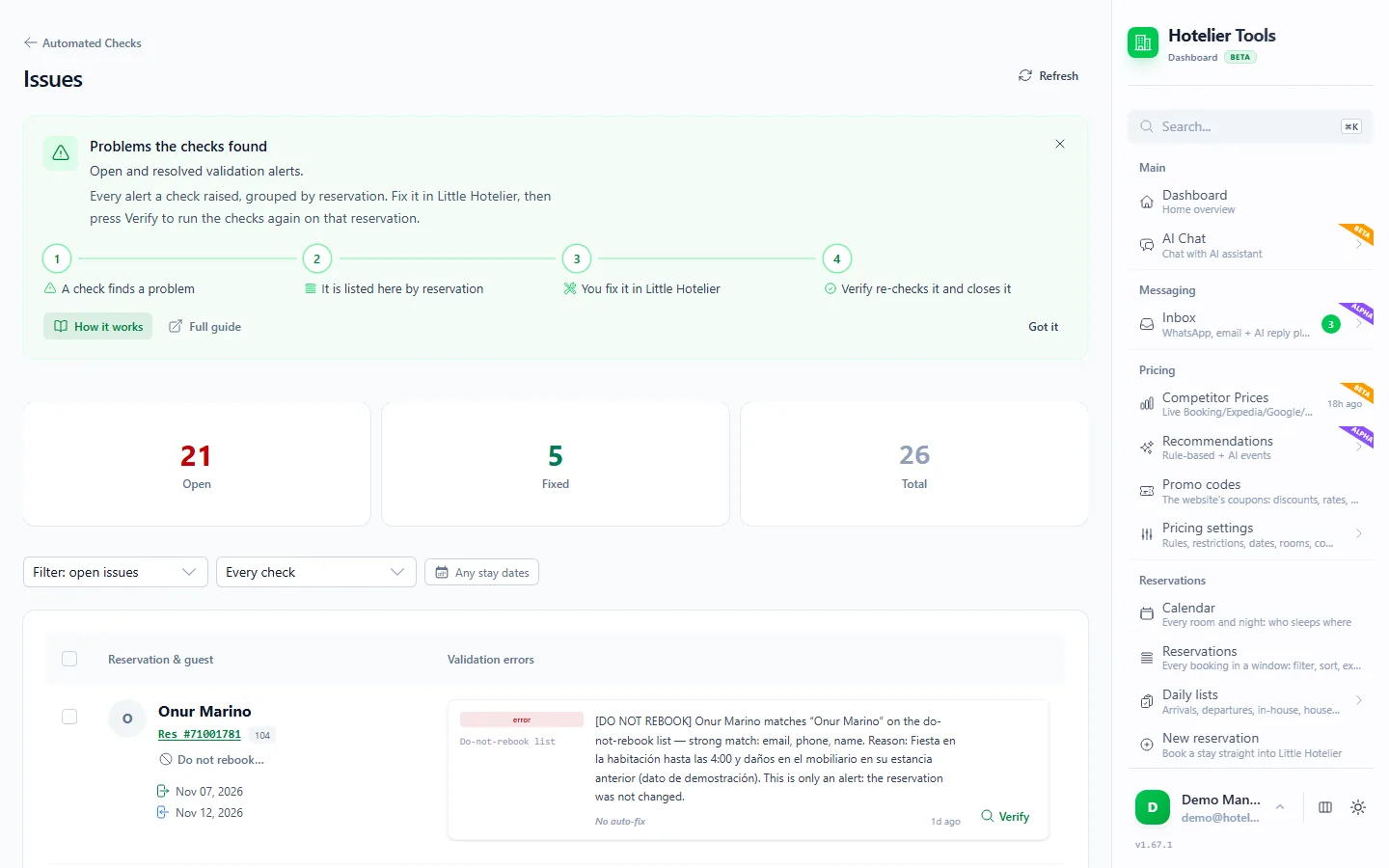
Try it in the live demo
Open the same screen in the Hotelier Tools demo, filled with invented data. No sign-up, nothing to install.
The dashboard is free for every hotel until billing starts on 10 January 2027. Every check is on the Automated checks page.
See also: the front-desk daily checklist, the Little Hotelier reservation calendar, Little Hotelier payment links.
Summary
- A missing OTA booking usually means an unmapped or disabled rate, the wrong property code, or a failed delivery.
- Check My apps > Channel Manager > Reservations: FAILED can be resent with Resend PMS message; no status means the rate isn't mapped.
- Protect the room first: add the booking by hand in Front Desk > Calendar, then fix the cause.
- Hotelier Tools compares Expedia with Little Hotelier every 15 minutes and emails each missing booking once, plus Booking.com reservation incidents. Its Booking.com booking-by-booking check is not finished yet.
Frequently asked questions
Why is a Booking.com reservation not showing in Little Hotelier?
Usually the booked room or rate is not mapped, or is disabled, in Little Hotelier's Channel Manager, the booking was made under another property code, or delivery failed. Check its delivery status under My apps > Channel Manager > Reservations.
How do I resend a failed reservation to Little Hotelier?
In My apps > Channel Manager > Reservations, click the reservation ID, open the Little Hotelier tab in the Booking summary, and click Resend PMS message. A reservation with no delivery status can't be resent: enter it by hand.
What should I do first when a booking is missing?
Protect the room. Create the reservation by hand in Front Desk > Calendar with the details from the extranet, which lowers availability on every channel. Then find out why it did not arrive.
Does Booking.com tell me when a reservation fails to reach my channel manager?
Yes. Booking.com emails the property when there is an issue adding a reservation to the connectivity provider's system, so keep the contact details in your Extranet up to date. The reservation itself is always in the Extranet.
How quickly does Hotelier Tools alert a missing booking?
For Expedia, the check runs every 15 minutes and alerts a booking that is still missing after 30 minutes, seen in at least two reads: about 30 to 45 minutes after the booking was made. It alerts each booking once, and once more when it arrives. For Booking.com it currently alerts reservation incidents only.
Is Hotelier Tools part of Little Hotelier, SiteMinder, Booking.com or Expedia?
No. Hotelier Tools is independent and not affiliated with or endorsed by any of them. It reads your extranets and Little Hotelier with your own logins and never creates, changes or cancels a reservation.