On this page
- How much commission does Booking.com charge hotels?
- What is Booking.com commission charged on?
- How Genius, Preferred and Visibility Booster change what you pay
- What does Payments by Booking.com add?
- Is there VAT on Booking.com commission?
- How to see the net of every Booking.com booking in Little Hotelier
- Price with commission in mind: Channels & discounts
- Summary
There is no single Booking.com commission. You pay the percentage in your own agreement, which depends on your country, property type and contract, and programs like Preferred Partner or Visibility Booster add to it. It is charged on the whole booking amount (in most countries including VAT, never on city tax), and Payments by Booking.com can add a payment fee, so your real net is the booking total minus all of these.
The rules below were checked against Booking.com's Partner Help as of October 2026. Booking.com updates these pages often, so the links go to the source.
How much commission does Booking.com charge hotels?
Booking.com defines commission as "a set percentage of the total booking amount" for each reservation (Partner Help: Understanding your commission). It doesn't publish one rate for everyone: "the exact percentage depends on your country, property type, and the accommodation agreement you signed." New partners see it at the Agreement step of registration (Booking.com FAQ).
The rate is locked when the guest books. If your commission changed recently, older bookings keep the old rate.
To find the percentage you actually pay:
- Sign in to the Extranet and open Finance > Reservation statements. Each booking shows its commission.
- Compare it with your accommodation agreement. To get a copy of your General Delivery Terms, go to Contracts under the user icon.
- If the statement shows a higher percentage, open Boost performance: Preferred Partner or Visibility Booster add a percentage on top of your base rate.
- On Payments by Booking.com, Finance help also shows your rate and payment fee.
What is Booking.com commission charged on?
Commission covers "the room rate as well as any additional fees you charge—such as cleaning fees, service fees, and costs for no-shows or cancellations", and is applied once the guest checks out (source).
You pay commission on:
- completed stays
- non-refundable and partially refundable bookings, whether or not the guest came
- cancellation and no-show fees you charge
- overbookings (waived if you've been live for less than 30 days, or had fewer than five overbookings in the last 12 months)
You don't pay commission on:
- cancellation fees you choose to waive
- no-shows you mark in the Extranet within 48 hours of check-out, when you waive the fee
- bookings where you marked the guest's card as invalid
Taxes. Booking.com doesn't charge commission on local taxes such as city tax. "However, in most countries, commission is charged on VAT or GST", depending on local law. Your General Delivery Terms say what applies to you.
How Genius, Preferred and Visibility Booster change what you pay
- Genius adds no commission percentage, but you pay for the discount. Joining applies 10% to your cheapest and most popular room type, and you can activate 15% or 20% for higher Genius levels. Booking.com says the standard discount "is funded by you, the accommodation partner" (Genius program).
- Preferred Partner Program gives more visibility and a badge "in exchange for a small increase in commission". You need a performance score of at least 70%, checked every 90 days (Preferred Partner). Preferred Plus asks for a score of 80% and a higher commission investment (Preferred Plus). Booking.com doesn't publish the extra percentage; check it under Boost performance in the Extranet.
- Visibility Booster lets you pick a higher commission with a slider, only for the check-in dates and guest countries you choose (Visibility Booster).
What does Payments by Booking.com add?
There is no setup fee (Payments by Booking.com). What you pay depends on how you are paid out:
| Payout method | Extra cost |
|---|---|
| Bank transfer | A payment service fee, as a percentage of each completed reservation. It depends on your property's location. |
| Virtual credit card (VCC) | Your own bank's or payment provider's fee for charging the card. Booking.com doesn't set it. |
If you waive a guest's cancellation fee, there is no payment fee either. When Booking.com handles all your guest payments, it deducts commission and the payment fee from each payout. Otherwise, you get one invoice at the end of the month.
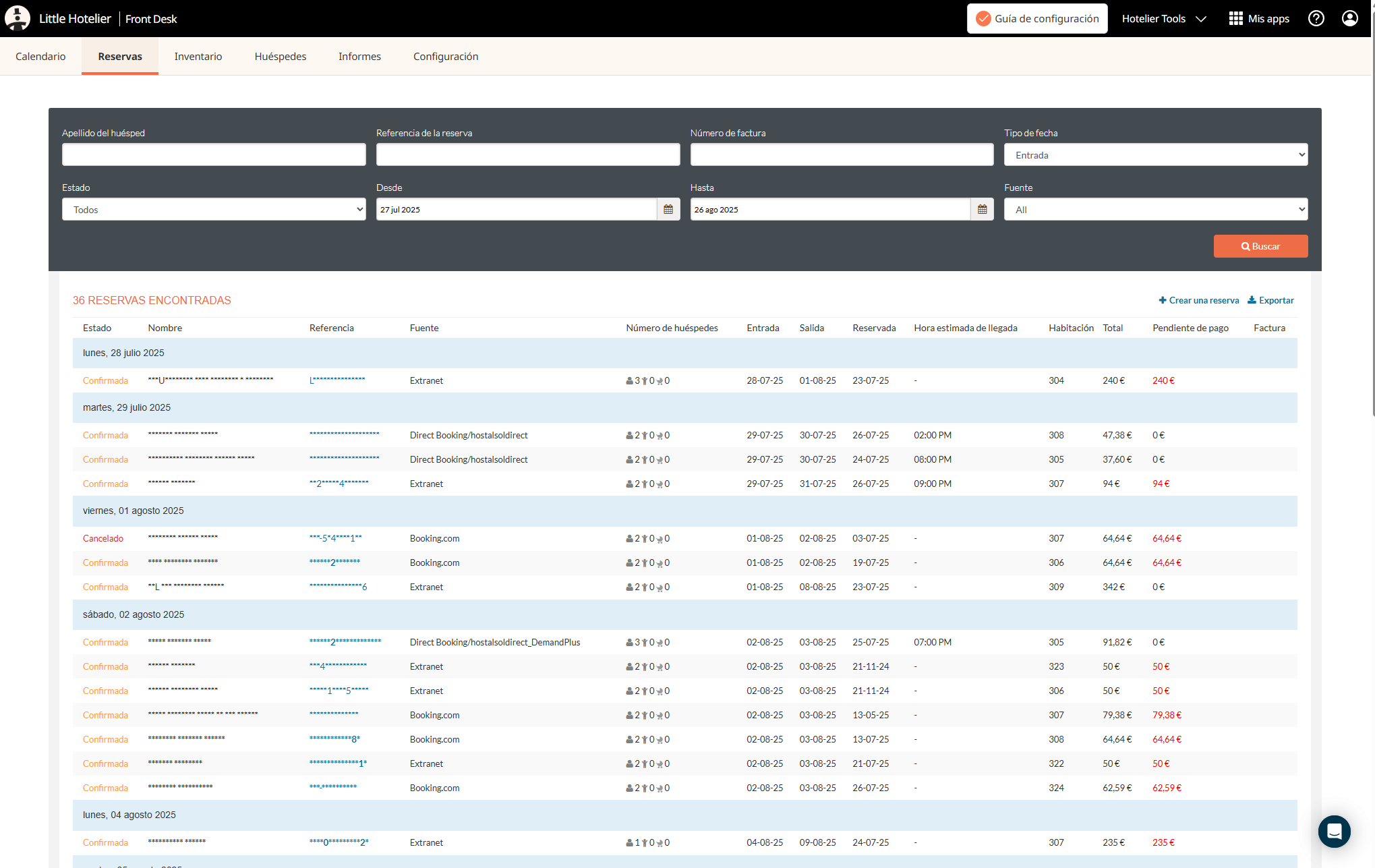
To see both for one booking, open the Extranet's Reservations tab and look at the Commission and charges column. Reservation details has the breakdown.
Is there VAT on Booking.com commission?
In the EU, it depends on your VAT number (EU VAT and commission invoices):
- With a VAT number valid for EU transactions (Booking.com checks it in the EU's VIES database), the commission invoice comes without VAT. You "remain responsible for reporting any VAT you may owe" to your tax office. Accountants call this the reverse charge.
- Without one, Booking.com adds VAT to your commission invoice. On net bank-transfer payouts, it deducts the commission, the payment charge and the VAT on both.
To add your number: Finance > Finance settings > VAT details > Edit details, confirm it is valid for EU transactions, enter it and save. Outside the EU, rules differ by country, so ask your accountant.
Commission invoices arrive once a month, for every guest who checked out the previous month, and must be paid within 14 days. Unpaid invoices can temporarily close your property.
How to see the net of every Booking.com booking in Little Hotelier
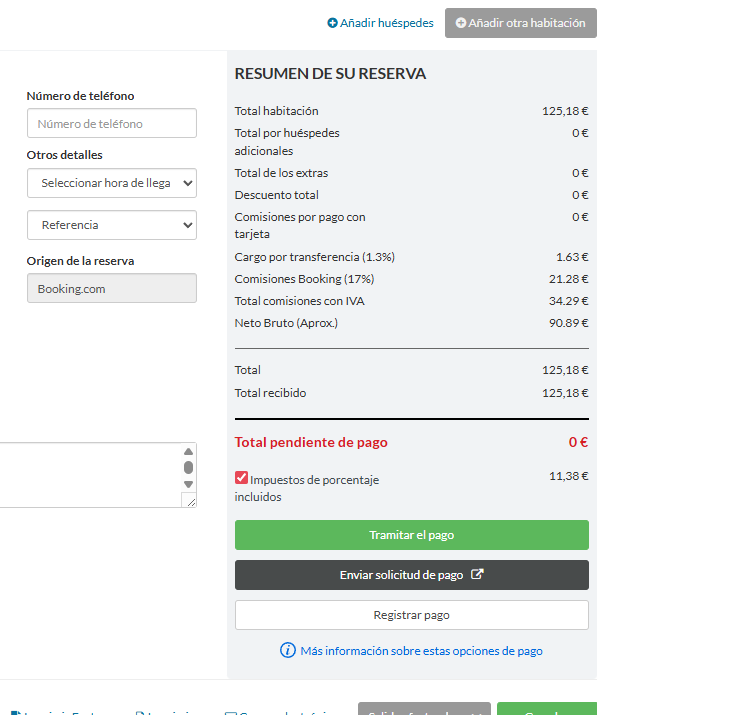
Little Hotelier's reservation summary shows the room total, extras, discounts and card fees. It doesn't show what Booking.com keeps. The exact commission and payment fee of each booking are in the Extranet (Reservation statements, or the Commission and charges column). What you keep is the total minus those and the tax included in the price.
Worked example: from booking price to your net
These are the figures from the screenshots below: a 125.18 € Booking.com reservation, with a 17% commission and a 1.3% payment fee. Your percentages may differ.
| Line | Amount |
|---|---|
| Booking total (tax included) | 125.18 € |
| Commission, 17% of the total | −21.28 € |
| Payment fee, 1.3% of the total | −1.63 € |
| Tax included in the price | −11.38 € |
| Approximate net | 90.89 € |
Roughly a quarter of what the guest paid never reaches you. If Booking.com adds VAT to your commission invoice, take that off as well.
See it on every booking with a free script
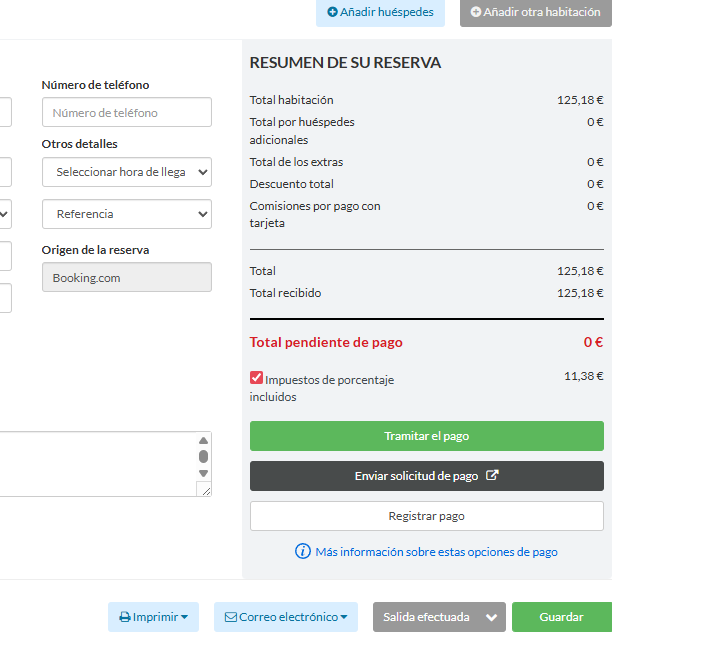
For a quick estimate right inside Little Hotelier, use the free Show Booking.com Commissions script:
- Install the free Tampermonkey browser extension. The installation guide walks you through it.
- Open Show Booking.com Commissions and click Install on Tampermonkey.
- Open any reservation whose source is Booking.com in Little Hotelier. After a couple of seconds, four lines appear above the totals: the transfer charge (1.3%), the Booking.com commission (17%), everything deducted, and the approximate net.
What to know before you rely on it:
- The rates are fixed in the script: 17% commission and 1.3% payment fee. If yours differ, open the script in Tampermonkey's editor and change
0.17and0.013. - The labels are in Spanish and the amounts in euros.
- It's an estimate. It doesn't know about Preferred, Visibility Booster or VAT added to your commission invoice.
- It stays in your browser. It reads the page you have open and sends nothing anywhere.
More free scripts like this one are in free Chrome extensions for Little Hotelier.
Price with commission in mind: Channels & discounts
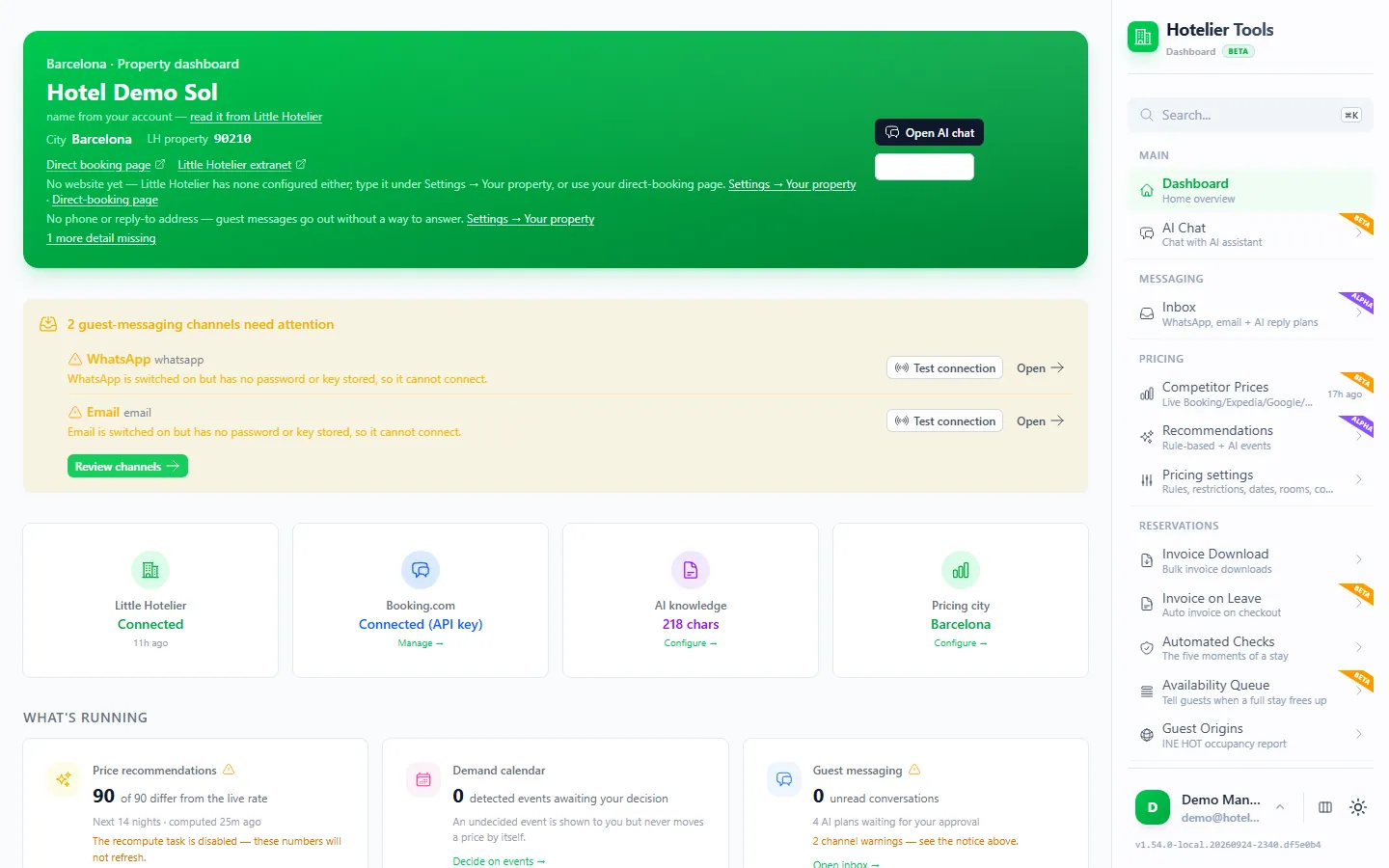
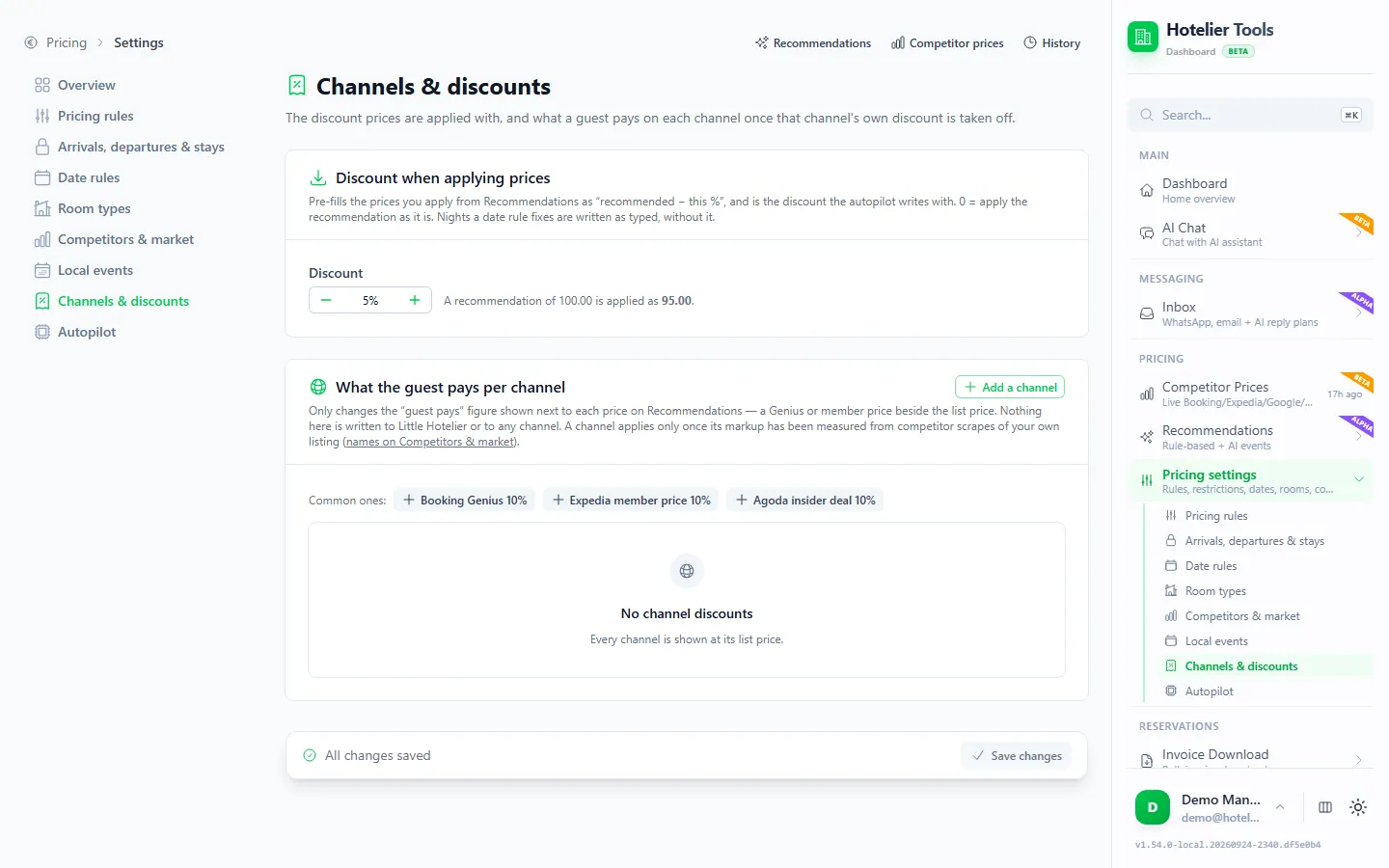
Genius and other channel discounts change what a guest pays, and so what you keep. In the Hotelier Tools dashboard (dynamic pricing is in alpha), Pricing settings > Channels & discounts (/pricing/settings/channels) keeps two numbers together:
- Discount when applying prices. The prices you apply from Recommendations are pre-filled as "recommended minus this %". With 5%, a recommendation of 100.00 is applied as 95.00. Leave 0 to apply recommendations as they are.
- What the guest pays per channel. Click Add a channel and enter the discount that channel gives its own guests, such as Genius or member prices. The Recommendations page then shows what a guest really pays on each channel.
- Press Save changes.
Try it in the live demo
Open the same screen in the Hotelier Tools demo, filled with invented data. No sign-up, nothing to install.
The rest of the pricing engine (competitor prices, rules, local events) is explained in dynamic pricing for small hotels on Little Hotelier and on the Dynamic pricing page. The dashboard is free for every hotel until billing starts on 10 January 2027; the browser scripts stay free.
Summary
- Booking.com's commission is the percentage in your agreement. Preferred, Preferred Plus and Visibility Booster add to it, and Genius costs you the discount.
- It's charged on the full booking amount, usually including VAT, never on city tax.
- Payments by Booking.com adds a payment fee for bank-transfer payouts. In the EU, a valid VAT number keeps VAT off your commission invoice.
- Check exact figures in Finance > Reservation statements, and see an estimate on every Booking.com booking in Little Hotelier with the free Show Booking.com Commissions script.
Frequently asked questions
What percentage does Booking.com take from hotels?
Booking.com doesn't publish one rate. You pay the percentage in your accommodation agreement, which depends on your country, property type and contract. You can see the commission of every booking in the Extranet under Finance > Reservation statements.
Does Booking.com charge commission on city tax?
No. Booking.com doesn't charge commission on local taxes such as city tax. In most countries it does charge commission on VAT or GST, depending on local law and your General Delivery Terms.
Do I pay commission on a no-show?
Only if you charge the guest a no-show fee, and then on that fee. If you mark the no-show in the Extranet within 48 hours of the planned check-out and waive the fee, there is no commission.
Does the Genius program increase my commission?
Genius doesn't add a commission percentage, but you fund the discount yourself (10% by default, up to 15% or 20% for higher Genius levels if you activate them). Preferred Partner, Preferred Plus and Visibility Booster are the programs that raise your commission.
When does Booking.com invoice the commission?
Once a month, for every reservation where the guest checked out in the previous month. Invoices must be paid within 14 days. On Payments by Booking.com, commission may instead be deducted from your payouts.
Is the commission script for Little Hotelier free?
Yes. The Show Booking.com Commissions userscript is free forever. It runs in your own browser with the free Tampermonkey extension and only reads the reservation page you have open.