On this page
Not one you can use for your own bookings. As of October 2026, Little Hotelier's help centre documents no API key a property can use for its reservations, guests or invoices: SiteMinder's APIs are for certified technology partners, and the one key you can generate yourself, the Direct Booking API, covers rates, availability and property details for a booking website. To read your own data from a script, a spreadsheet or an AI assistant, you can use an independent REST API such as Hotelier Tools, which connects with your own Little Hotelier login.
Below: exactly what SiteMinder offers, then a five-minute setup with real curl examples.
Does Little Hotelier have a public API?
There are four official ways to get data in or out of Little Hotelier. None of them gives you an API key for your reservation list.
| Official option | Who can use it | What it covers |
|---|---|---|
| SiteMinder Exchange (SMX) | Certified partner apps | Reservations from Little Hotelier. Not availability or rates |
| Direct Booking API | Properties using Direct Booking | Live prices, availability, property, room types, rate plans |
| CSV exports | Any user, by hand | Reservations, revenue, invoices, accounting |
| App Store apps | Any property, through the app's vendor | Whatever that app syncs |
SiteMinder Exchange (SMX): for software companies
SiteMinder's developer guide lists five APIs: pmsXchange, SiteConnect, Channels Plus, SMX and Direct Booking. The one that matters for Little Hotelier is SMX, the API behind apps like online check-in and guest messaging.
In SiteMinder's list of SMX publishers, Little Hotelier sends reservations but not availability and rates. The SMX quick start says the same: "you are not able to obtain ARI data" from Little Hotelier.
Access is for partners. SiteMinder's FAQ says you must first sign a partnership agreement through the integration application, then build, certify and go live, which "most" partners finish within 60 days. That path suits a software company. A single hotel cannot get an SMX key for itself.
The Direct Booking API: the one key you can generate
If your account is on the newer Little Hotelier platform (sign-ups since May 2025, or upgraded accounts), the help centre documents a Direct Booking API:
- Go to Direct booking → Configuration → API integration.
- Click Generate key.
- Give the key and SiteMinder's developer guide to your web developer.
It returns real-time prices and availability, property details, room types and rate plans, so a developer can build a custom booking page or app. It is included with Direct Booking at no extra cost. It does not return reservations, guests, payments or invoices, and Little Hotelier support does not help build or fix what you make with it.
CSV exports and the App Store
Everything else is manual or vendor-led. The Reservations page and most reports export a CSV (step by step in how to export reservations to Excel). Apps in the Little Hotelier App Store connect when you contact the app provider; you don't get the data yourself. See the best Little Hotelier integrations for what is available.
How to get your Little Hotelier data out programmatically
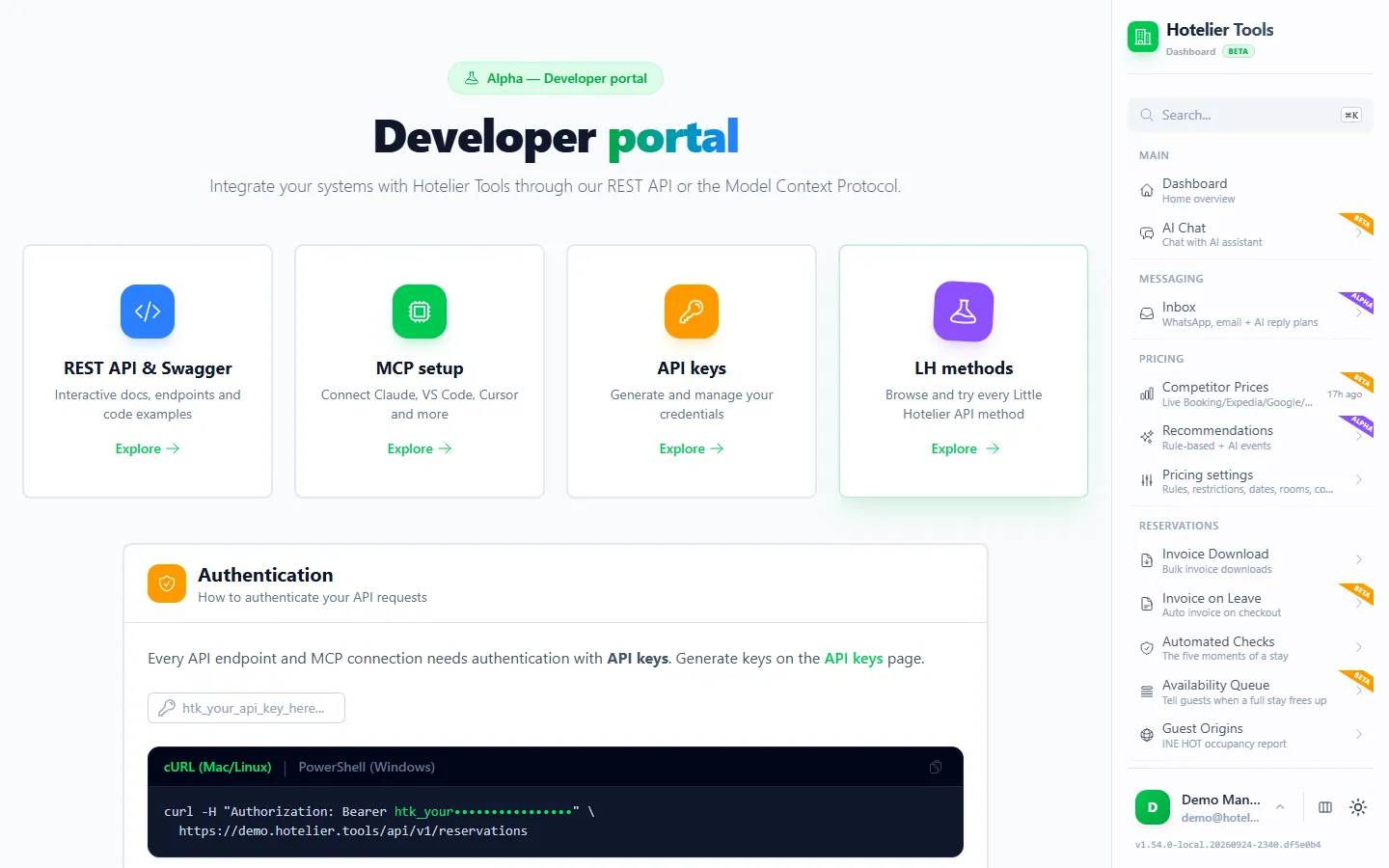
Hotelier Tools is an independent dashboard for Little Hotelier properties. It includes a REST API (status: beta) and an MCP server for AI assistants.
How it works, in plain terms:
- You connect your own Little Hotelier login once, on Credentials (
/credentials). It is stored encrypted (AES-256-GCM). - Hotelier Tools then uses the same web endpoints the Little Hotelier web app uses. It can read and do what that login can, nothing more.
- Your scripts call Hotelier Tools with an API key, and Hotelier Tools talks to Little Hotelier.
How to create an API key and make your first call
You need a Hotelier Tools account (sign up at dashboard.hotelier.tools/register) with Little Hotelier connected on Credentials. The property owner has API access by default.
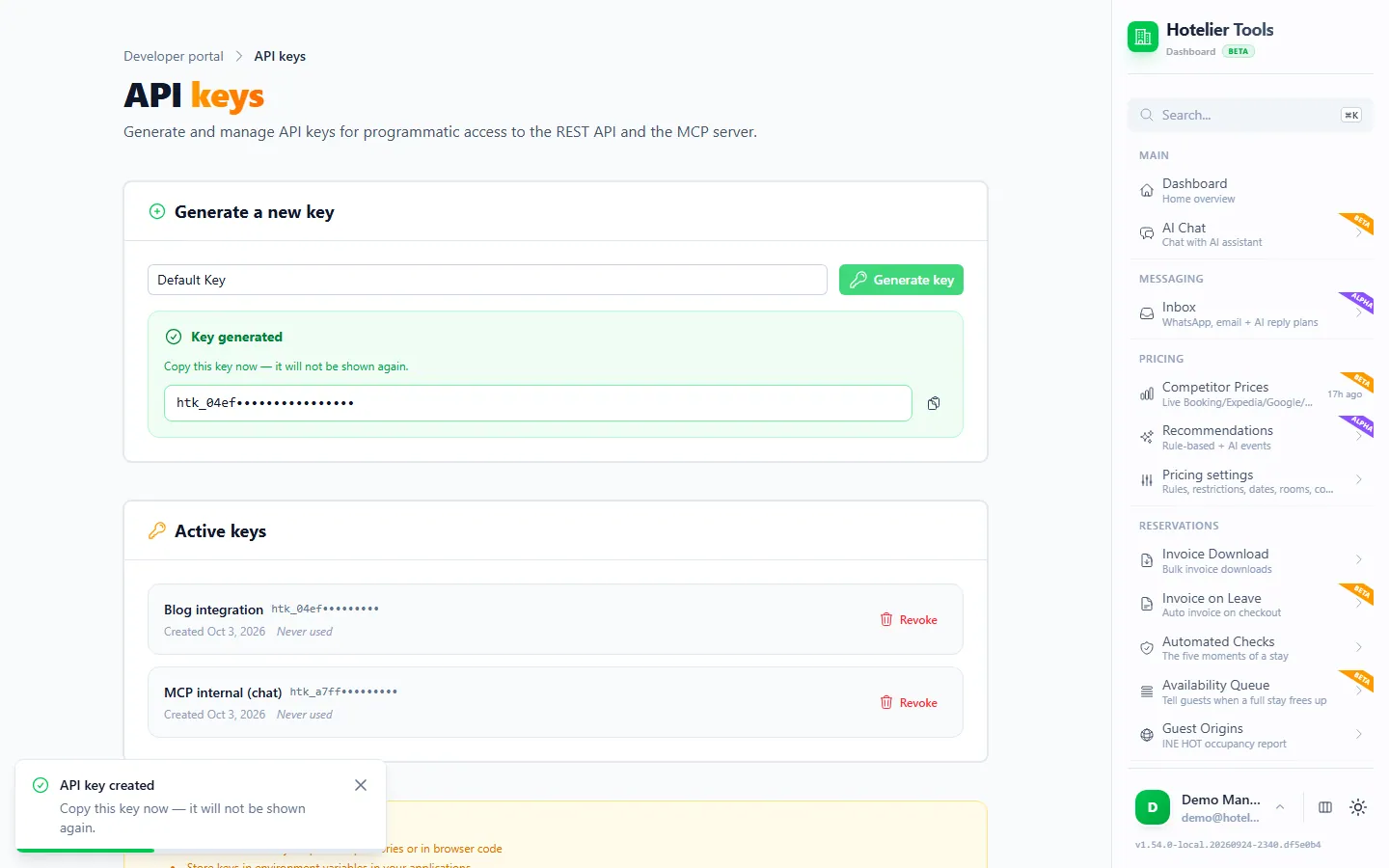
- Open Developer → API & MCP → API Keys (
/developer/api-keys). - Under "Generate a new key", type a name you will recognize later, such as
sheets-export, and press Generate key. - Copy the key straight away. The page warns: "Copy this key now — it will not be shown again." Keys start with
htk_.
- Check that the API answers. This call is public and needs no key:
curl https://dashboard.hotelier.tools/api/v1/health
- Now a call with your key. It returns your Little Hotelier property ID and the login it uses:
curl -H "Authorization: Bearer htk_YOUR_API_KEY" \
  https://dashboard.hotelier.tools/api/v1/property
On Windows, type curl.exe instead of curl in PowerShell, or use PowerShell's own command:
$headers = @{ Authorization = "Bearer htk_YOUR_API_KEY" }
Invoke-RestMethod -Headers $headers -Uri "https://dashboard.hotelier.tools/api/v1/property"
What a key can do: there are no scopes. A key acts on the one property it was created on, as the person who created it, with that person's current permissions. Each person can have up to 10 keys, and you can revoke any of them on the same page.
Prefer clicking to typing? Use the explorer
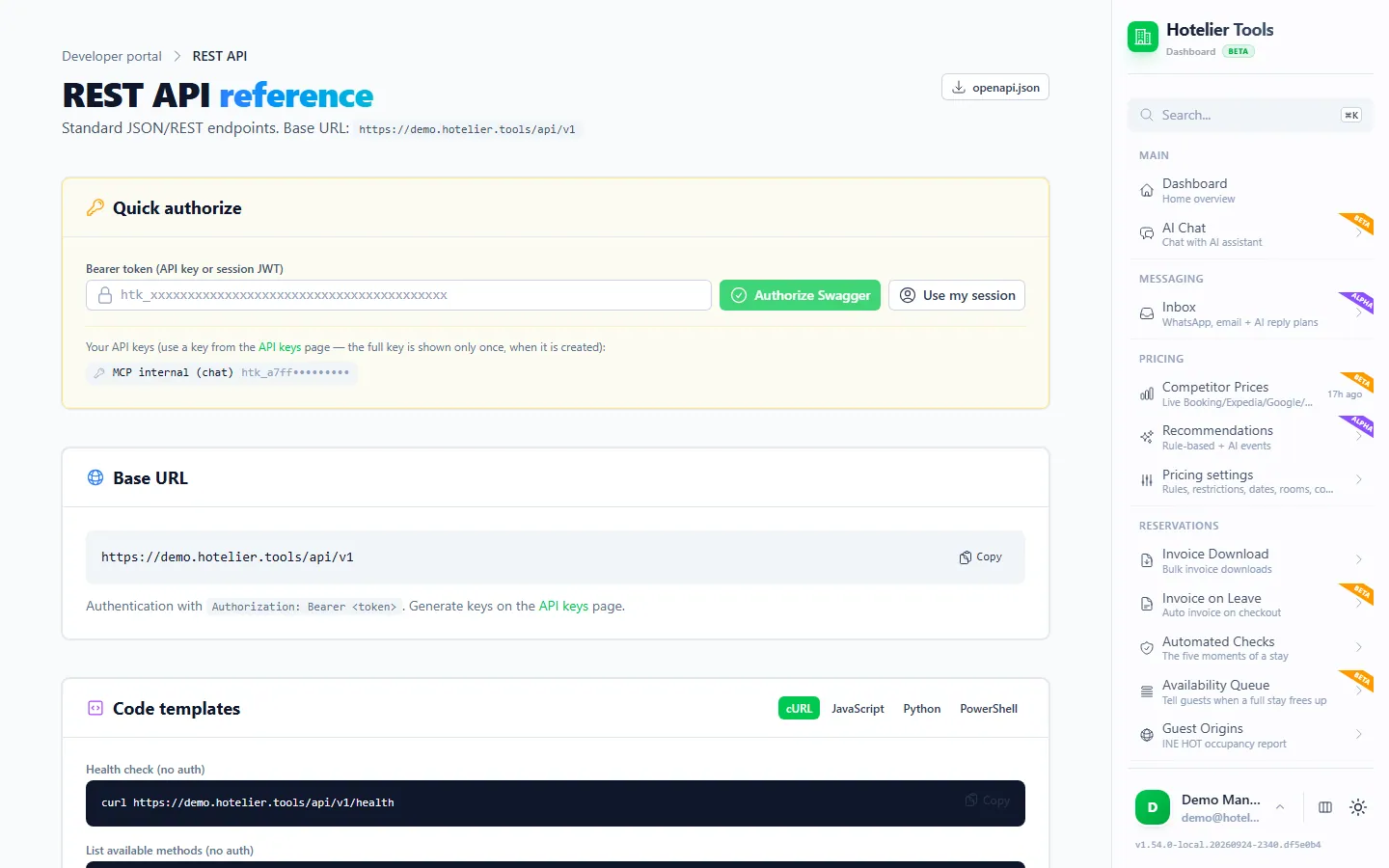
Open REST API & Swagger (/developer/rest-api). In Quick authorize, paste your key into "Bearer token (API key or session JWT)" and press Authorize Swagger, or press Use my session to skip the key. Then try any endpoint in the "Interactive API explorer". The page also has Download spec and "Code templates" in cURL, JavaScript, Python and PowerShell.
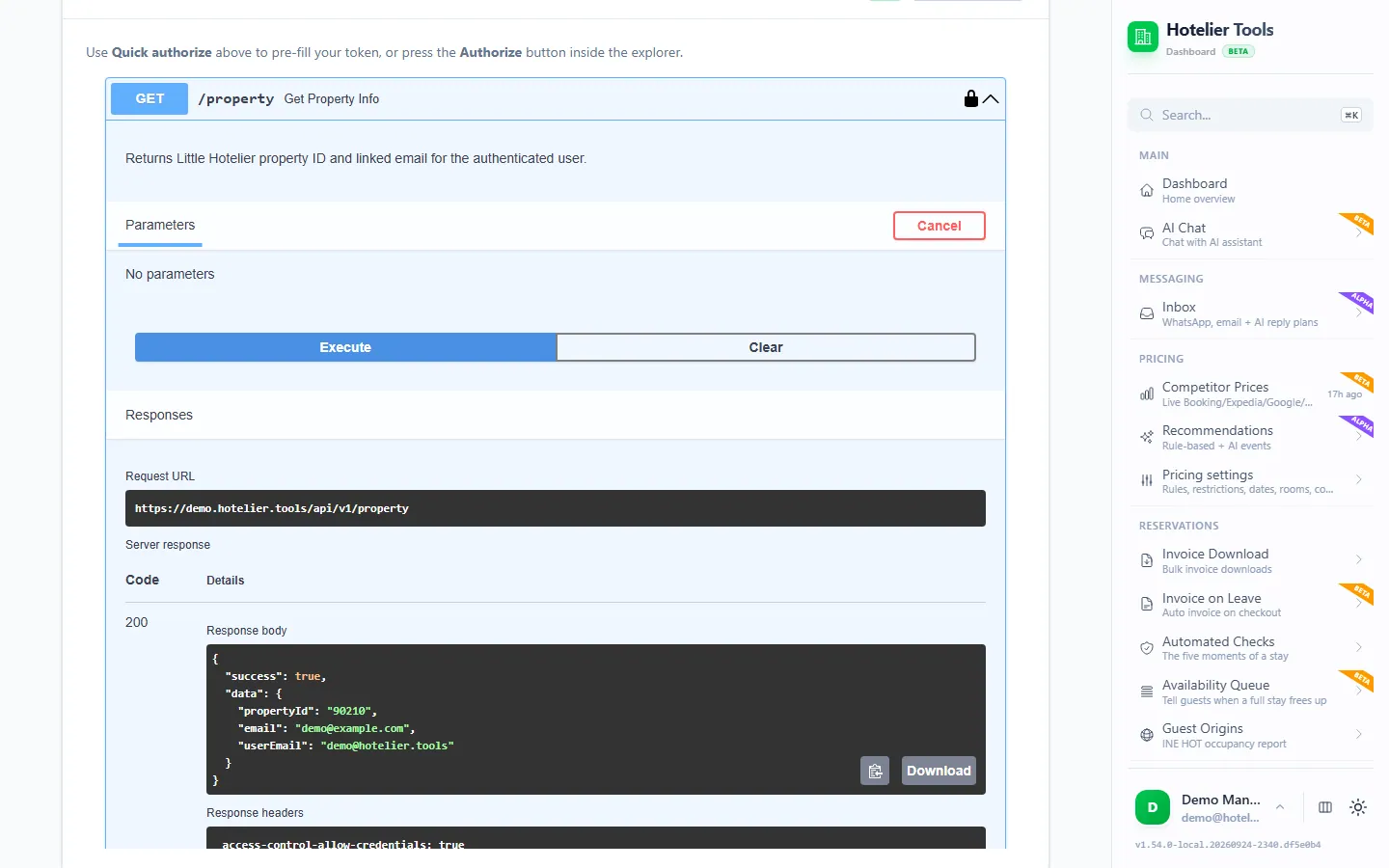
Which endpoints can you use?
The base URL is https://dashboard.hotelier.tools/api/v1. The full, current list is in the public OpenAPI spec. These are the ones most people start with:
| Method | Path | What you get |
|---|---|---|
| GET | /reservations | Reservations by check-in date, optional status and limit |
| GET | /reservations/{id} | Full details of one booking (numeric id or LH… reference) |
| GET | /reservations/{id}/invoices | The invoices of a booking |
| GET | /reservations/{id}/invoices/{invoiceId}/download | One invoice as a PDF |
| POST | /reservations/{id}/invoices | Creates a new invoice in Little Hotelier (no email to the guest) |
| GET | /guests | Guest search by text, name, email or phone |
| GET | /prices | Rates and availability for a date range |
| GET | /room-types | Room types with the number of rooms of each |
| GET | /methods | The raw Little Hotelier methods you can call (public) |
| POST | /methods/{methodName} | Runs one of them, for example getReservationsByDateRange |
A few copy-and-paste examples (dates and IDs are made up):
# Checked-out reservations with check-in in November 2026
curl -H "Authorization: Bearer htk_YOUR_API_KEY" \
  "https://dashboard.hotelier.tools/api/v1/reservations?startDate=2026-11-01&endDate=2026-11-30&status=checked_out&limit=100"

# Everything about one booking
curl -H "Authorization: Bearer htk_YOUR_API_KEY" \
  "https://dashboard.hotelier.tools/api/v1/reservations/LH00000000000001"

# Rates and availability for a week
curl -H "Authorization: Bearer htk_YOUR_API_KEY" \
  "https://dashboard.hotelier.tools/api/v1/prices?startDate=2026-12-01&endDate=2026-12-07"

# Find a guest by surname
curl -H "Authorization: Bearer htk_YOUR_API_KEY" \
  "https://dashboard.hotelier.tools/api/v1/guests?lastName=Garcia&perPage=50"

# Every reservation overlapping a range (raw method, named params)
curl -X POST "https://dashboard.hotelier.tools/api/v1/methods/getReservationsByDateRange" \
  -H "Authorization: Bearer htk_YOUR_API_KEY" \
  -H "Content-Type: application/json" \
  -d '{"params":{"startDate":"2026-11-01","endDate":"2026-11-30"}}'
List calls return JSON like { "success": true, "count": 2, "data": [ … ] }. To try a raw method without code, open LH Methods (/methods) in the dashboard and run it from the browser. Runs are logged in Run History.
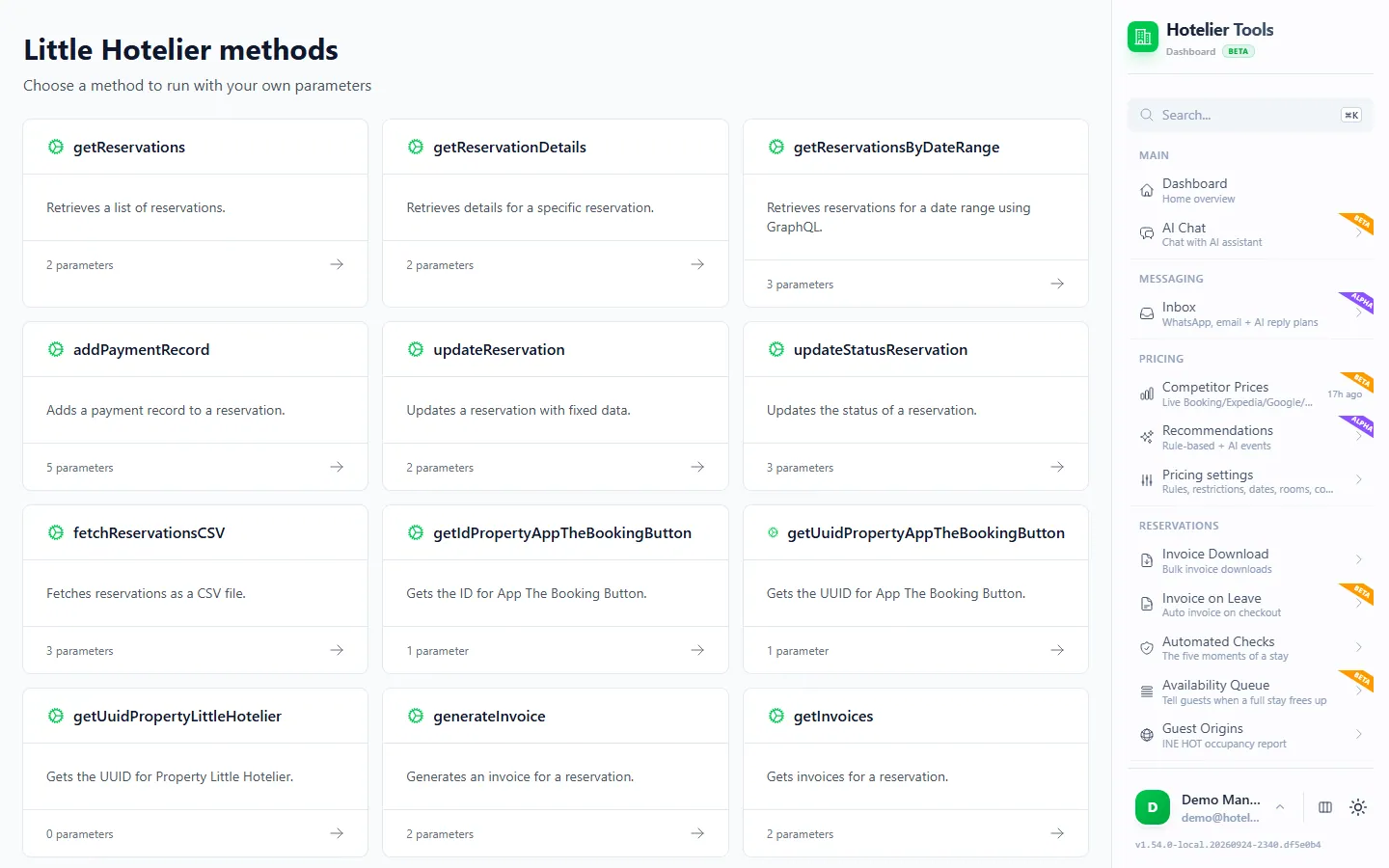
Try it in the live demo
Open the same screen in the Hotelier Tools demo, filled with invented data. No sign-up, nothing to install.
Limits, errors and what is not available
Rate limit. 100 requests per minute per IP address. Every response carries X-RateLimit-Limit, X-RateLimit-Remaining and X-RateLimit-Reset. Above the limit you get 429 with a Retry-After header.
Paging. /reservations returns at most 100 per call (limit, default 50) and filters on the check-in date. For a year of data, ask one month at a time; if a month returns exactly 100, split it in two. /guests pages with page and perPage (up to 50). /prices splits ranges longer than two weeks into chunks, so long ranges are slower.
Errors come back as JSON with statusCode and statusMessage:
| Code | Usually means |
|---|---|
| 401 | Missing, wrong or revoked key |
| 404 | No such reservation, or not on your property |
| 422 | A parameter is wrong, for example a date not in YYYY-MM-DD |
| 429 | Too many requests; wait for Retry-After |
| 500 / 502 | Little Hotelier did not answer; try again later |
Masked data stays masked. The API reads what Little Hotelier still holds. Little Hotelier masks guest details 180 days after check-out, and no API can bring them back. Export before then.
Not available: outbound webhooks or real-time notifications, a public sandbox key, and SDK packages on npm or PyPI. To run something on a schedule, use your own scheduler (a cron job, Windows Task Scheduler or a Google Sheets trigger).
Writes are real. POST /reservations/{id}/invoices creates a new invoice document in Little Hotelier each time you call it. Start with read-only calls, and keep keys away from shared spreadsheets and public code.
What can you build with it?
- A live reservations sheet. Pull last month's stays into Google Sheets or Excel on a schedule: see export reservations to Excel and Google Sheets.
- Accountant packs. Download invoice PDFs by booking, or skip the code with the quarterly ZIP in download all your invoices at once.
- Dashboards. Feed occupancy and revenue into Looker Studio or Power BI from a sheet the API keeps up to date.
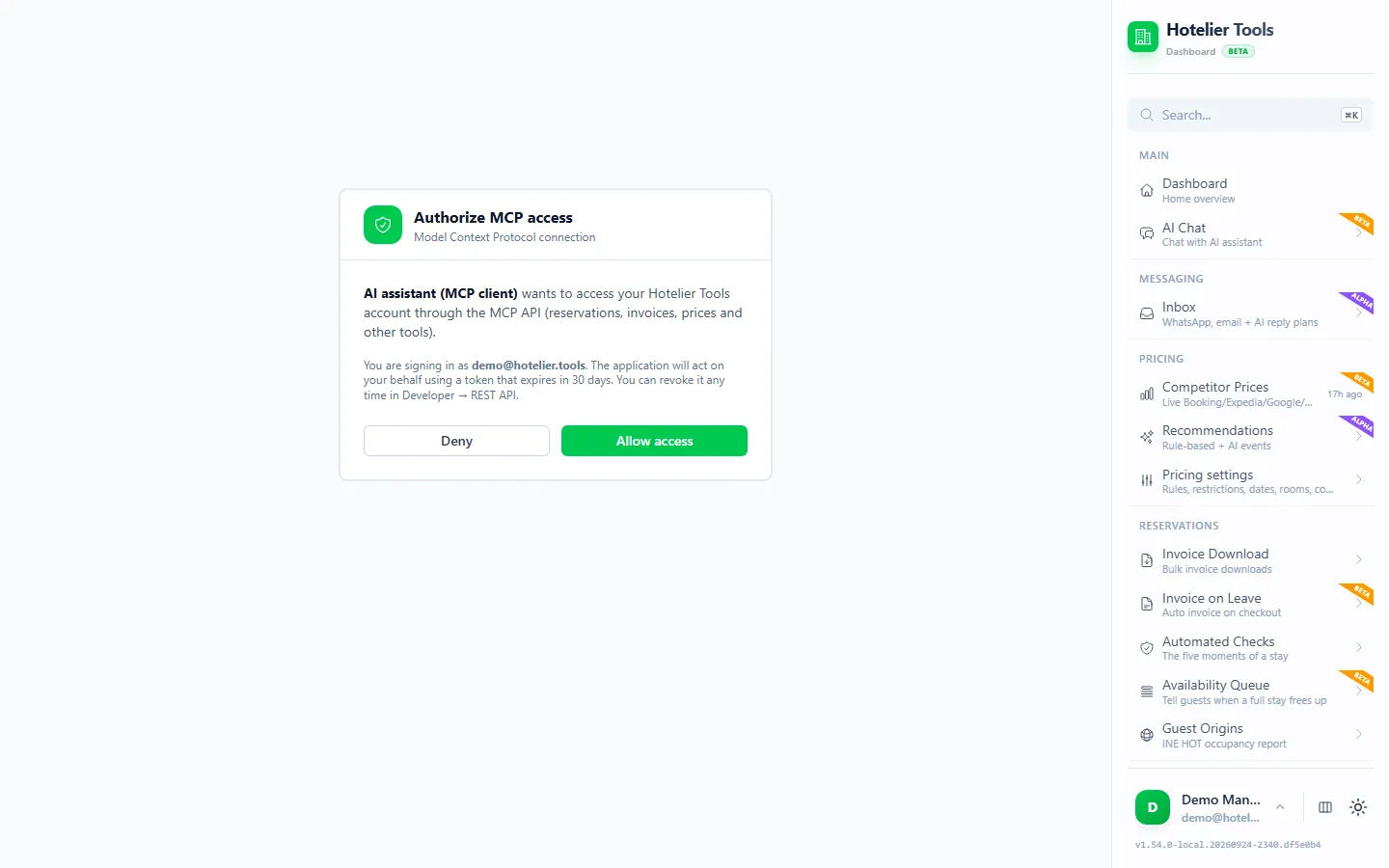
- AI assistants. The same key works with the Hotelier Tools MCP server (
https://dashboard.hotelier.tools/api/mcp), which gives Claude, ChatGPT, Cursor or VS Code more than 100 hotel tools. Start with what an MCP server is, then connect Claude or set up Claude Code, Cursor and VS Code. - Glue between tools. Where no App Store app exists, a small script can move data between Little Hotelier and the rest of your stack. Compare options in the best Little Hotelier integrations.
Next steps
- If you build software for many hotels, apply for SiteMinder's partner program and SMX.
- If you only need your own property's data, create a Hotelier Tools key at
/developer/api-keysand call/reservations. - Export guest data you need to keep before Little Hotelier masks it at 180 days.
- Everything the API and MCP server offer is on the API & MCP feature page.
Frequently asked questions
Does Little Hotelier have a public API for my reservations?
Not one a property can use for its own bookings, as of October 2026. SiteMinder's APIs are for certified technology partners, and the Direct Booking API key you can generate yourself only covers rates, availability and property details for a booking website.
What is SiteMinder Exchange (SMX), and does it include Little Hotelier?
SMX is SiteMinder's API for partner apps such as check-in, messaging and revenue tools. SiteMinder's developer guide lists Little Hotelier as a source of reservations for SMX, but not of availability and rates. Only certified partners connect to it.
How do I become a SiteMinder integration partner, and how long does it take?
You send SiteMinder's integration application form, sign a partnership agreement, then build, certify and go live. SiteMinder says most integrations take about 60 days from start to going live. It is meant for software companies, not for a single hotel.
Is an unofficial API like Hotelier Tools safe and allowed?
Hotelier Tools signs in with your own Little Hotelier login, stores it encrypted (AES-256-GCM) and can only do what that login can do in the Little Hotelier web app. It is not an official SiteMinder integration, so if you are unsure, check your own agreement with SiteMinder. You can revoke every key at any time.
Does Little Hotelier have an MCP server for AI assistants?
Not one for owners as of October 2026. SiteMinder's AI work in Demand Plus is about travelers finding and booking your rooms in ChatGPT and Claude. To ask an AI about your own bookings, you need an independent MCP server such as the one in Hotelier Tools.
Can I test the API without risking real data?
There is no public sandbox key. Start with read-only calls (reservations, prices, room types). They change nothing in Little Hotelier. Calls that write, such as generating an invoice, create real documents.