On this page
Little Hotelier doesn't offer an MCP server of its own (as of October 2026), but you can still connect Claude to it through Hotelier Tools, which runs one for your property. In Claude, open Customize → Connectors → Add custom connector, paste https://dashboard.hotelier.tools/api/mcp, sign in to Hotelier Tools and press Allow access. Claude can then answer questions from your live bookings and, if you let it, make changes.
New to the idea? Read what an MCP server is first. It takes three minutes.
What you need before you start
Hotelier Tools reads your data with your property's own Little Hotelier login. It is not affiliated with or endorsed by SiteMinder, Little Hotelier or Anthropic.
How to connect Claude to Little Hotelier (claude.ai and Claude Desktop)
This is the recommended route. You sign in with your browser, so there is no key to copy. These steps follow Anthropic's current instructions for Free, Pro and Max accounts.
- Open claude.ai or the Claude Desktop app and go to Customize → Connectors. Some screens still call it Settings → Connectors.
- Click Add custom connector (on some accounts: + Add, then Add custom connector).
- Name it
Hotelier Toolsand paste the MCP server URL:https://dashboard.hotelier.tools/api/mcp - If Claude asks how people sign in, choose Sign in now. If it asks for an OAuth client, choose Register automatically: the Hotelier Tools server supports this automatic registration. If you only see Advanced settings, leave them empty.
- Click Add, then Connect. A Hotelier Tools window opens.
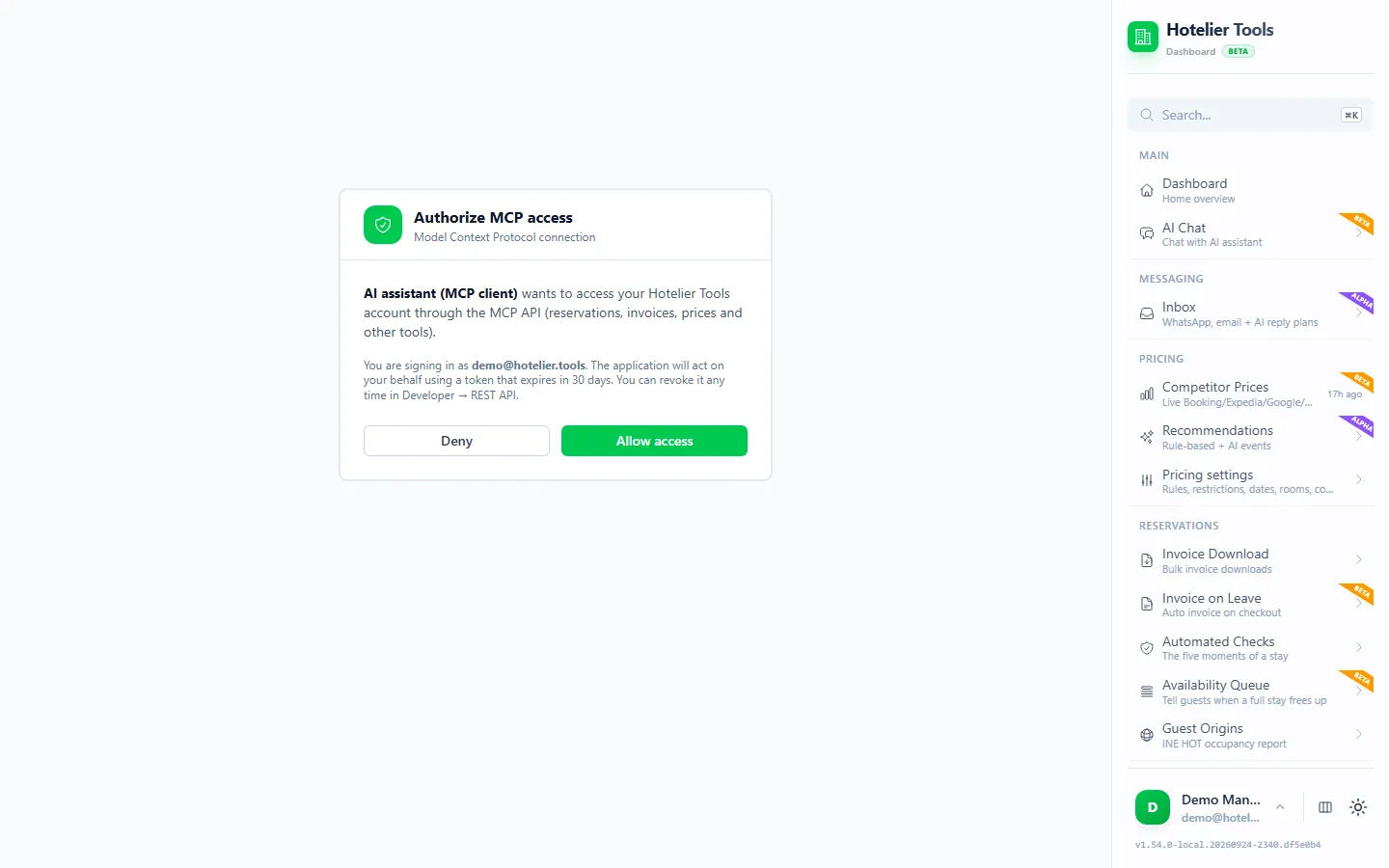
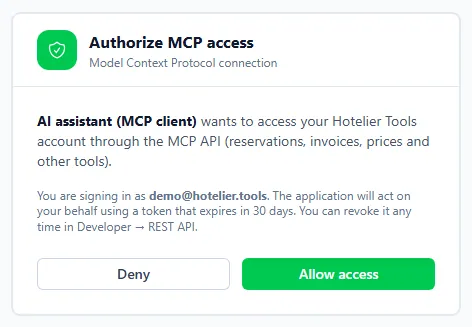
- Sign in to Hotelier Tools. On Authorize MCP access, pick the property (only if you have several) and press Allow access.
- Start a new chat, click +, open Connectors and check that Hotelier Tools is switched on.
- Ask a first question (examples below). Claude shows which tool it wants to use and asks before running it.
The sign-in lasts 30 days. After that, Claude asks you to connect again.
On a Team or Enterprise plan
An Owner adds the connector once: Organization settings → Connectors → Add → Custom → Web, with the same URL. Each colleague then opens Customize → Connectors, finds Hotelier Tools with the Custom label and clicks Connect. Each connection signs in to Hotelier Tools separately, and Claude acts with the permissions of the login used.
In the mobile app
According to Anthropic, a connector you set up on claude.ai or Claude Desktop is also available in Claude for iOS and Android. Adding one directly from your phone is still in beta, so do the setup on a computer.
Using an API key instead of signing in
Most people should use the sign-in above. An API key is useful when you want access that does not expire after 30 days, or a client that cannot do the browser sign-in.
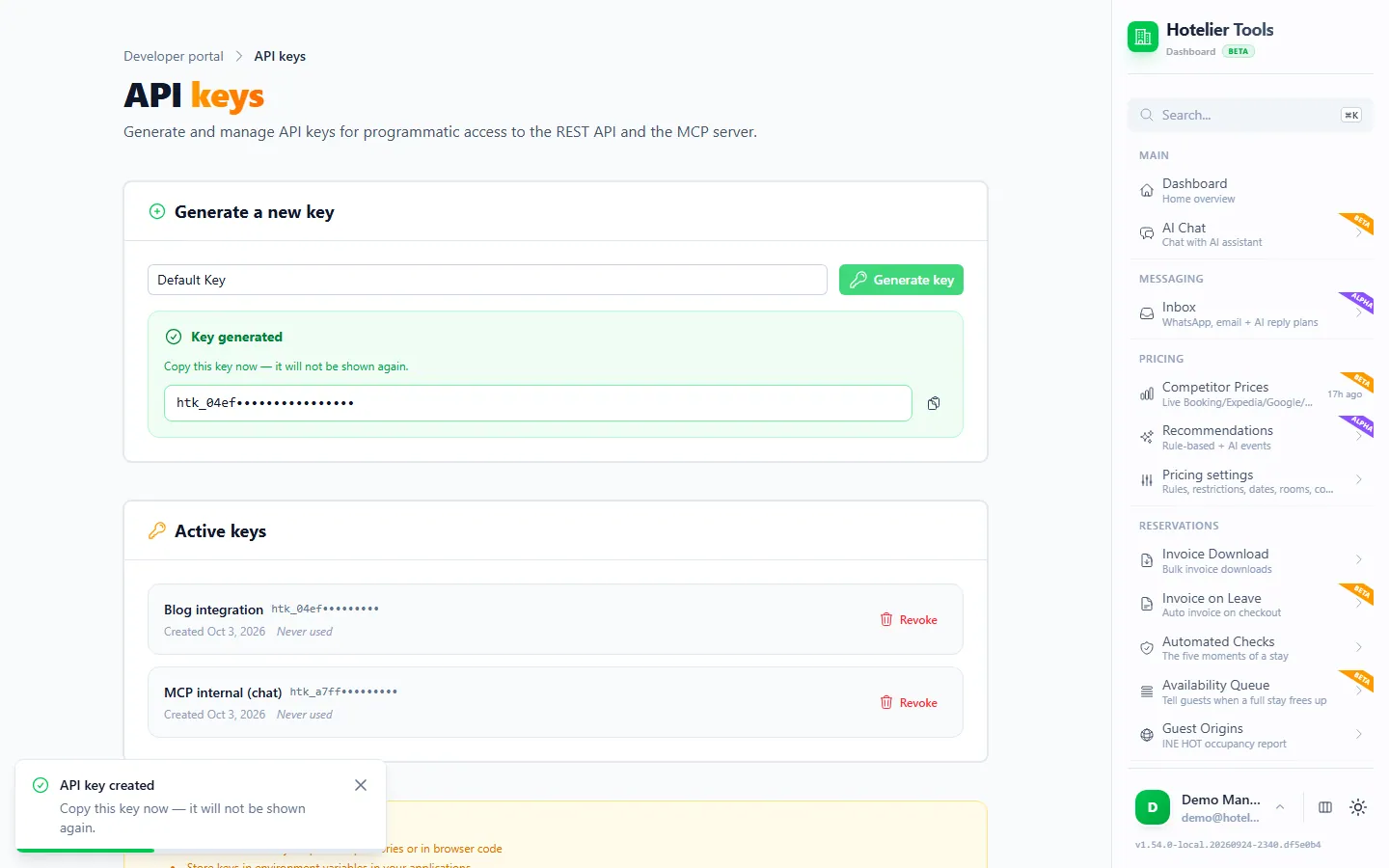
- In Hotelier Tools, open Developer → API & MCP → API Keys (
/developer/api-keys). - Under "Generate a new key", type a name such as
claude-desktopand press Generate key. - Copy it now. The page warns: "Copy this key now — it will not be shown again." Keys start with
htk_.
On claude.ai, some organizations see a Request headers section in the connector dialog. Anthropic marks it as beta and only available to a limited set of organizations. If you have it, choose No sign-in, add the authorization header and enter Bearer htk_YOUR_API_KEY (with the word Bearer and a space).
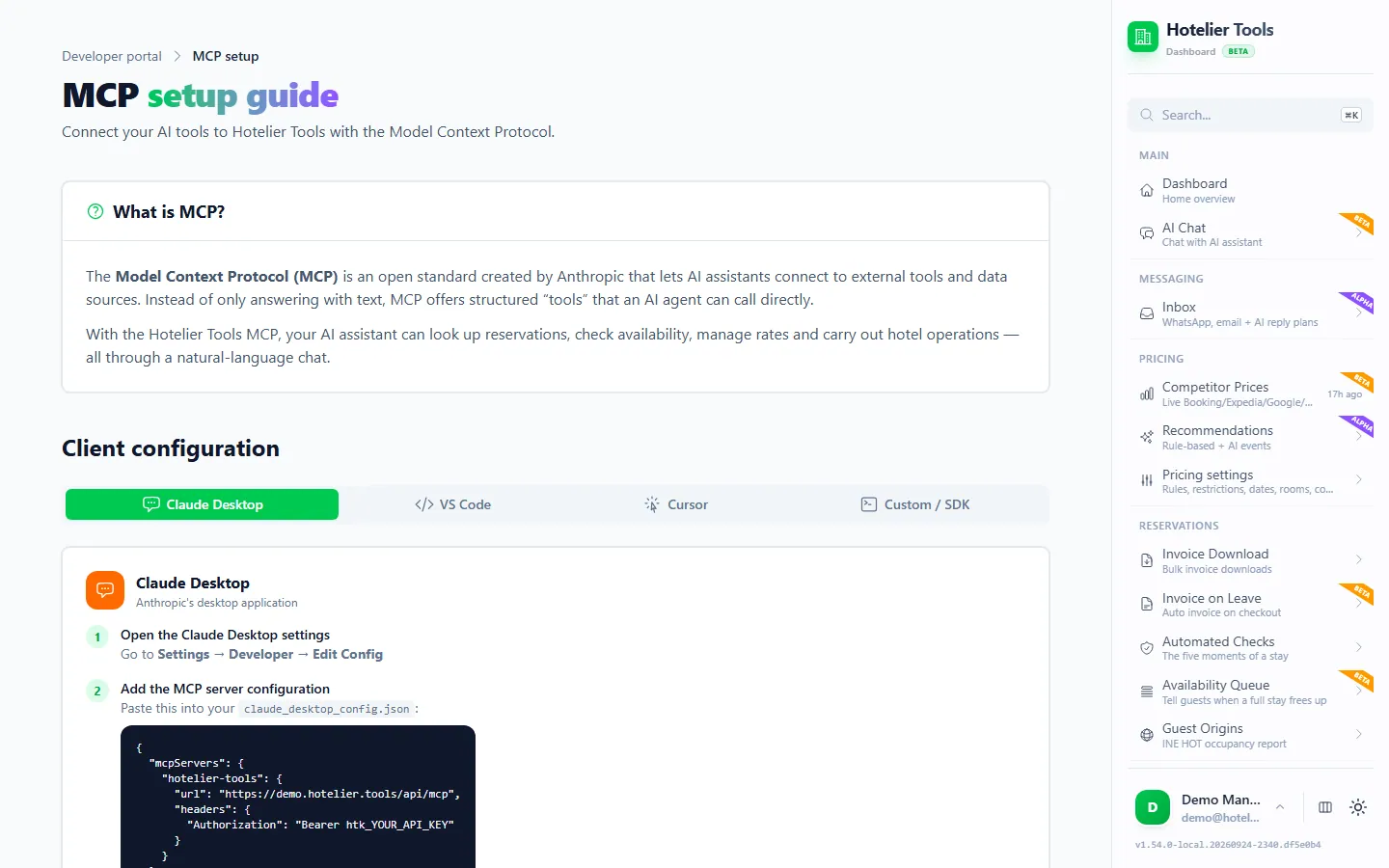
In Claude Desktop, the config file (Settings → Developer → Edit Config) is meant for servers that run on your own computer. Anthropic's docs say remote servers are added through Connectors. The Hotelier Tools MCP Setup page shows a url + headers snippet; if Claude Desktop ignores it, the usual workaround is the free community bridge mcp-remote, which needs Node.js installed. This is a typical configuration that we have not tested in every Claude Desktop version:
{
  "mcpServers": {
    "hotelier-tools": {
      "command": "npx",
      "args": [
        "-y",
        "mcp-remote",
        "https://dashboard.hotelier.tools/api/mcp",
        "--header",
        "Authorization:${HT_AUTH}"
      ],
      "env": {
        "HT_AUTH": "Bearer htk_YOUR_API_KEY"
      }
    }
  }
}
Save the file and fully quit and reopen Claude Desktop. The header is written without a space after the colon on purpose: the mcp-remote docs explain that Claude Desktop on Windows can mangle spaces in arguments.
API key or sign-in: which should you use?
| Sign-in (OAuth) | API key (htk_…) | |
|---|---|---|
| Setup | Paste the URL, sign in, Allow access | Generate a key, paste it into a config |
| Lasts | 30 days, then reconnect | Until you revoke it |
| Best for | claude.ai, Claude Desktop, mobile | Scripts, Claude Code, Cursor and VS Code |
| Revoke on | /developer/api-keys (Active keys) | /developer/api-keys |
Both work the same way once connected: Claude acts as the person who signed in or created the key, on one property, with that person's current permissions.
What to ask Claude first
Start with questions that only read. Mentioning "Hotelier Tools" helps Claude pick the right connector instead of searching the web.
Using Hotelier Tools, who arrives today and tomorrow? Show name, nights, room and any balance still unpaid.
Which reservations arriving in the next 7 days have no room assigned yet?
Which guests checked out last week and still have no invoice? For each one, tell me why it can't be invoiced yet.
Show me the open issues from the automated checks, grouped by arrival date, with what I need to fix in Little Hotelier.
What are my rates and availability for next weekend, and how do they compare with the competitor prices you have?
Explain the recommended price for a double room on Saturday 14 November, step by step.
Claude can combine answers too: "Make a table of next week's arrivals with unpaid balances and draft a polite payment reminder for each" works well. The drafts stay in Claude; nothing is sent.
What can Claude do with your hotel data, and how do you keep it safe?
The Hotelier Tools MCP server offers Claude more than 100 hotel tools, always limited by your permissions.
It can read: reservations and guests, payments, invoices and invoice readiness, rates and availability, competitor prices and price recommendations with their reasons, automated-check issues, the do-not-rebook list, the waitlist, scheduled tasks and the property facts read from Little Hotelier.
It can change, when Claude calls the tool: reservation details (first a proposal with before/after, then an apply step that needs confirmed: true), payment records, enrollment for the invoice at checkout, prices from the recommendations, channel stop sell, waitlist entries and scheduled tasks.
It cannot do anything irreversible: those tools are blocked for Claude and every other outside client. For example, it cannot:
- email an invoice to a guest
- issue a refund
- file the INE survey
- send team invitations
- email a guest invoice link
- answer a Booking.com guest question
- run the waitlist check that messages guests
Those stay in the Hotelier Tools dashboard chat, behind an approval card. Claude also cannot see other properties, go beyond your permissions, or do anything Little Hotelier itself would refuse.
Write actions: how to keep Claude safe
Five habits keep that safe:
- Keep approvals on for write tools. In Customize → Connectors → Hotelier Tools, Anthropic lets you set each tool to Always allow, Needs approval or Blocked. Reading tools can be "Always allow". Leave anything that changes data on "Needs approval".
- Block what you never use. If Claude should never touch prices, set
apply_price_recommendationsandset_channel_stop_sellto Blocked. - Read the proposal. For reservation changes, Claude first shows a before/after from
propose_reservation_changes. Check the booking reference and the values before you say yes. - Watch for instructions hidden in text. Guest messages and websites are written by strangers. If a tool result suddenly asks Claude to do something you did not ask for, stop. Anthropic gives the same advice.
- Know who is connected. Each connection acts as the Hotelier Tools login that created it. Revoke old ones on
/developer/api-keys, and always when someone leaves.
Is my guest data sent to Anthropic?
Yes, the parts Claude reads. When Claude calls a tool, the result (guest names, dates, amounts) becomes part of your conversation and is processed by Anthropic under your plan's terms.
As of October 2026, Anthropic says its consumer-plan training data "does not include raw content from connectors… including remote and local MCP servers", unless you copy it into the chat (source). On commercial plans (Team, Enterprise, API), inputs and outputs are not used for training by default.
Guest data is personal data, and your hotel stays responsible for it. Ask Claude only for what you need, and turn the connector off in chats that do not need it.
Try it in the live demo
Open the same screen in the Hotelier Tools demo, filled with invented data. No sign-up, nothing to install.
Troubleshooting
| What you see | Likely cause | What to do |
|---|---|---|
| Claude says it cannot connect, or a 401 error | Sign-in expired (30 days), key revoked, or you no longer have access to the property | Disconnect and Connect again, or create a new key |
| 400 "No Little Hotelier credentials configured" | Little Hotelier is not connected yet | Connect it on Credentials (/credentials) |
403 permission_denied | Your login lacks API access | Ask the owner to give your role API access |
423 lh_frozen | Little Hotelier sign-in paused after a login failure, often an expired password | Save the new password on Credentials or press Check now & resume |
| The tools don't show in the chat | Connector switched off for this chat, or Desktop not restarted | + → Connectors → switch it on; restart Claude Desktop after config edits |
| The sign-in window never opens | Pop-ups blocked | Allow pop-ups for claude.ai and try Connect again |
Next steps
- Want the same in ChatGPT? Follow connect ChatGPT to Little Hotelier.
- Building reports or scripts? See Claude Code, Cursor and VS Code or the REST API guide.
- Prefer approval cards for every change? Use the built-in assistant in the dashboard.
- Everything the server offers is on the API & MCP feature page.
Frequently asked questions
Which Claude plans can add a custom connector?
As of October 2026, Anthropic lists custom connectors on the Free, Pro, Max, Team and Enterprise plans. Free accounts can add one custom connector. On Team and Enterprise, an Owner adds it for the organization and each member then connects with their own login.
Does the Little Hotelier connection work in the Claude mobile app?
Yes. Once you connect it on claude.ai or in Claude Desktop, Anthropic says it is also available in Claude for iOS and Android. Adding new custom connectors from your phone is still in beta, so set it up on a computer.
How do I disconnect Claude or rotate access?
In Claude, open Customize, then Connectors, and choose Disconnect or Remove. In Hotelier Tools, open Developer, API Keys and revoke the connection or the key you used under Active keys. Revoking on the Hotelier Tools side cuts access immediately.
Can Claude change my reservations or prices?
Yes, if you let it. Write tools run when Claude calls them, and Hotelier Tools does not add a second approval card outside its own dashboard, so keep Claude's per-tool approval set to Needs approval. Refunds, emailing invoices, filing the INE return and other irreversible actions are blocked for Claude.
Does Little Hotelier have its own MCP server?
Not an official one as of October 2026. SiteMinder's MCP work is about selling rooms through AI assistants, not about owners querying their own data. Hotelier Tools runs an independent MCP server that connects with your property's own Little Hotelier login.
Is this an official Anthropic or Little Hotelier integration?
No. Hotelier Tools is independent and is not affiliated with or endorsed by Anthropic, SiteMinder or Little Hotelier. It uses the standard MCP protocol that Claude supports for any custom connector.