On this page
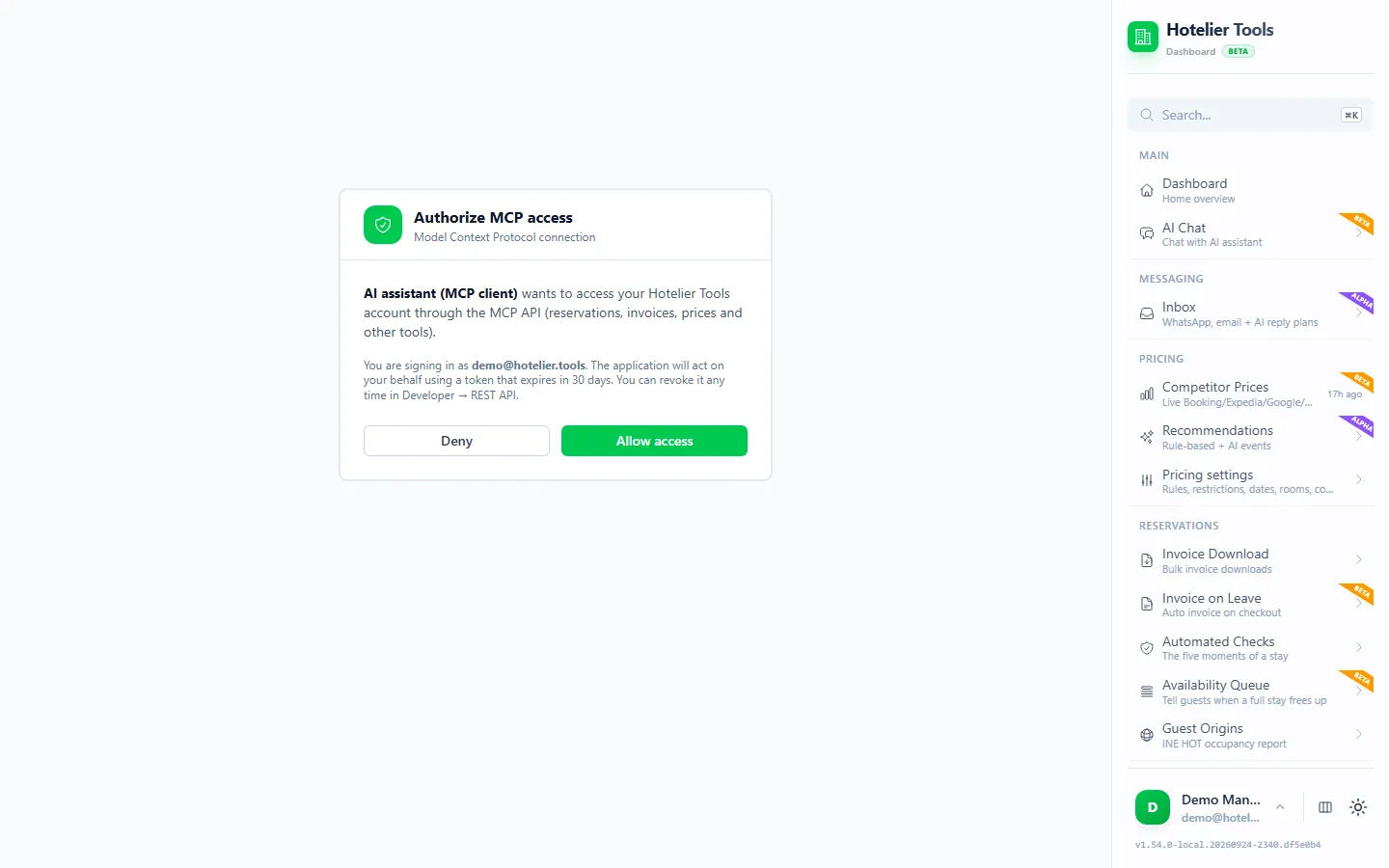
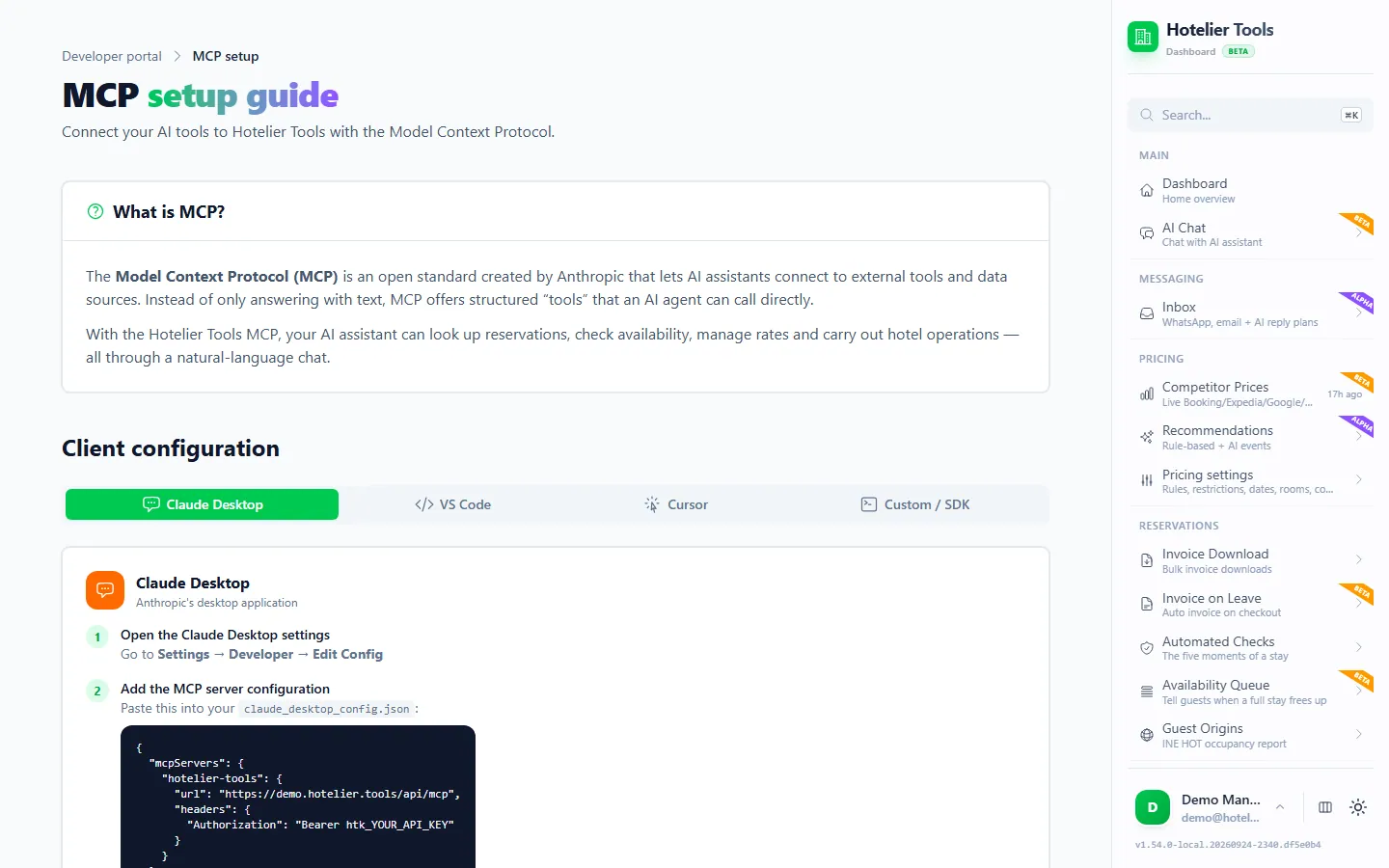
Add one remote MCP server, https://dashboard.hotelier.tools/api/mcp, with a Hotelier Tools API key, and Claude Code, Cursor, VS Code (Copilot agent mode), Windsurf or Gemini CLI can read your Little Hotelier reservations, rates and invoices while they write code for you. In Claude Code it is a single command: claude mcp add --transport http hotelier-tools https://dashboard.hotelier.tools/api/mcp --header "Authorization: Bearer htk_YOUR_API_KEY".
Below are the exact configs for each tool (checked against each vendor's docs in October 2026), three things worth building, and when to call the REST API directly instead.
Before you start: create an API key
Little Hotelier does not publish an MCP server, and SiteMinder's own partner API docs say availability and rate data can't be obtained from Little Hotelier. Hotelier Tools provides both an MCP server and a REST API, using your property's own Little Hotelier login. It is not affiliated with or endorsed by SiteMinder or Little Hotelier. Background: does Little Hotelier have an API?
- In Hotelier Tools, connect Little Hotelier on Credentials (
/credentials) if you haven't yet. - Open Developer → API & MCP → API Keys (
/developer/api-keys). - Type a name that says where the key will live, such as
cursor-laptop, and press Generate key. - Copy it straight away: "Copy this key now — it will not be shown again." It starts with
htk_.
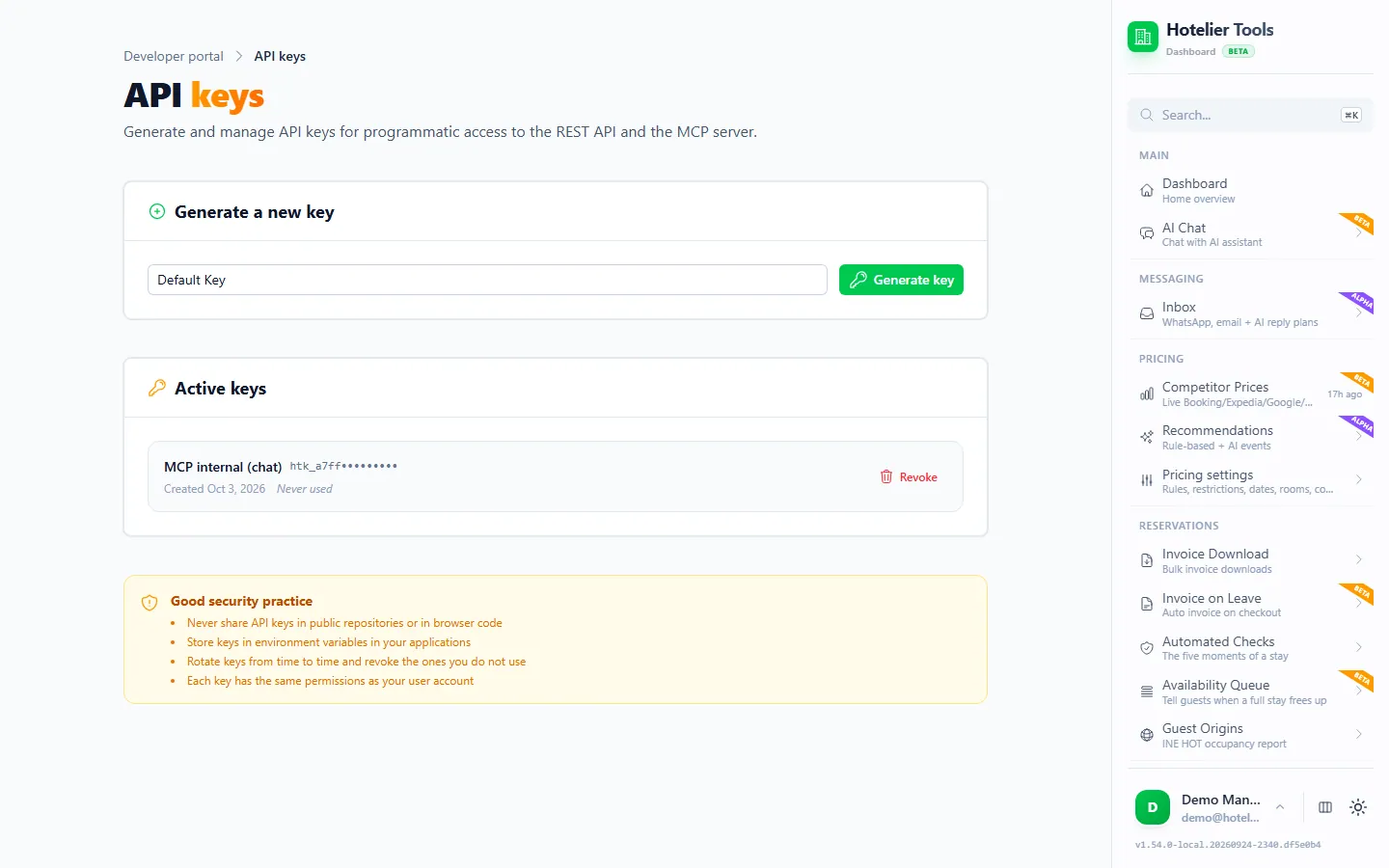
A key has the same permissions as your Hotelier Tools account, on the one property where you created it. You can have up to 10 keys.
Keep the key out of your files. Store it in an environment variable called HT_API_KEY and reference that from configs:
echo 'export HT_API_KEY="htk_YOUR_API_KEY"' >> ~/.zshrc # or ~/.bashrc
setx HT_API_KEY "htk_YOUR_API_KEY"
Open a new terminal (and restart your editor) so it picks up the variable.
How to add the MCP server to Claude Code, Cursor, VS Code, Windsurf and Gemini CLI
Each tool stores the same three facts (address, transport, key) in a slightly different file. Pick yours.
Claude Code
Claude Code has a built-in command for remote servers (Anthropic's docs):
claude mcp add --transport http hotelier-tools https://dashboard.hotelier.tools/api/mcp --header "Authorization: Bearer htk_YOUR_API_KEY"
Then start claude and type /mcp. Hotelier Tools should show as connected; a failed status with a 401 means the key is wrong.
- Scope. By default the server is saved for the current folder only. Add
--scope userafter the name to use it in every project, or--scope projectto write a shared.mcp.json. - Sign in instead of a key. Run the command without
--header, then inside Claude Code type/mcpand authenticate in the browser. If you already connected Hotelier Tools as a connector on claude.ai, Claude Code can pick it up when you sign in with the same Claude account.
For a project you share with a colleague or keep in Git, put the server in .mcp.json and let each person supply their own key:
{
  "mcpServers": {
    "hotelier-tools": {
      "type": "http",
      "url": "https://dashboard.hotelier.tools/api/mcp",
      "headers": { "Authorization": "Bearer ${HT_API_KEY}" }
    }
  }
}
The "type": "http" line is required: Claude Code treats an entry with a url but no type as a configuration error.
Cursor
Cursor reads ~/.cursor/mcp.json for all projects, or .cursor/mcp.json inside one project (Cursor docs):
{
  "mcpServers": {
    "hotelier-tools": {
      "url": "https://dashboard.hotelier.tools/api/mcp",
      "headers": { "Authorization": "Bearer ${env:HT_API_KEY}" }
    }
  }
}
Save, then check that the server is enabled in Cursor's MCP settings (recent versions list servers under Customize in the sidebar). Ask in the Agent chat. Cursor asks for approval before running a tool by default; keep it that way for this server. Leaving out headers makes Cursor offer the browser sign-in instead.
VS Code with GitHub Copilot
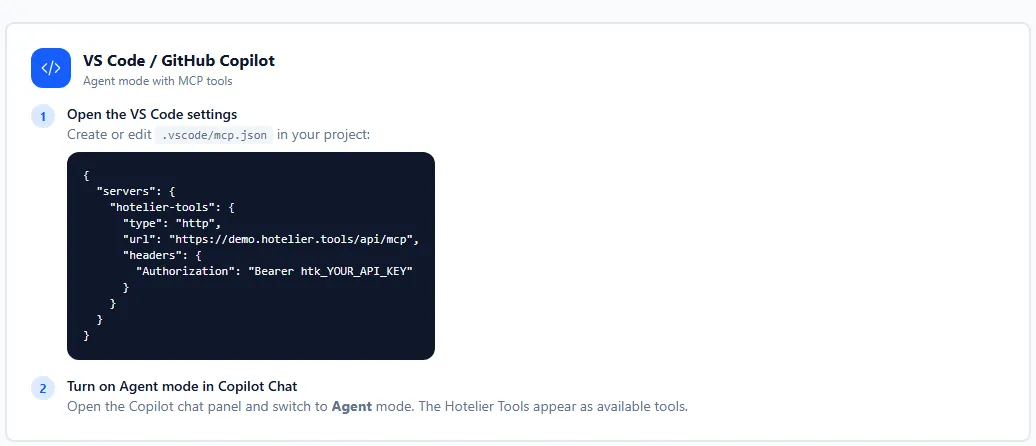
VS Code uses .vscode/mcp.json, with servers as the top key and a required "type": "http" (VS Code docs). Its inputs feature asks for the key once and keeps it in VS Code's secure storage, so it never sits in the file:
{
  "inputs": [
    {
      "type": "promptString",
      "id": "ht-api-key",
      "description": "Hotelier Tools API key (htk_…)",
      "password": true
    }
  ],
  "servers": {
    "hotelier-tools": {
      "type": "http",
      "url": "https://dashboard.hotelier.tools/api/mcp",
      "headers": { "Authorization": "Bearer ${input:ht-api-key}" }
    }
  }
}
Open Copilot Chat, switch to Agent mode and use Configure Tools to see the Hotelier Tools tools. VS Code may ask you to trust the server the first time it starts. For all workspaces, run MCP: Open User Configuration and paste the same block there. VS Code also supports the browser sign-in if you leave out headers.
Windsurf and Gemini CLI
Windsurf (whose docs now live under Devin) reads ~/.codeium/windsurf/mcp_config.json and uses serverUrl for remote servers (docs):
{
  "mcpServers": {
    "hotelier-tools": {
      "serverUrl": "https://dashboard.hotelier.tools/api/mcp",
      "headers": { "Authorization": "Bearer ${env:HT_API_KEY}" }
    }
  }
}
Windsurf caps Cascade at 100 tools in total, and Hotelier Tools offers more than 100, so you may need to switch off tools you don't use in the MCP panel.
Gemini CLI reads ~/.gemini/settings.json (or .gemini/settings.json in a project) and uses httpUrl for this kind of server; url would mean the older SSE transport, which Hotelier Tools does not serve (docs):
{
  "mcpServers": {
    "hotelier-tools": {
      "httpUrl": "https://dashboard.hotelier.tools/api/mcp",
      "headers": { "Authorization": "Bearer $HT_API_KEY" }
    }
  }
}
Or from the terminal: gemini mcp add --transport http --header "Authorization: Bearer htk_YOUR_API_KEY" hotelier-tools https://dashboard.hotelier.tools/api/mcp. Type /mcp inside Gemini CLI to check it.
These two configs follow each vendor's documentation; we have not tested them in every version.
| Tool | Config file | Top key | URL key |
|---|---|---|---|
| Claude Code | .mcp.json | mcpServers | url + "type": "http" |
| Cursor | .cursor/mcp.json | mcpServers | url |
| VS Code | .vscode/mcp.json | servers | url + "type": "http" |
| Windsurf | mcp_config.json | mcpServers | serverUrl |
| Gemini CLI | settings.json | mcpServers | httpUrl |
Three things worth building
The trick is to let the agent use MCP to look at your real data, then write code that calls the REST API so the result runs every month without AI.
A monthly occupancy report
Ask Claude Code (or Cursor's agent) in an empty folder:
Use the hotelier-tools MCP server to look at my room types and last month's reservations. Then write a Node.js script that calls the Hotelier Tools REST API (spec: https://dashboard.hotelier.tools/api/v1/openapi.json) with the key in HT_API_KEY, and for any month I pass in, prints occupancy and average daily rate per room type and saves them to a CSV.
A good script starts like this. It pulls the room types and every reservation that overlaps the month, and saves the raw answer so you can check the fields before doing math:
// Usage: node fetch-month.mjs 2026-09   (needs HT_API_KEY in your environment)
import { writeFile } from "node:fs/promises";

const API = "https://dashboard.hotelier.tools/api/v1";
const headers = {
  Authorization: `Bearer ${process.env.HT_API_KEY}`,
  "Content-Type": "application/json",
};

async function call(path, options = {}) {
  const res = await fetch(`${API}${path}`, { ...options, headers });
  if (!res.ok) throw new Error(`${res.status} ${await res.text()}`);
  return res.json();
}

const month = process.argv[2];
const [year, mon] = month.split("-").map(Number);
const startDate = `${month}-01`;
const endDate = new Date(Date.UTC(year, mon, 0)).toISOString().slice(0, 10);

const roomTypes = await call("/room-types");
const reservations = await call("/methods/getReservationsByDateRange", {
  method: "POST",
  body: JSON.stringify({ params: { startDate, endDate } }),
});

await writeFile(
  `raw-${month}.json`,
  JSON.stringify({ roomTypes: roomTypes.data, reservations: reservations.result }, null, 2)
);
console.log(`Saved raw-${month}.json`);
The API's own spec says reservation objects come from Little Hotelier and their "shape may vary", so let the agent read the saved file before it calculates anything. /room-types gives totalRooms per type, which is the other half of the occupancy sum.
A Google Sheets sync
For a sheet that lists the next 30 days of arrivals and refreshes every morning, open your spreadsheet, go to Extensions → Apps Script and paste:
function syncArrivals() {
  const key = PropertiesService.getScriptProperties().getProperty('HT_API_KEY');
  const fmt = d => Utilities.formatDate(d, Session.getScriptTimeZone(), 'yyyy-MM-dd');
  const today = new Date();
  const in30 = new Date(today.getTime() + 30 * 24 * 60 * 60 * 1000);
  const url = 'https://dashboard.hotelier.tools/api/v1/reservations'
    + '?startDate=' + fmt(today) + '&endDate=' + fmt(in30) + '&limit=100';

  const res = UrlFetchApp.fetch(url, {
    headers: { Authorization: 'Bearer ' + key },
    muteHttpExceptions: true,
  });
  if (res.getResponseCode() !== 200) throw new Error(res.getContentText());

  const rows = JSON.parse(res.getContentText()).data.map(r => [
    r.id, r.guestName, r.status, r.checkIn, r.checkOut, r.roomType, r.totalAmount,
  ]);
  const book = SpreadsheetApp.getActive();
  const sheet = book.getSheetByName('Arrivals') || book.insertSheet('Arrivals');
  sheet.clearContents();
  sheet.appendRow(['ID', 'Guest', 'Status', 'Check-in', 'Check-out', 'Room type', 'Total']);
  if (rows.length) sheet.getRange(2, 1, rows.length, rows[0].length).setValues(rows);
}
Store the key under Project Settings → Script properties as HT_API_KEY, run it once to grant access, then add a daily time-driven trigger under Triggers. /reservations returns at most 100 stays per call, filtered by check-in date, so split busy months into weeks. Remember the sheet now holds guest names: share it carefully.
A small custom dashboard
Build a small Node.js web app that shows tonight's occupancy, today's arrivals and departures, and stays with an unpaid balance, using the Hotelier Tools REST API. Keep HT_API_KEY on the server only; the browser must call my server, never the API directly. Cache answers for five minutes.
Two rules make this safe: the key stays on the server (anyone who opens a page can read keys in browser code), and you cache, because the API allows 100 requests per minute per IP address.
MCP or the REST API: which should you use?
| MCP server | REST API | |
|---|---|---|
| Best for | Asking questions, letting an agent explore while it codes | Scripts, Sheets, dashboards that run on a schedule |
| Address | https://dashboard.hotelier.tools/api/mcp | https://dashboard.hotelier.tools/api/v1 |
| Auth | API key or browser sign-in | API key (Authorization: Bearer htk_…) |
| Docs | MCP Setup page (/developer/mcp-setup) | Swagger explorer (/developer/rest-api) |
Both use the same key and the same permissions. The REST guide is in Little Hotelier API.
Read vs write tools: keep the agent on a leash
Coding agents are good at running tools quickly, which is exactly why you should slow them down here.
- Writes run when the agent calls them. Outside the Hotelier Tools dashboard there is no approval card. Changing a reservation, recording a payment, applying prices or setting stop sell happens as soon as the tool runs. Keep your editor's "ask before running tools" setting on, and don't use auto-run modes with this server.
- Irreversible actions are blocked anyway. Eight tools (emailing invoices to guests, refunds, filing the INE survey, team invitations, emailing guest links, answering Booking.com questions and the waitlist check that messages guests) are dashboard-only.
- Reservation changes are two steps.
propose_reservation_changesshows the before/after;apply_reservation_changesneedsconfirmed: true. Read the proposal. - Never commit a key. Use
${HT_API_KEY}-style references, add local config files to.gitignore, and revoke any key that leaks on/developer/api-keys.
Troubleshooting "server not showing"
- Nothing appears after editing a config: restart the editor or CLI. Most tools read MCP configs at start-up.
- Claude Code or VS Code ignores the server: check for
"type": "http". - Gemini CLI connects but fails: use
httpUrl, noturl. - 401: wrong or revoked key, or the environment variable isn't set in that terminal.
- 400 "No Little Hotelier credentials configured": connect Little Hotelier on
/credentials. - 423
lh_frozen: Little Hotelier sign-in is paused after a failed login (often an expired password). Save the new password on Credentials or press Check now & resume. - 429: too many requests; wait for the time in
Retry-After. - The backslash line break fails on Windows: PowerShell doesn't use
\to continue lines. Paste commands on one line, as shown above.
Try it in the live demo
Open the same screen in the Hotelier Tools demo, filled with invented data. No sign-up, nothing to install.
Next steps
- Not a developer? Connect Claude or ChatGPT in the browser instead.
- New to the idea? Read what an MCP server is.
- Want spreadsheets without code? See exporting reservations to Excel.
Frequently asked questions
What is the claude mcp add command for Little Hotelier?
Run: claude mcp add --transport http hotelier-tools https://dashboard.hotelier.tools/api/mcp --header "Authorization: Bearer htk_YOUR_API_KEY". Replace the key with one from Developer, API Keys in Hotelier Tools, then check it with /mcp inside Claude Code.
Where does mcp.json live in Cursor and VS Code?
Cursor reads ~/.cursor/mcp.json for every project and .cursor/mcp.json inside a project. VS Code reads .vscode/mcp.json in the workspace, and a user-level file you open with the command MCP: Open User Configuration. VS Code uses the key servers, not mcpServers.
Do I need to be a developer to use Claude Code with my hotel data?
No. You install Claude Code, paste one command and then ask in plain words. It helps to know where your files go and how to run a script, but Claude Code can explain each step as it works.
Can I sign in instead of using an API key?
Yes, in clients that support OAuth. Add the server URL without a header, then sign in when the client asks: in Claude Code run /mcp and choose to authenticate. The sign-in lasts 30 days. Keys are better for scripts that run unattended.
Is this an official Little Hotelier or SiteMinder API?
No. Hotelier Tools is independent and is not affiliated with or endorsed by SiteMinder or Little Hotelier. It connects with your property's own Little Hotelier login and offers its own REST API and MCP server.