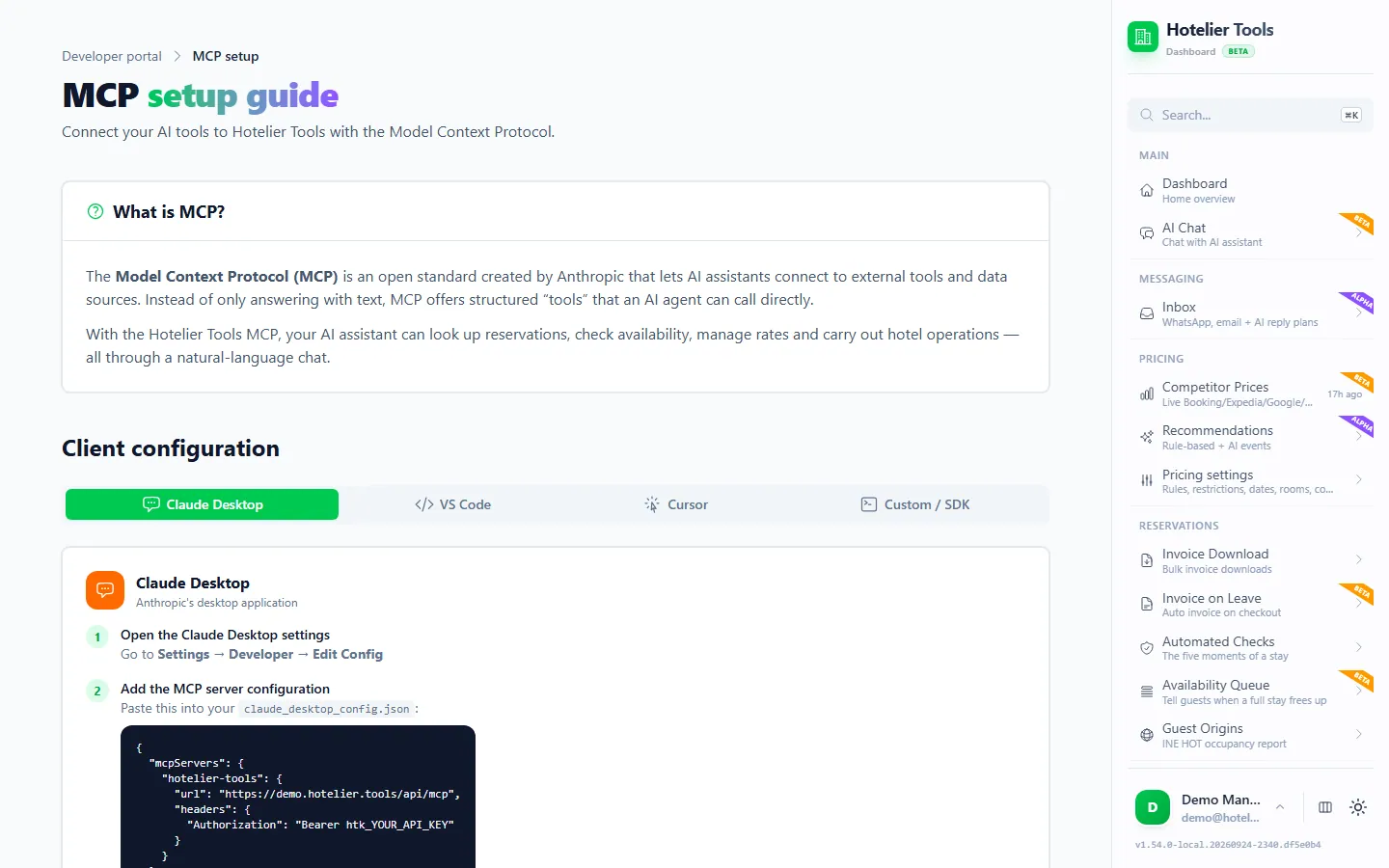
On this page
Yes, you can connect ChatGPT to Little Hotelier. Turn on developer mode in ChatGPT, create an app that points to the Hotelier Tools MCP server (https://dashboard.hotelier.tools/api/mcp) with OAuth, and sign in to Hotelier Tools. What ChatGPT can then do depends on your plan: as of October 2026, OpenAI reserves full read-and-write access for Business, Enterprise and Edu, while Pro (and, per OpenAI's developer docs, Plus) connects with read-only permissions.
Below are the steps as OpenAI documents them today, what to check in your own account, and 18 prompts that work for a small hotel.
What you need before you start
- A ChatGPT plan with developer mode. OpenAI's developer-mode guide lists Pro, Plus, Business, Enterprise and Education accounts, on the web. Its help centre adds that full MCP, including write actions, is for Business and Enterprise/Edu, and that Pro can connect with read and fetch permissions only.
- A computer browser. OpenAI says custom MCP apps are web only, not in the mobile apps.
- A Hotelier Tools account with Little Hotelier connected on Credentials (
/credentials). The owner's login has the API access you need. Hotelier Tools is free for every hotel until billing starts on 10 January 2027.
Hotelier Tools is independent. It is not affiliated with or endorsed by OpenAI, SiteMinder or Little Hotelier, and it connects using your property's own Little Hotelier login.
How to connect ChatGPT to Little Hotelier, step by step
These steps follow OpenAI's connection guide as of October 2026. If your screens look different, the older path from the help centre is noted in each step.
- Go to chatgpt.com in a browser and open Settings → Security and login. Turn on Developer mode. (Some accounts show it under Settings → Apps → Advanced settings.)
- Open Plugins (chatgpt.com/plugins) and press the + button to create a developer-mode app. (Older screens: Settings → Apps → Create.)
- Fill in the form:
- Name:
Hotelier Tools - Description:
Reservations, guests, invoices and prices from my Little Hotelier property - MCP server URL:
https://dashboard.hotelier.tools/api/mcp - Authentication: OAuth
- Name:
- Create the app. ChatGPT may show Scan Tools first. A Hotelier Tools window opens.
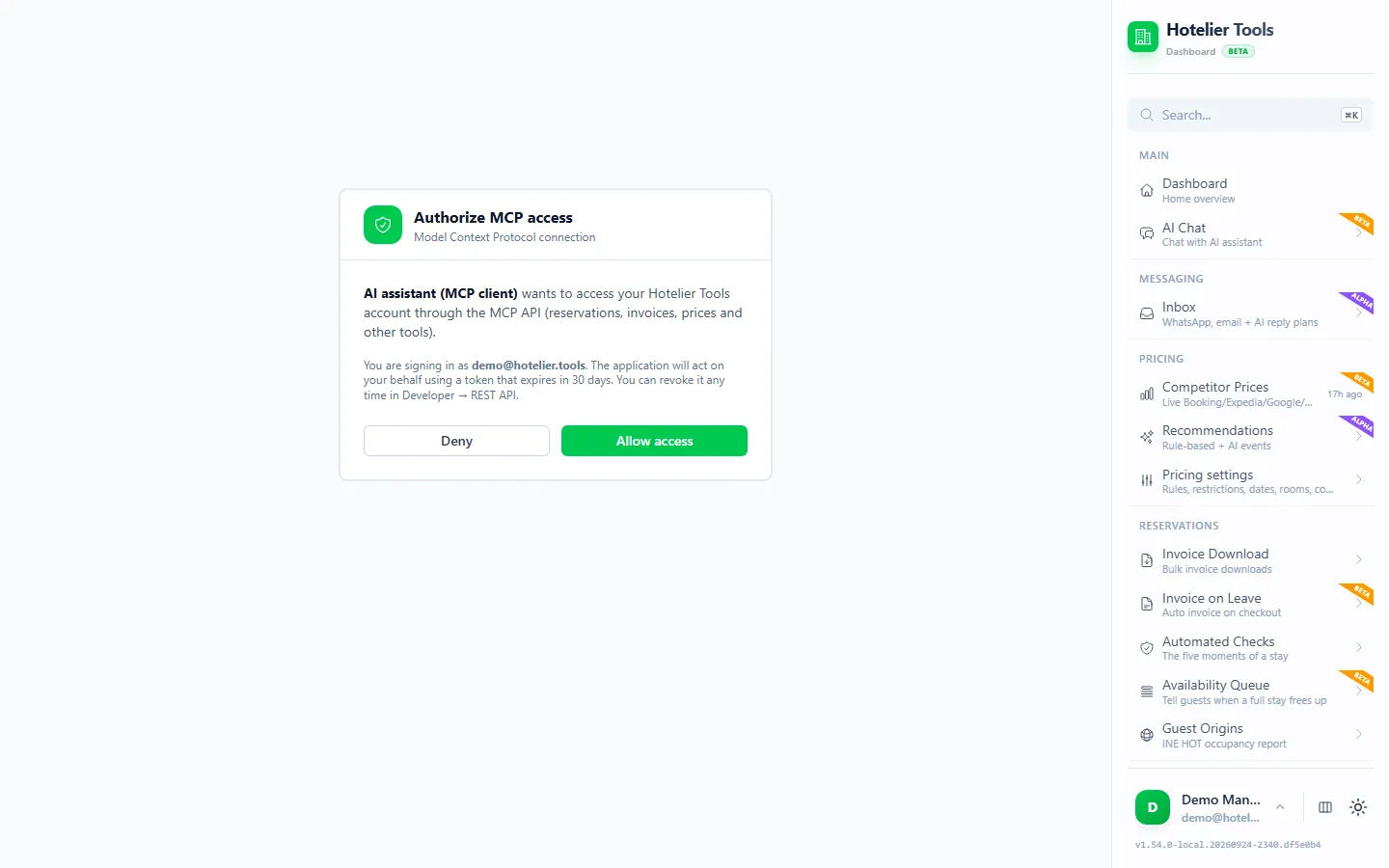
- Sign in to Hotelier Tools. On Authorize MCP access, choose the property if you have several and press Allow access.
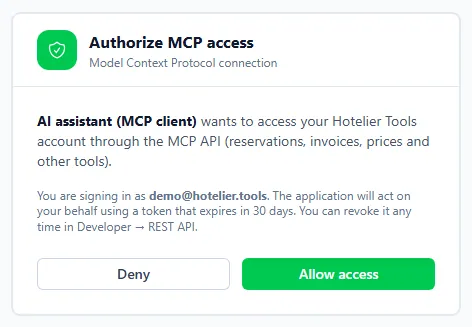
- Review the list of tools ChatGPT found. The app appears with a Dev label.
- Start a new chat. Open the + menu, choose Developer mode and select Hotelier Tools (newer accounts also let you type
@and pick it).
The sign-in lasts 30 days. After that, ChatGPT asks you to reconnect. You can see and revoke the connection in Hotelier Tools on Developer → API Keys (/developer/api-keys), where it has an MCP client badge.
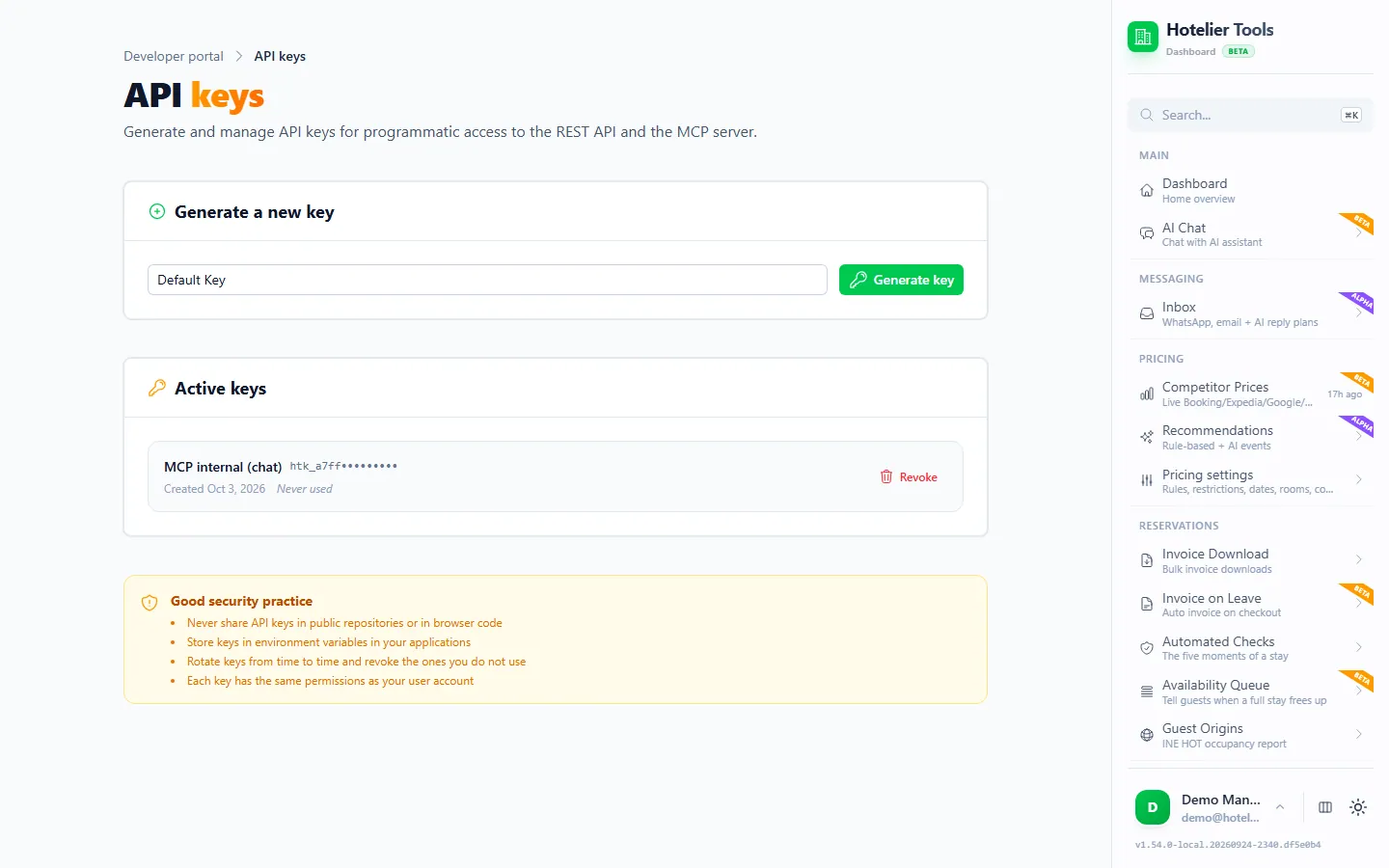
On a Business, Enterprise or Edu workspace
On Business, OpenAI says only admins and owners can use developer mode and publish apps. To share the app with colleagues, an admin publishes it from Workspace settings → Apps → Drafts → Publish. On Enterprise and Edu, admins can grant developer mode to chosen members with role-based access. Each person still signs in to Hotelier Tools with a login that has API access.
Why not an API key?
OpenAI's authentication docs say ChatGPT "cannot present custom API keys". So the htk_ API keys that work in Claude Code, Cursor and VS Code are not used here. The browser sign-in is the way in.
18 prompts that work for small hotels
Start each chat with Hotelier Tools selected. Naming it in the prompt helps ChatGPT use your data instead of the web. The booking reference below is invented.
Arrivals and rooms
Using Hotelier Tools, who arrives today? List guest, nights, room type and whether a room is assigned.
Which reservations arriving in the next 7 days still have no room assigned?
Who checks out today, and does anyone still have an open balance?
How many rooms of each type are still available tonight and tomorrow night?
Payments and invoices
List the reservations arriving in the next 14 days with an unpaid balance, sorted by amount, highest first.
Which stays checked out last week and still have no invoice? For each one, tell me why it can't be invoiced yet.
Is booking BDC-1234567890 ready to invoice? If not, what exactly is missing?
Write a short, friendly payment reminder for each guest arriving this week with an unpaid balance. Don't send anything; just give me the texts.
Pricing and availability
Show my rates and availability for next Friday and Saturday by room type.
Compare my prices for the next 14 nights with the competitor prices you have. On which nights am I the cheapest, and on which the most expensive?
Explain, step by step, why the recommended price for a double room on Saturday 14 November is what it is.
Which nights in the next 30 days have the lowest occupancy? Suggest which ones I should look at first.
Guests
Find the guest whose phone number ends in 4521 and show me their past and upcoming stays.
Do any arrivals in the next 7 days match my do-not-rebook list?
Which guests arriving this week are still missing an ID document or an address?
Reports
Summarise last month: arrivals, nights sold by room type, cancellations and no-shows. Present it as a table.
What did the scheduled tasks do this week, and did any of them fail? Explain any failure in plain words.
Who is on the waitlist, for which dates, and has anything become available for them?
Answers are only as good as the data in Little Hotelier. If a figure looks wrong, ask ChatGPT to show the reservations it used.
Connected ChatGPT vs copy and paste: what is the difference?
Without a connection, you export a report from Little Hotelier, paste it into ChatGPT and ask. That works for one-off analysis, but the data is a snapshot, your export may miss fields, and the guest list you pasted stays in the chat.
With the MCP app, ChatGPT asks Hotelier Tools for exactly what it needs, when it needs it: today's arrivals, one guest's balance, next week's rates. You don't export anything, and the answer reflects Little Hotelier at that moment.
If you still want spreadsheets, see exporting reservations to Excel.
Can ChatGPT make changes, and how are they approved?
On plans with full MCP, yes. Hotelier Tools offers write tools such as updating a reservation (first a before/after proposal, then an apply step), recording a payment, enrolling a stay for the invoice at checkout, and applying prices.
Practical rules:
- Keep app permissions on Always ask. OpenAI's app permissions range from Always ask to Allow all actions; the last one skips prompts and carries "elevated risk". ChatGPT treats any tool not labelled read-only as a write action, so expect a prompt even for some lookups.
- Don't let it remember approvals for writes in long conversations. A remembered choice only lasts for that chat, but one chat can do a lot.
- Watch for instructions hidden in guest messages. OpenAI warns about prompt injection. If ChatGPT proposes something you did not ask for, decline.
Some actions are never available to ChatGPT, whatever you approve. Irreversible tools are blocked for every outside client, including emailing an invoice to a guest, refunds, filing the INE survey, sending team invitations, emailing a guest invoice link, answering a Booking.com question and running the waitlist check that messages guests. They stay in the dashboard assistant, behind a card.
Privacy: where does the data go?
When ChatGPT calls a Hotelier Tools tool, the result, such as guest names, dates and amounts, enters the conversation and is processed by OpenAI.
According to OpenAI's connected apps article, as of October 2026:
- On Business, Enterprise and Edu, OpenAI "does not use information accessed from connectors to train models by default".
- On Free, Plus, Go and Pro, OpenAI "may use information accessed from apps to train our models" if Improve the model for everyone is on. Switch it off in Data controls before connecting hotel data.
- ChatGPT memory may keep details it read through an app. Review Memory in settings if that matters to you.
Guest data is personal data, and your hotel remains responsible for it. Ask only for what you need.
Try it in the live demo
Open the same screen in the Hotelier Tools demo, filled with invented data. No sign-up, nothing to install.
Troubleshooting
- Developer mode is missing. Your plan may not include it, or on Business only admins can use it. On Enterprise and Edu, ask an admin to grant it.
- No Hotelier Tools tools appear, or only some. Your plan may only allow read and fetch permissions. Check with OpenAI's help centre for your plan, or use Claude, which allows custom connectors with write tools on every plan.
- ChatGPT stops working with the app after a month. The sign-in lasted 30 days. Reconnect from Settings → Plugins (or Apps).
- Error "No Little Hotelier credentials configured". Connect Little Hotelier on Credentials in Hotelier Tools first.
- "lh_frozen" or similar. Little Hotelier sign-in is paused after a failed login, often an expired password. Save the new password on Credentials or press Check now & resume.
Summary
- Turn on developer mode, create an app with the URL
https://dashboard.hotelier.tools/api/mcpand OAuth, and press Allow access. - Check your plan: full read-and-write MCP is Business, Enterprise and Edu; Pro, and possibly Plus, get read-only permissions, per OpenAI.
- Keep app permissions on Always ask; refunds and other irreversible actions are blocked anyway.
- New to MCP? Start with what an MCP server is. All tools are on the API & MCP page.
Frequently asked questions
Which ChatGPT plans can connect to Little Hotelier?
As of October 2026, OpenAI's help centre says full MCP support, including write actions, is for Business, Enterprise and Edu on the web, while Pro can connect MCP apps with read and fetch permissions in developer mode. OpenAI's developer docs also list Plus. Free and Go are not listed. Check what your own account shows.
Can I use an API key instead of signing in?
No. OpenAI says ChatGPT cannot present custom API keys to an MCP server, so choose OAuth. You sign in to Hotelier Tools in a browser window and press Allow access.
Can ChatGPT change my reservations or prices?
Only if your plan allows write actions and you confirm them. OpenAI asks for confirmation before write actions by default. Hotelier Tools adds no second approval outside its dashboard, and it blocks refunds, emailing invoices, filing the INE return and other irreversible actions for ChatGPT entirely.
Does it work in the ChatGPT mobile app?
Not for custom MCP apps. OpenAI's help centre says developer-mode MCP apps are web only. Use chatgpt.com in a browser.
Is my guest data used to train OpenAI's models?
On Business, Enterprise and Edu, OpenAI says it does not train on information from connected apps by default. On Free, Plus, Go and Pro it may, if Improve the model for everyone is on in Data controls. Switch it off before connecting hotel data.
Claude or ChatGPT: which is better for hotel tasks?
Both work with the same Hotelier Tools server. As of October 2026, Claude allows custom connectors with write tools on every plan, including Free (one connector), while ChatGPT limits full read-and-write MCP to Business, Enterprise and Edu. Pick the assistant your team already uses.