On this page
- Does Booking.com send the guest an invoice?
- What must a hotel invoice include?
- How to email an invoice from Little Hotelier (the manual way)
- How to send the invoice automatically when the guest checks out
- Which language does the invoice go out in?
- The guest needs it in a company's name, or after they've left
- How do I resend an invoice?
- Summary
Booking.com never invoices your guests: the property does, even when Booking.com took the payment. In Little Hotelier you send it from the reservation with Invoices > Generate invoice, then Email > Invoice. To make it automatic, mark the stay in Hotelier Tools' Invoice on Leave: once the guest checks out, a daily task has Little Hotelier generate the invoice and email it to them.
Does Booking.com send the guest an invoice?
No. Booking.com's partner help is clear: each reservation is an agreement between you and your guest, so "it's your responsibility to provide the guest with an invoice – not Booking.com", whoever handled the payment (Booking.com Partner Hub).
The same page adds three practical rules:
- Issue the invoice in the guest's name, or another name you agreed with them.
- Don't show Booking.com as the seller. You are the supplier.
- If you are paid by virtual card, the cardholder shows as "Booking.com (Agent)", but you still invoice the full stay value.
Business travellers who booked through Booking.com for Business can press Request invoice, which simply messages you (Booking.com for Business help). The work still lands on your front desk.
What must a hotel invoice include?
It depends on your country, but in the EU a full VAT invoice includes (European Commission):
- date of issue and a unique sequential number
- your full name and address, and the customer's
- the customer's VAT number, when the customer is liable for the tax (typically a company)
- a description of the stay, the unit price before tax and the date of supply if different
- the VAT rate, the VAT amount, and a breakdown by rate
Many countries also allow a shorter "simplified" invoice for some sales. When a business guest asks for an invoice, they usually need the full one in the company's name, with its tax ID.
Set up your layout once in Little Hotelier at Front Desk > Setup > Guest Payment Options > Customise invoices: title (Invoice, Tax Invoice or your own), numbering prefix and suffix, logo, and tax shown inclusive or exclusive. Changes only apply to new invoices (help centre).
How to email an invoice from Little Hotelier (the manual way)
- Make sure the stay is finished: on the reservation's Details tab, set the status to Checked-out and check the balance.
- Go to the Invoices tab and click Generate invoice.
- Click Email and choose Invoice. Little Hotelier sends it to the primary contact email on the reservation.
You can also tick Email invoice when you Record Payment. If you edit the reservation afterwards, the Invoices tab shows Invoice is outdated; click it to generate a corrected invoice and email that one. Sources: Generate, print, and email a guest invoice and Record a payment.
To print instead, click Print and choose Invoice. The free Extra Invoice Print Button script adds a direct link so you skip the menu:
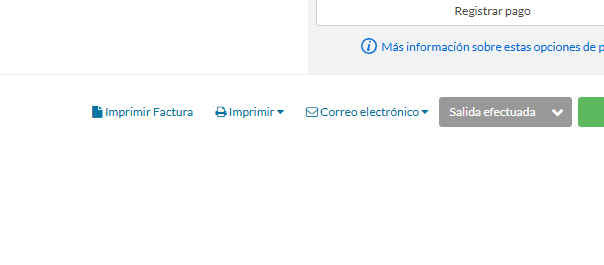
The catch: it's a manual step for every guest. Little Hotelier's automatic guest emails are the booking confirmation, cancellation, pre-arrival reminder and post-departure thank you (help centre). None of them sends the invoice.
How to send the invoice automatically when the guest checks out
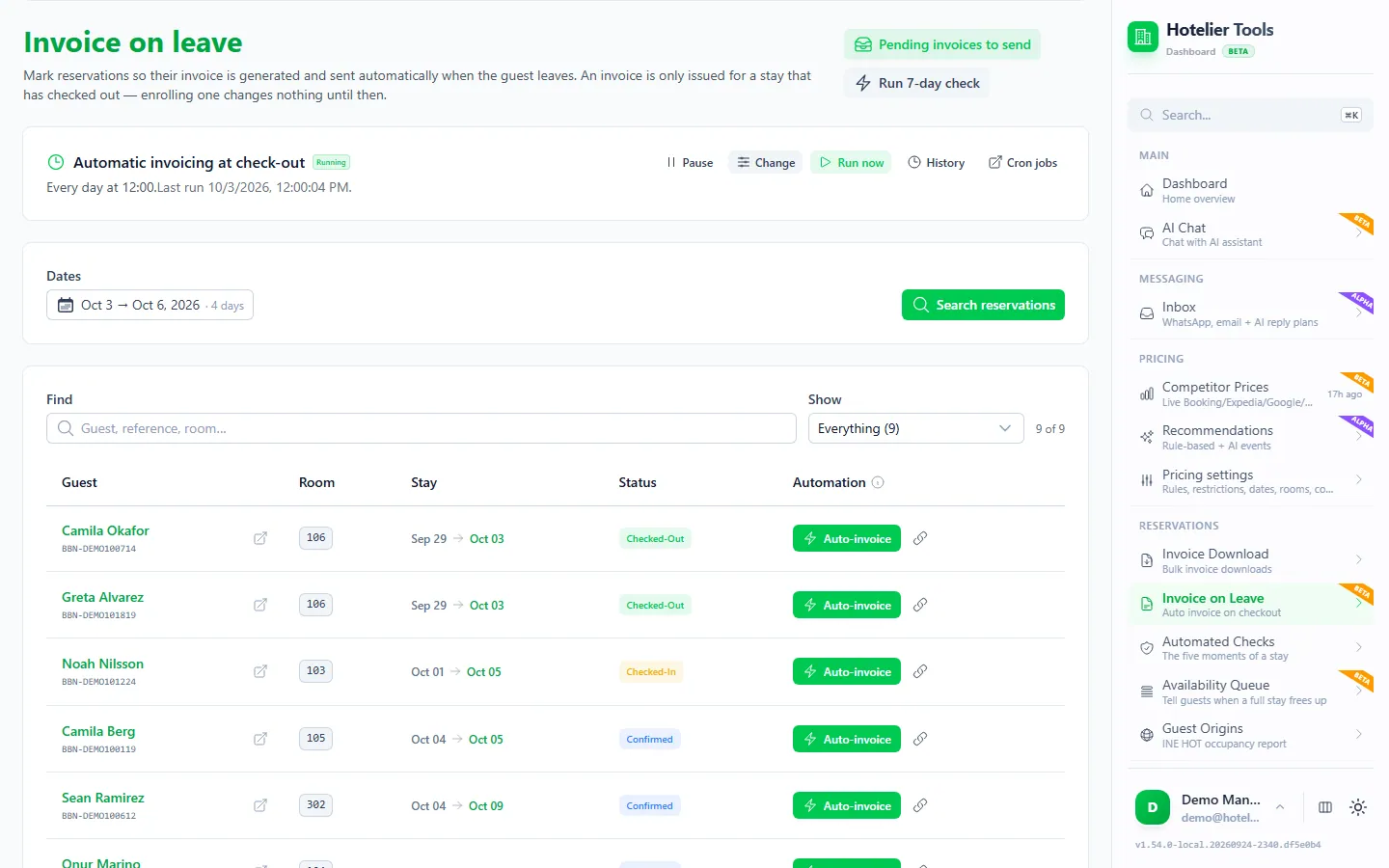
Invoice on Leave in Hotelier Tools (beta) does the manual steps above for you, after checkout. You mark a reservation once; marking it sends nothing at that moment.
- Open Invoice on Leave (
/invoice-on-leave). If the banner says there is no task yet, press Create the daily task (16:00, after check-out). - An invoice is only issued for a stay that is checked out in Little Hotelier. If your team doesn't check guests out by hand before 16:00, use the Automatic check-out card and press Create the daily task (15:05). It closes the day's departures in Little Hotelier, so it stays off until you create it.
- Find the reservation and turn on auto-invoice for it. The Enrolled and Not enrolled filters show where each stay stands. You can enrol a guest who is still in the house: the invoice goes out on the first run after they leave.
- After checkout, the daily task asks Little Hotelier to generate the invoice, and Little Hotelier emails it from your own template and sender.
- Check Pending invoices to send (
/invoice-on-leave/scheduled) for what is queued, due today, overdue or already invoiced.
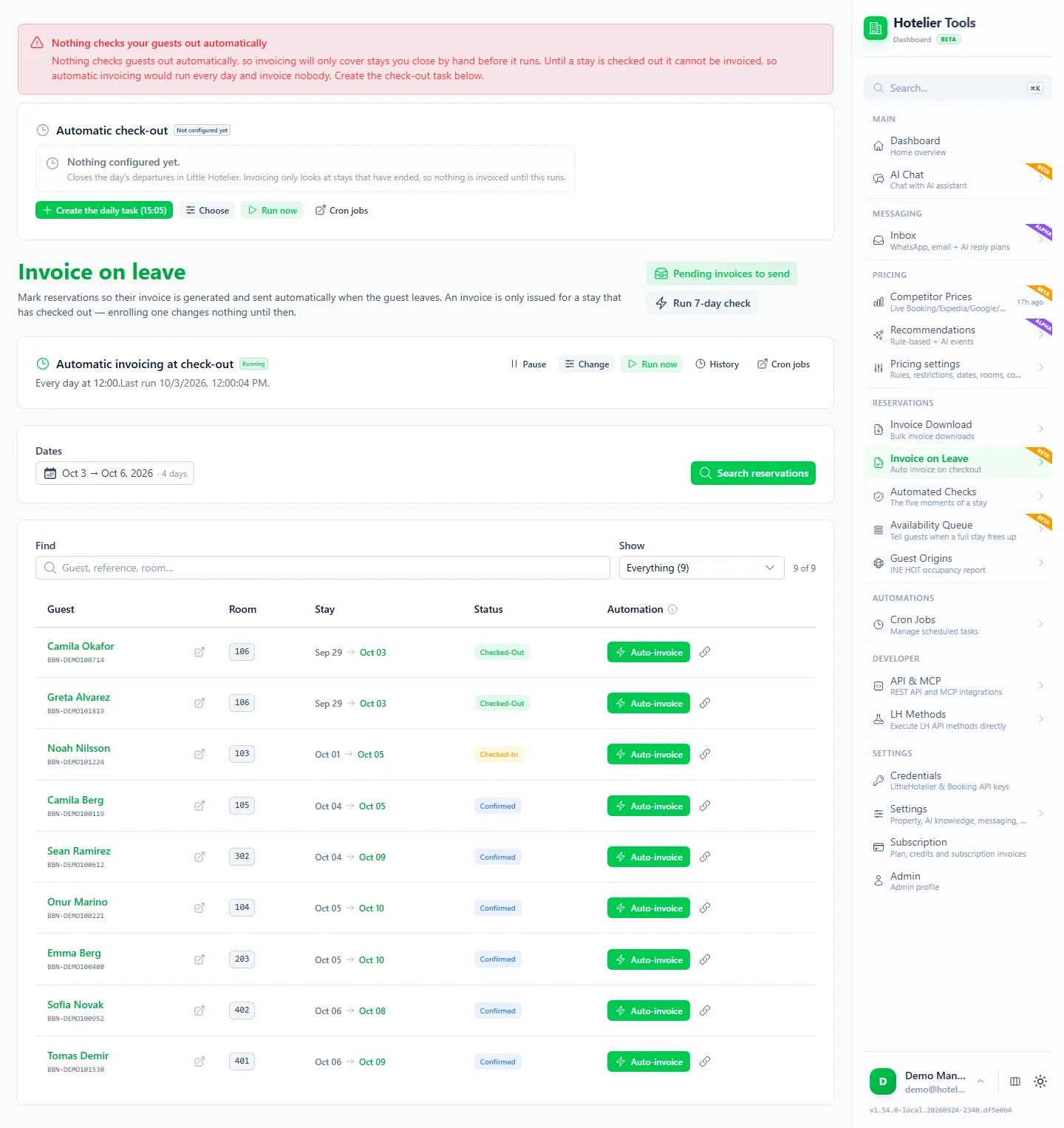
Need it now? Each row has a "process now" action to issue that invoice immediately.
What keeps it safe
- The mark lives in Little Hotelier. Enrolment is saved as a tag in the reservation's notes in Little Hotelier, so your staff can see it there.
- No double sending. A second tag marks "invoice sent", written only after Little Hotelier accepts the email. Already-invoiced stays can't be enrolled again.
- The same preflight as bulk invoicing. A company invoice without a tax ID or fiscal address, or with a malformed tax ID, is refused instead of sent half-done.
- Catch-up and limits. The daily task looks back 8 days to catch up on missed runs and reads up to 100 checkouts per run. A past stay with no guest email is reported once, not retried every day.
Try it in the live demo
Open the same screen in the Hotelier Tools demo, filled with invented data. No sign-up, nothing to install.
Which language does the invoice go out in?
Set it once in Settings > Invoices (/settings/invoices): From the guest's country (the country on the guest's address picks the language) or Always the same language. A missing or unmatched country uses your Fallback language.
The guest needs it in a company's name, or after they've left
Before the invoice exists: add the company name, tax ID and fiscal address to the reservation's guest details in Little Hotelier. Hotelier Tools refuses to issue a company invoice while the tax ID or fiscal address is missing or malformed, so nothing half-done reaches the guest.
After it was issued: edit the details in Little Hotelier, then use Invoice is outdated to generate a corrected invoice. If you had already marked it as final, click Cancel invoice, then Generate invoice again (help centre). In Spain with VeriFactu, a finalised invoice is changed through Rectify invoice (help centre).
A private link where guests fill in their own company details is in development, and not available yet.
If invoice requests reach you through Booking.com messages, see how to manage Booking.com guest messages.
How do I resend an invoice?
Open the reservation and use Email > Invoice again. One timing tip: once an invoice is marked as final, Little Hotelier no longer offers Print or Email for it. Send it first and finalise afterwards, or download the PDF later from the Invoice report.
Summary
- The property, not Booking.com, must invoice the guest.
- In Little Hotelier: Invoices > Generate invoice, then Email > Invoice, ideally after check-out.
- Hotelier Tools' Invoice on Leave emails it automatically after checkout, from your own Little Hotelier template, with checks for company details and duplicates.
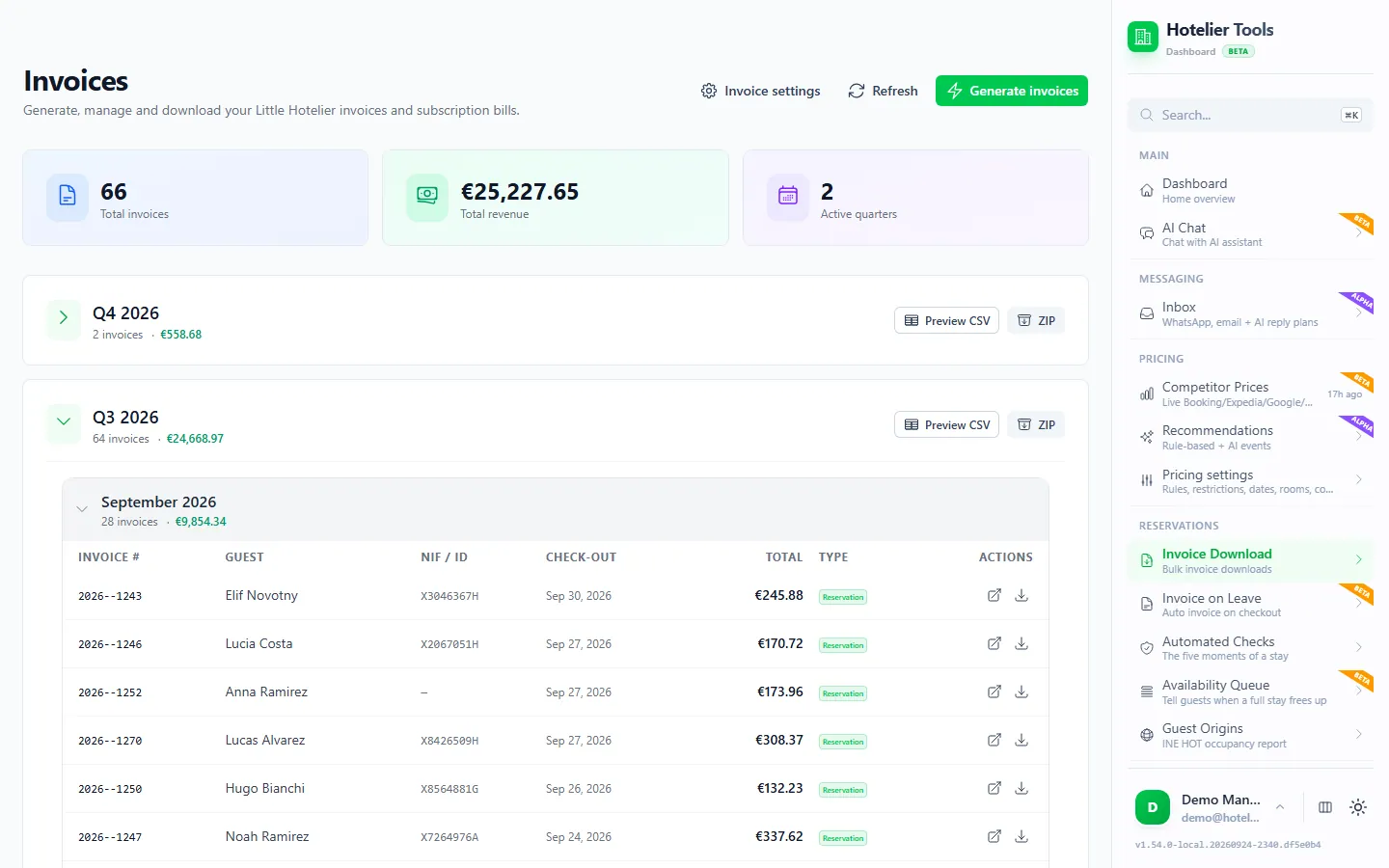
- At the end of the quarter, download all your invoices at once. Everything the invoicing feature does is on the Invoicing page.
Frequently asked questions
Does Booking.com send invoices to guests?
No. Booking.com says the reservation is an agreement between you and the guest, so the property must provide the invoice, even when Booking.com collected the payment.
Can Little Hotelier email the invoice automatically at check-out?
Not on its own. Its automatic guest emails are the booking confirmation, cancellation, pre-arrival reminder and post-departure thank you. You email the invoice from the reservation, or use a tool such as Hotelier Tools' Invoice on Leave to do it after check-out.
Why wait until check-out to issue the invoice?
Because the figures are only final then. Extras, payments and date changes often happen during the stay, and an invoice issued too early has to be corrected with a credit note or a new invoice.
Will the guest see Hotelier Tools in the email?
No. Hotelier Tools asks Little Hotelier to send the invoice, so it goes out from your own Little Hotelier email template and sender, exactly like pressing Email > Invoice yourself.
What if the guest has no email address on the booking?
Little Hotelier sends the invoice to the reservation's primary contact email, so without one there is nowhere to send it. Invoice on Leave reports a past stay without a guest email instead of retrying every day, so you can print the invoice or ask the guest for an address.