On this page
Little Hotelier hides some of its most useful features a click or two deep: passkey login, a property minimum rate, booking-engine links that open a specific room, a flush button for channels that won't update, and an audit log of who changed what. Here are 20 tips: 14 built into Little Hotelier (each with a link to the official help article), 4 free browser scripts for what it doesn't do, and 2 for owners who use the Hotelier Tools dashboard.
Calendar and front desk tips
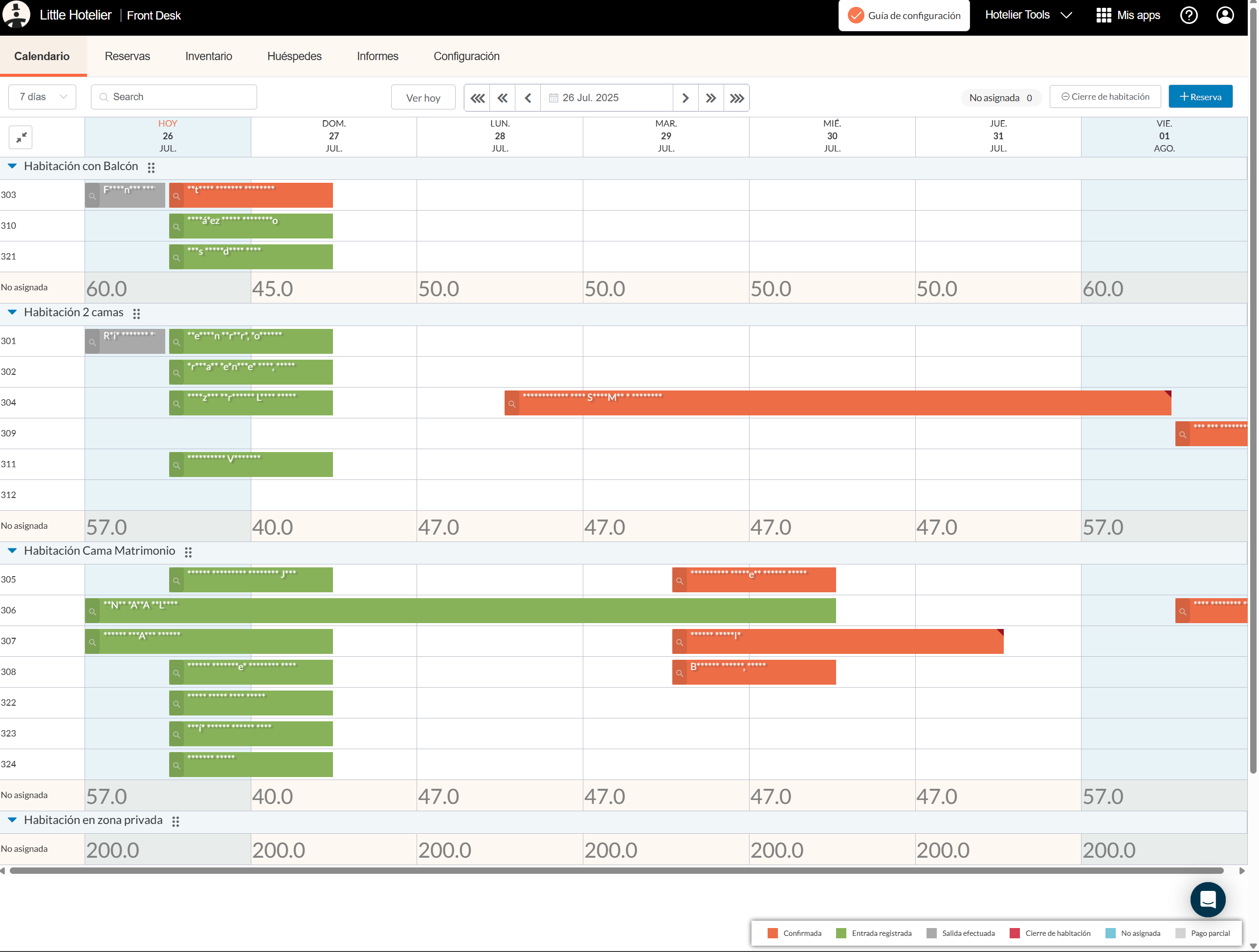
1. Read the calendar at a glance
Choose a 14 or 28 day view from the drop-down. In the 14-day view, <, << and <<< move 1, 7 and 14 days; View today jumps back. Colours tell the status: orange confirmed, green checked in, grey checked out, blue unallocated, red room closure. A red triangle in the corner means money is still owed (calendar guide).
2. Use the Unallocated row to fit one more booking
When a room type looks full but the nights don't line up, move one booking to Unallocated, rearrange the others, then drag it back into a room. Unallocated bookings still count against availability, so parking one there does not put the room back on sale (classic guide).
3. Print the registration form as a check-in sheet
Click the magnifying glass on a booking, then Print → Registration form. Little Hotelier suggests using it as a ready-made check-in form.
4. Give housekeeping their own report
Open Reservations → Housekeeping. Mark each room Cleaned, Uncleaned or Skip cleaning, add room notes, switch between Today, Tomorrow or chosen dates, and press Print report. Give housekeepers their own user with Front desk access so they see it live. It is not in the mobile app (housekeeping guide).
5. Read where a booking came from by its reference
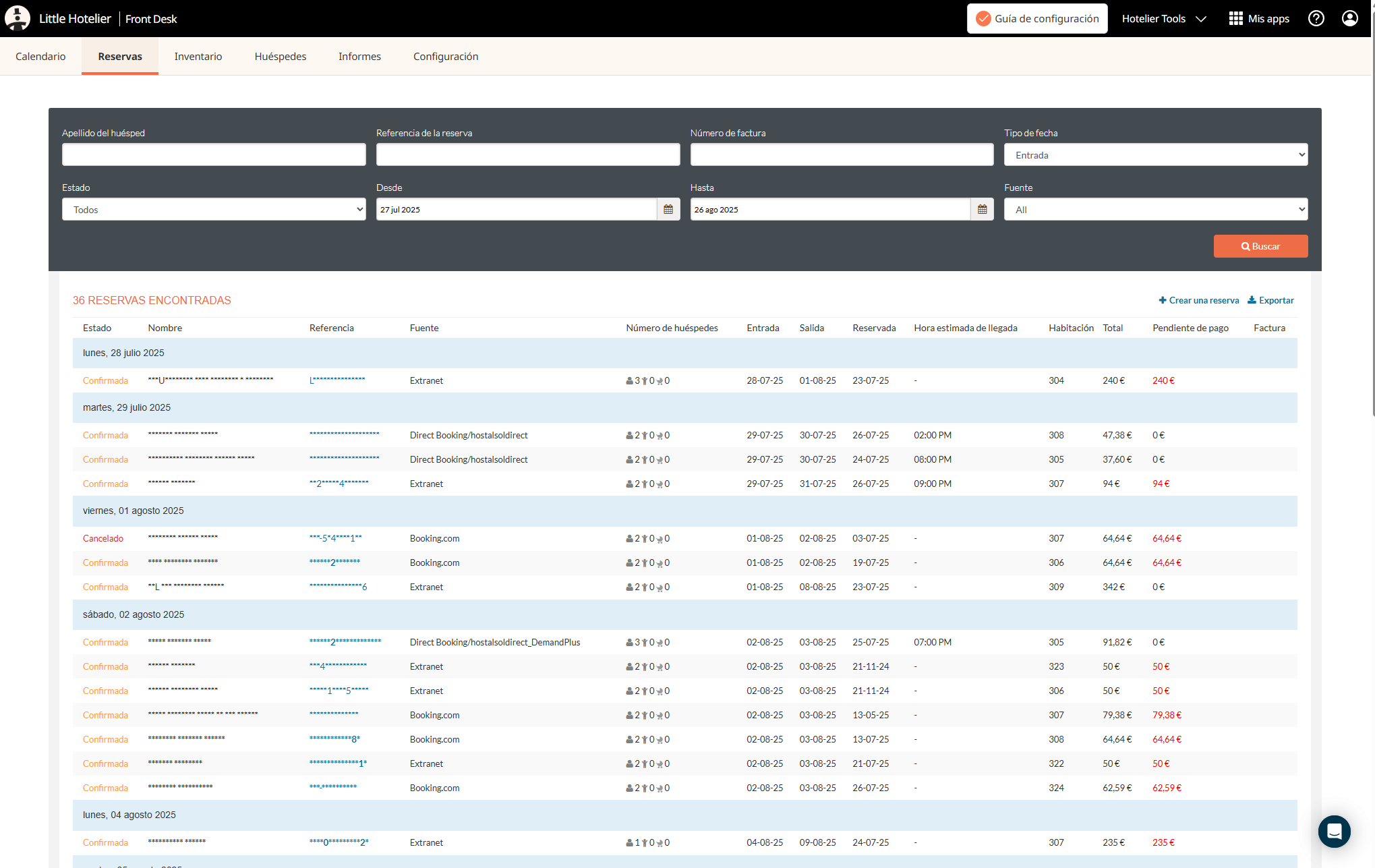
The letters at the start of the booking reference are the source: LH your front desk or booking engine, BDC Booking.com, EXP Expedia, ABB Airbnb, AGO Agoda, HWL Hostelworld (reservations guide). Handy when you filter an export in Excel.
Rates, restrictions and channels
6. Set a minimum rate so nothing sells too cheap
A property minimum rate stops any room rate, or any discount managed in Little Hotelier, from going below it. On the platform: Setup → Property settings → General information, the pencil next to Inventory, then Minimum rate (guide). On classic: Channel Manager, click your property name, then Property settings → General (guide). Promotions you create directly on Booking.com or other channels can still go lower.
7. Rescue gap nights left by minimum stays
A three-night minimum leaves two-night gaps nobody can book. Little Hotelier's fix: a second rate plan, derived from your standard one at a little more (their example is +5%), with a shorter minimum stay, mapped to your channels (gap nights guide). For what CTA, CTD and stop sell do, see CTA, CTD, minimum stay and stop sell explained.
8. Send a "flush" when a channel doesn't update
On classic, Setup → Property & Room Settings → Rooms & Rates, select the room type or rate and press Flush at the bottom. It re-sends prices, restrictions and availability to every channel. Wait five minutes after a small change before you flush, and fix mapping errors first (flush guide).
9. Find out who changed a rate or a channel mapping
Open a room rate or a channel and choose Audit. The Lifecycle audit shows when a setting changed and the email of the user who changed it. It does not record prices, restriction values or reservation changes (audit guide). For a mystery stop sell, check the rate's Release period first; if it is empty, a yield rule closed it (guide).
Booking engine and Booking.com
10. Link straight to one room, rate or promo code
Add a parameter to your booking-engine address:
?room_type=IDopens one room type (the ID is in the room type's URL under Direct Booking setup)?promocode=CODEapplies a promo code?ratePlanId=IDshows one rate plan (Little Hotelier explains how to find the ID with your browser's developer tools)
The address starts with direct-book.com/properties/ in Europe, Africa, the Middle East and the Americas, or book-directonline.com/properties/ in Asia-Pacific (room and promo links, rate plan links).
11. Report a Booking.com invalid card or no-show without the extranet
Open the Booking.com reservation in the channel manager and go to the Manage Reservation tab. From there you can report the card as invalid, ask Booking.com to cancel for an invalid card, or mark a no-show and choose whether to waive the fee (guide). The deadlines are in Booking.com invalid card or no-show: what to do.
12. Make sure Booking.com guests get your emails
Booking.com blocks emails from systems it doesn't know. If you send confirmations or payment requests from Little Hotelier, allow @app.littlehotelier.com and @guestjoy.com (and the links siteminder.com and guestjoy.com) in the extranet under Property → Messaging preferences → Security settings (steps).
Login, support and exports
13. Log in with a passkey instead of codes
MFA is mandatory, and Little Hotelier asks again every 30 days or on a new browser. Two ways to make it painless (MFA guide):
- Approve with the Little Hotelier app. You tap the matching number and confirm with your face or fingerprint. SMS and email codes are not supported.
- Use a passkey. Profile icon → My account → Passkeys → Create passkey, then log in with Continue with a passkey. It works in web browsers (Chrome and Edge 109+, Safari 16+), not in the mobile app, and needs MFA set up first (passkey guide).
Everyone should have their own user: MFA codes belong to one person and one device.
14. Ask Sim before you search, and export before day 180
Once logged in, open the chat icon at the bottom right and choose Ask a question. Sim, Little Hotelier's AI chatbot, answers from the help centre 24/7 in eight languages and can hand you to a person. Ask one specific question at a time, with the channel name and the exact error (tips).
And one habit worth building: export your reservations every month. Guest details are masked 180 days after check-out, and exports never include phone numbers. Step by step: export reservations to Excel or Google Sheets.
Free userscript tweaks
These free userscripts run in your browser with the Tampermonkey extension and only change what you see. They stay free forever. The install guide takes about five minutes per script.
15. See your prices in the calendar
Prices Display reads your rates from the inventory page and shows them under each room type in the calendar, so you can quote a price on the phone without switching screens.
16. Stop coming back to a stale page
If you leave Little Hotelier open at reception and come back to errors, Auto Refresh On Inactivity reloads the page after 10 minutes without clicks, scrolling or mouse movement. It never reloads while you are working.
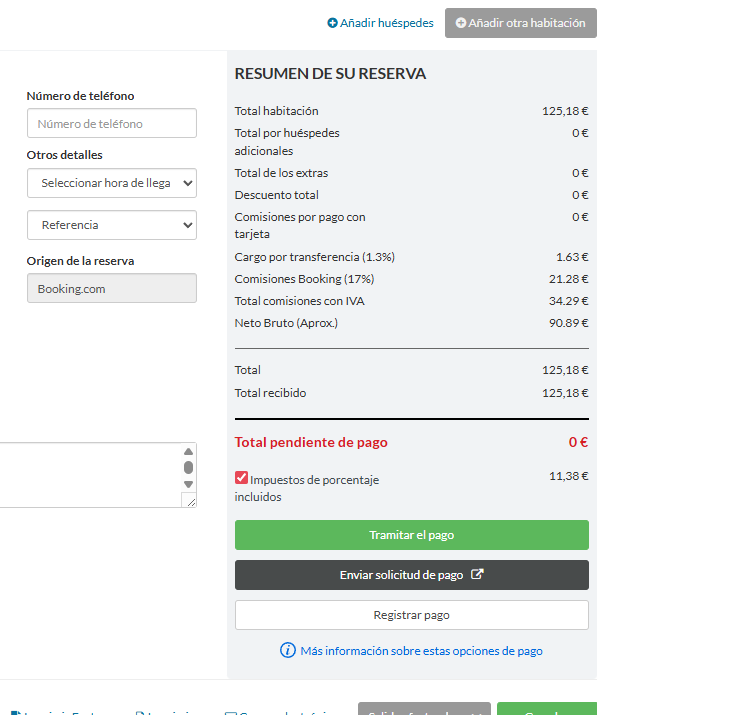
17. See Booking.com's commission inside the reservation
Show Booking.com Commissions adds an estimated breakdown of the commission and your approximate net to each Booking.com reservation. How the real commission works is in how much commission Booking.com takes.
18. Fit more on the screen (and on a tablet)
- Compact Calendar UI puts date headers on one row and shrinks room type names.
- Full Width Reservation Table widens the reservations list so you stop scrolling sideways.
- Improve Style For Touch Screens makes buttons bigger and always shows the "remove room" button that otherwise appears only on hover.
All the scripts, with before-and-after images, are on the browser extensions page and in free Chrome extensions for Little Hotelier.
Two tips if you use the Hotelier Tools dashboard
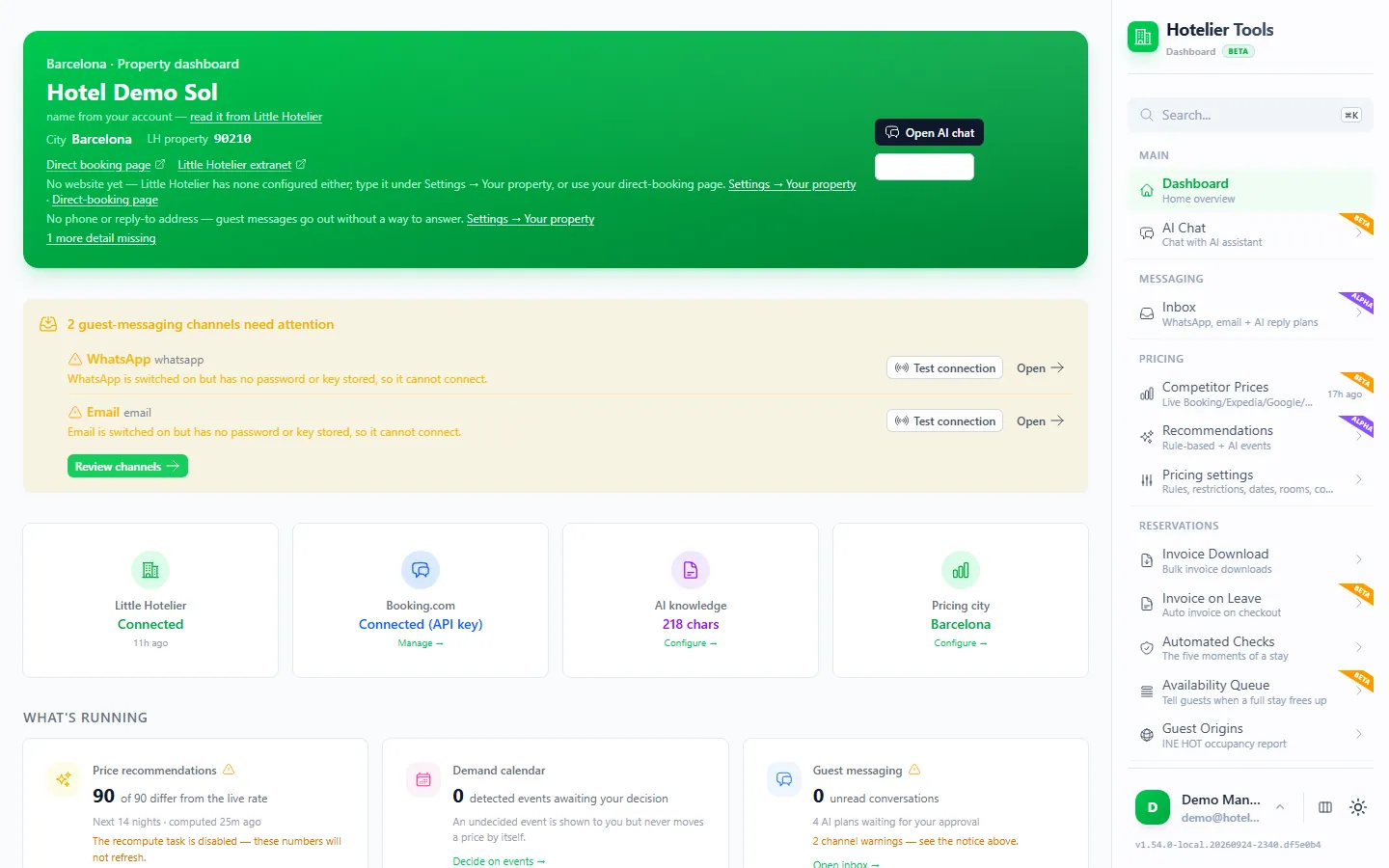
Hotelier Tools is an independent dashboard that works next to Little Hotelier, using your property's own Little Hotelier login. It is not affiliated with or endorsed by SiteMinder or Little Hotelier, and it is free for every hotel until billing starts on 10 January 2027.
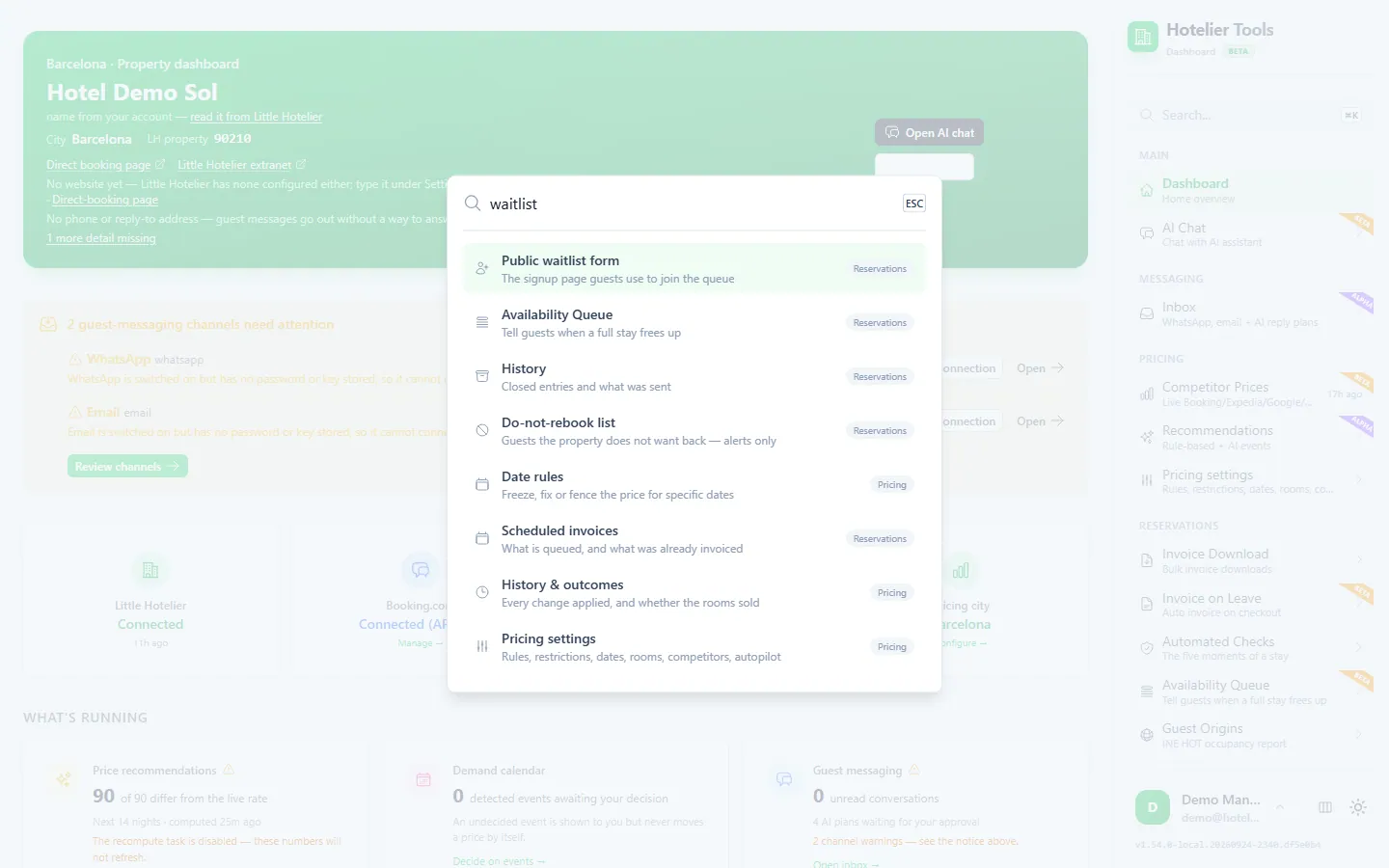
19. Press Ctrl+K to find anything
Ctrl+K (Cmd+K on a Mac) searches pages, waitlist entries, scheduled tasks and conversations. It ignores accents and understands English and Spanish words for the same thing: "lista de espera" finds the Availability Queue.
20. Let a nightly check find missing IDs before guests arrive
Automated checks read upcoming reservations and flag what you would otherwise find at the desk: no room assigned, missing ID document or address, an unpaid balance, or a guest on your do-not-rebook list. Problems land on one Issues page, and each run sends a report email. See the daily front-desk checklist.
Try it in the live demo
Open the same screen in the Hotelier Tools demo, filled with invented data. No sign-up, nothing to install.
Summary
- Biggest time savers: passkeys, the housekeeping report and booking-engine deep links.
- Biggest money savers: a property minimum rate and a gap-night rate plan.
- When channels misbehave: flush, then check the audit log and the release period.
- For what Little Hotelier doesn't do: free userscripts for prices in the calendar and Booking.com commissions, and integrations for the rest.
Frequently asked questions
How do I stop Little Hotelier asking for an MFA code all the time?
Little Hotelier asks again every 30 days, when you change browser or device, and before sensitive actions. The quickest way through is a passkey (My account, Passkeys, Create passkey) or approving with the Little Hotelier mobile app, which shows a matching number instead of a code.
How do I avoid Little Hotelier session timeouts?
Little Hotelier has no setting for it in the help centre articles we checked. The free Auto Refresh On Inactivity userscript reloads the page after 10 minutes without activity, so you come back to a fresh screen instead of a stale one.
Can I see room prices in the Little Hotelier calendar?
Not natively: the calendar shows bookings, and prices live in the inventory grid. The free Prices Display userscript reads them from the inventory page and shows them under each room type in the calendar.
Does Little Hotelier have keyboard shortcuts?
We found no keyboard shortcuts in Little Hotelier's help centres (October 2026). The calendar's arrow buttons move by 1, 7 or 14 days, and View today jumps back. In the Hotelier Tools dashboard, Ctrl+K (Cmd+K on a Mac) opens search.
Where is the Little Hotelier user manual?
There is no single manual. Little Hotelier keeps two help centres, one for the classic version and one for the newer platform, plus Sim, an AI chatbot you open from the chat icon once logged in.